CP30 User Manual
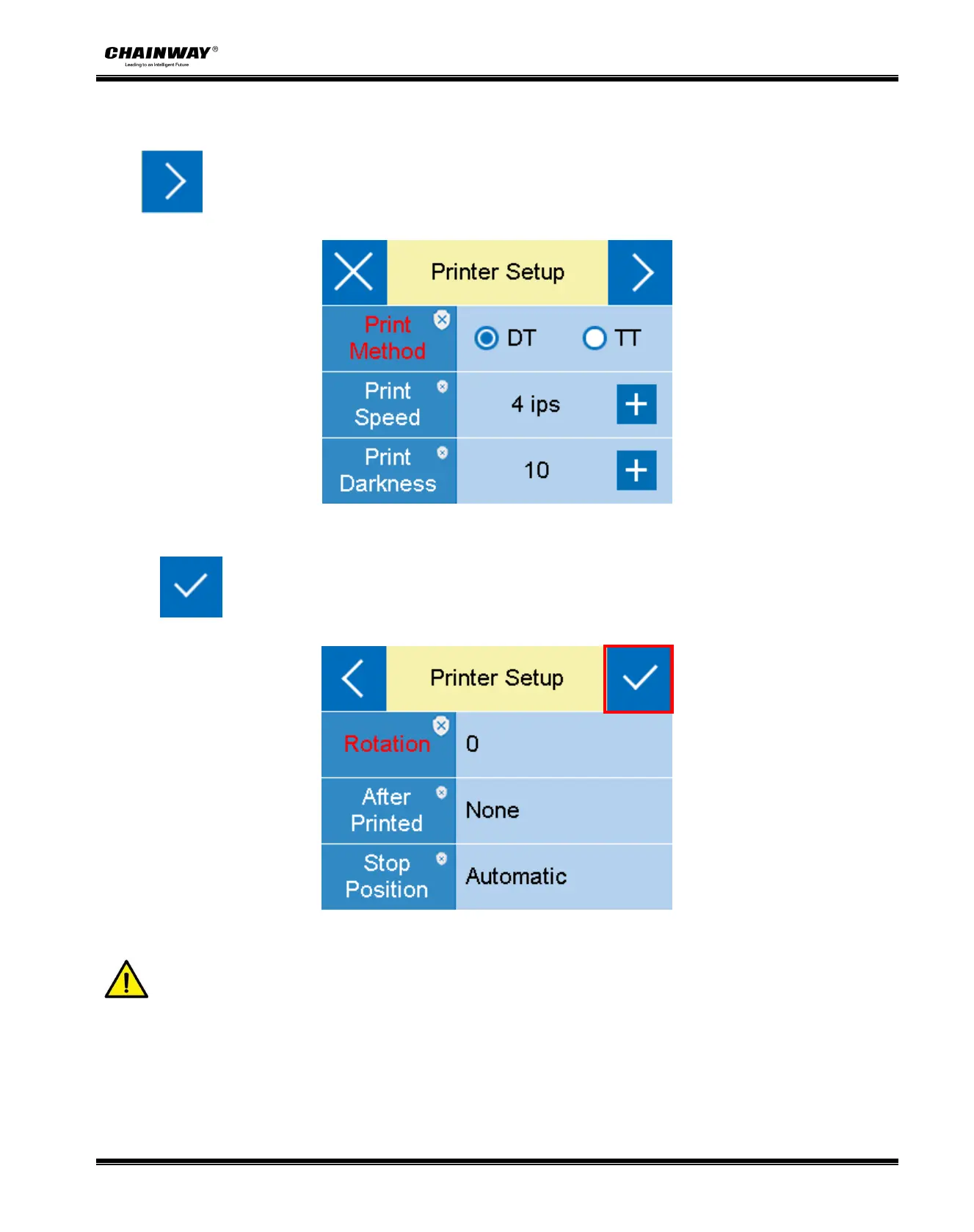
4. Users can click the settings of printing mode,printing speed and printing density as required;
Click to enter other setting options.
5. Click ,and save the above settings.
Note:
Much more detailed information of display menu needed, please refer to the appendix in the
end.
Pictures above are for your reference, and the display shows as the real printer does.


 To Next Page