CP30 User Manual
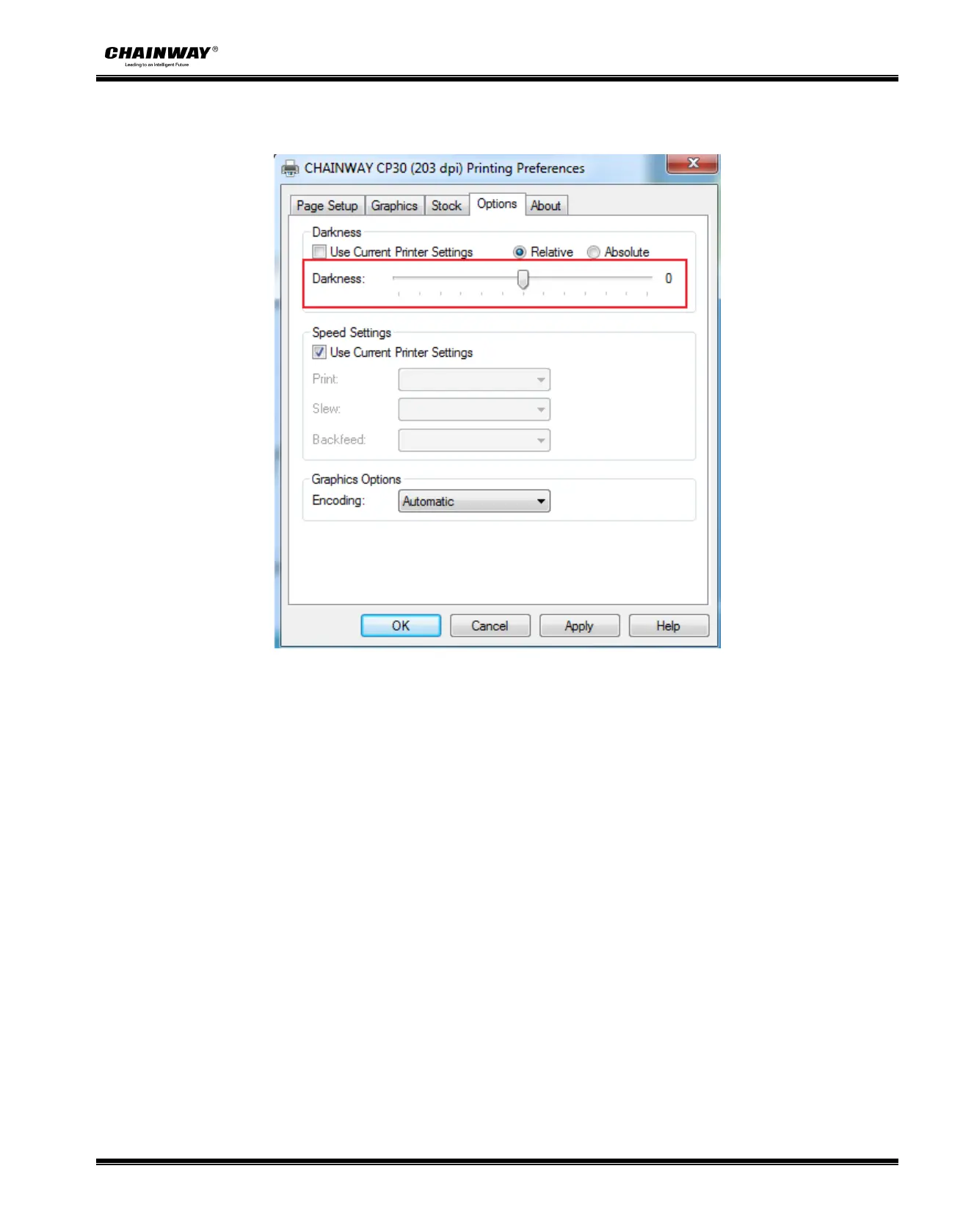
●Click “Darkness”. Set up the relative and absolute darkness.
In general, the darkness of relative and absolute is 0 and 15 respectively. When the printing effect is too light, turn up
the absolute darkness (<15). When the printing is too thick, turn down the absolute darkness (>15). The relative
concentration remains unchanged.


 To Next Page