EasyManua.ls Logo

Challenge CHAMPION 305 - User Manual

Challenge CHAMPION 305
128 pages
Print Icon
To Next Page IconTo Next Page
Loading...
F.194-J
May 2019
CHAMPION 305
Manual Backgauge
Instruction and Parts Manual
Serial Numbers:
1301708 through 1599999,
305M-J-150000 and up
Sold and Serviced by
The Challenge Machinery Company
6125 Norton Center Drive
Norton Shores, MI 49441-6081 USA
ChallengeMachinery.com
The Challenge Machinery Company provides owner's manuals on its
products solely as a courtesy to its customers. See the information below
before using this manual.
These manuals are for reference only. These manuals include products which are noncurrent,
unsupported or no longer produced by The Challenge Machinery Company, and are provided solely as
an accommodation to our customers. By providing these manuals, The Challenge Machinery Company
makes no representation or warranty as to the products, their current condition, or their suitability or fitness
for use in any particular application, which are the sole and independent responsibility of the product
owner and user.
Older products may not comply with current safety procedures, guidelines or regulations, and it
is the product owner's and user's responsibility to evaluate the suitability and fitness of the
products in their current use and application. The Challenge Machinery Company makes no
representation, warranty or recommendation regarding any modifications which may be required
on non-current or unsupported products. The Challenge Machinery Company assumes no liability
for any modification or alteration to any Challenge product, and any such modification or
alteration to any Challenge product is not authorized by The Challenge Machinery Company. The
availability of these manuals is solely for the purpose of providing reference information for the products.
This manual may not be complete in all aspects of product maintenance and repair. All products should
be used only by qualified and properly trained personnel, following proper safety procedures. All
products should be regularly inspected and maintained, and their condition, application and use should
be periodically evaluated by qualified personnel. Only qualified and properly trained technicians should
perform maintenance, repair and replacement procedures. Attempting these procedures without proper
training may cause machine damage or operator injury!
Products may be unsupported by The Challenge Machinery Company due to age or the unavailability of
parts from their original manufacturer. No parts or product support will be available to repair or maintain
unsupported products. Older products may not be UL listed (if the product does not have a UL label it is
not a listed product), and may not comply with applicable installation or other regulations or requirements
if relocated to a new facility. Many municipalities require a product to be UL listed before an electrician
will connect power to them. Often the cost of updating an older product to comply with current safety
regulations is greater than the value of the product.

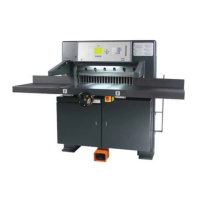
Table of Contents

Questions and Answers

  • M
    Mrs. Erin HarrisSep 10, 2025
    How to fix inaccurate cutting on a Challenge Automobile Accessory?
    • L
      Lisa ToddSep 10, 2025
      If your Challenge Automobile Accessory is cutting inaccurately, the backgauge might not be square. Adjust the backgauge to ensure it is square.
  • L
    Lisa ScottAug 22, 2025
    What to do if the Challenge Automobile Accessory knife stops in stock?
    • J
      Jennifer ChandlerAug 22, 2025
      If the Challenge Automobile Accessory knife stops in the stock, it could be due to several reasons. The knife might be dull, requiring sharpening. Alternatively, the relief valve or pressure control valve could be defective, necessitating replacement or cleaning. Worn seals in the knife or clamp cylinder can also cause this issue, requiring replacement. In some cases, the motor may be stalling due to low voltage or inadequate wiring, so checking the power supply and wiring is advisable.
  • S
    sarah41Aug 25, 2025
    What to do if Challenge Automobile Accessory clamp won't hold pressure?
    • L
      lmarshAug 25, 2025
      If your Challenge Automobile Accessory clamp won't hold pressure, it could be due to worn clamp cylinder seals, which would need replacement. Another cause might be the pressure valve setting being too low, requiring adjustment. Also, check if the clamp is parallel to the table and adjust if necessary.
  • A
    Andrea HatfieldAug 27, 2025
    Why is my Challenge Automobile Accessory experiencing erratic operation and power loss?
    • J
      Joshua MossAug 27, 2025
      Erratic operation and power loss in your Challenge Automobile Accessory can stem from a few issues. Check the hydraulic oil level and refill to the appropriate level if it's low. Debris in the relief valve can also cause this, so clean the valve. If these steps don't resolve the problem, the pump might be defective and require replacement, or the oil is bypassing the clamp cylinder seals, which would then need replacing.
  • B
    Brandon LongAug 27, 2025
    Why is my Challenge Automobile Accessory drawing stock?
    • C
      Christine JonesAug 28, 2025
      If your Challenge Automobile Accessory is drawing stock, ensure the knife is sharp. If it's dull, sharpen it. Also, check the clamp pressure and increase it if it's too low. Low hydraulic fluid or air in the lift can also cause this issue, so refill the fluid or reduce the pile height, respectively. Finally, make sure the clamp is parallel to the table and adjust if needed.
  • A
    Ashley BaxterAug 29, 2025
    Why is there hesitation of the knife in my Challenge Automobile Accessory?
    • I
      Ian WilsonAug 29, 2025
      If the Challenge Automobile Accessory knife hesitates, the knife may be dull and need sharpening. Alternatively, worn seals in the knife or clamp cylinder could be the cause, requiring replacement. A defective counterbalance valve on the knife cylinder or worn knife links could also be responsible, both necessitating replacement.
  • J
    jameshurleySep 18, 2025
    Why is there inconsistent stopping of the knife in the up position in my Challenge Automobile Accessory?
    • C
      Christian BryantSep 18, 2025
      If the Challenge Automobile Accessory knife stops inconsistently in the up position, there might be a bind in the knife linkage or gibs, which needs to be fixed. The up sequence valve might not be properly adjusted, requiring adjustment. Additionally, worn knife links could be the cause, necessitating replacement.
  • V
    Vanessa AdamsSep 12, 2025
    What to do if Challenge Automobile Accessory cut buttons are pushed and the machine shuts off?
    • S
      Steven GordonSep 12, 2025
      If your Challenge Automobile Accessory cut buttons are pushed and the machine shuts off, turn off the power and then turn it back on. This may be caused by the knife and clamp being out of sequence. You may also want to check the clamp and knife up limit switches. Adjust the limit switch or cut down on pile height. Replacing the circuit board may also be a solution.
  • D
    Dylan GarrettSep 8, 2025
    What causes a Challenge Automobile Accessory clamp not to bottom?
    • W
      Wanda FreemanSep 8, 2025
      If the Challenge Automobile Accessory clamp won't bottom, the clamp cylinder may be out of adjustment and need adjustment. Also, the clamp return spring could be broken or out of adjustment, requiring replacement or adjustment.
  • M
    Matthew MannSep 5, 2025
    What to do if Challenge Automobile Accessory clamp won't return?
    • C
      Cynthia MartinezSep 5, 2025
      If the Challenge Automobile Accessory clamp won't return, first check if the up sequence pressure is too high and lower it. A bind in the clamp linkage or gibs could also be the problem, requiring a fix. Ensure the clamps are parallel to the table and adjust if necessary. Finally, the clamp return spring might be defective and need replacement.

Summary

Introduction

Safety

2.1 Precautions

General guidelines for safe operation and handling.

2.2 Power Lockout Procedure

Steps to safely disconnect power for maintenance.

2.3 Warning Label Definitions

Explains hazard symbols and their meanings for safety.

Machine Specifications and Setup

3.0 Packing List

List of included parts and accessories.

4.0 Specifications

Technical specifications of the machine.

6.0 Installation & Setup

Procedures for installing and setting up the machine.

6.9 Power Hook-Up

Electrical connection procedures and safety precautions.

Operation

7.1 Power - Main Switch

How to turn the machine on and off using the main switch.

7.3 Presetting the Backgauge

How to set the backgauge position before cutting.

7.7 Making a Cut

Step-by-step guide to performing a cut operation.

7.12 Adjusting the Clamp Pressure

Setting and adjusting the clamp pressure for safety.

Knife Maintenance

8.0 Knife Installation;Changing

Procedures for installing and changing the cutting knife.

8.1 Knife Removal

Step-by-step procedure for safely removing the knife.

8.2 Knife Installation

Step-by-step procedure for safely installing a new knife.

8.3 Knife Care Tips

Advice on maintaining knife sharpness and life.

Maintenance and Adjustments

9.0 Cleaning

Procedures for cleaning the machine's parts.

10.0 Lubrication

Schedule and procedures for lubricating machine parts.

11.3 Hydraulic Valve Adjustments

Procedures for adjusting hydraulic system valves.

12.1 Electric Eye Alignment

Aligning safety electric eyes for proper operation.

12.4 Backgauge Position Accuracy Adjustment

Calibrating the backgauge readout for accuracy.

12.8 Proximity Switches

Adjusting various proximity switches for machine control.

Repair, Troubleshooting & Schematics

13.2 Knife Cylinder Replacement

Steps for replacing the knife cylinder assembly.

14.0 Troubleshooting

Diagnosing and resolving machine issues.

15.9 Main Assembly - Backgauge Assembly

Exploded view and parts list for backgauge.

15.10 Main Assembly - Knife

Exploded view and parts list for knife assembly.

15.21 Hydraulic Schematic

Schematic diagram of the machine's hydraulic system.

Safety System Tests

Challenge CHAMPION 305 Specifications

General IconGeneral
BrandChallenge
ModelCHAMPION 305
CategoryAutomobile Accessories
LanguageEnglish

Related product manuals