EasyManua.ls Logo

Chamberlain 3280 - User Manual

Chamberlain 3280
36 pages
Print Icon
To Next Page IconTo Next Page
Loading...
The Chamberlain Group, Inc.
845 Larch Avenue
Elmhurst, Illinois 60126-1196
www.liftmaster.com
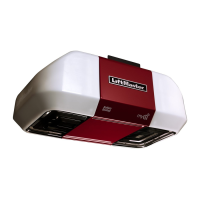
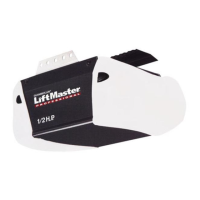
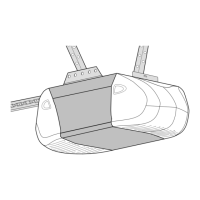
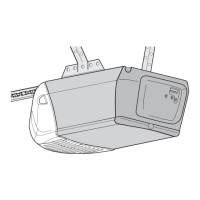
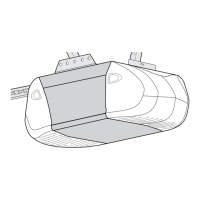
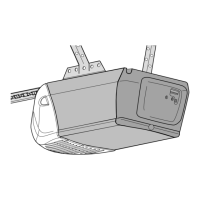
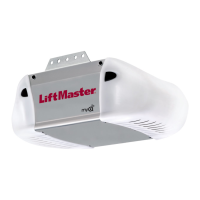
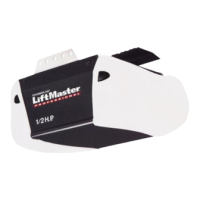
GARAGE DOOR OPENER
Models 3280 1/2 HP
3280-267 1/2 HP
For Residential Use Only
Owner’s Manual
Please read this manual and the enclosed safety materials carefully!
Fasten the manual near the garage door after installation.
The door WILL NOT CLOSE unless the Protector System
®
is connected and
properly aligned.
Periodic checks of the opener are required to ensure safe operation.
The model number label is located on the front panel of your opener.
®

Questions and Answers

  • P
    Paul HayesJul 31, 2025
    What to do if the Chamberlain 3280 Garage Door Opener sending eye indicator light does not glow steadily after installation?
    • T
      Taylor GillespieJul 31, 2025
      If the sending eye indicator light doesn't glow steadily after installation, here are a few things to check: * Verify there is electric power to the opener. * Look for a short in the white or white/black wires. * Ensure correct wiring between the sensors and the opener. * Check for a broken wire.
  • M
    Mary HarrisonAug 10, 2025
    What to do if the Chamberlain Garage Door Opener sending eye indicator light glows steadily but the receiving eye indicator light doesn’t?
    • E
      Erin JonesAug 10, 2025
      If the sending eye indicator light glows steadily but the receiving eye indicator light doesn’t, check the alignment and also check for an open wire to the receiving eye.
  • D
    Dr. Michael WhitakerAug 20, 2025
    How to realign Chamberlain 3280 Garage Door Opener if the receiving eye indicator light is dim?
    • D
      Dustin AllenAug 20, 2025
      If the receiving eye indicator light is dim, you can try the following: * Loosen the sending eye wing nut and readjust, aiming directly at the receiving eye. * Loosen the receiving eye wing nut and adjust sensor until it receives the sender’s beam.

Summary

Introduction and Safety Guidelines

Safety Symbols and Signal Word Review

Explains safety symbols and signal words used in the manual to alert users to potential hazards and cautions.

Garage Door Opener Installation Preparation

Garage Door Preparation and Required Tools

Steps to prepare the garage door and a list of tools needed for opener installation.

Garage Door Opener Assembly

Key Assembly Steps

Covers attaching the rail, setting belt tension, and securing the belt cap retainer.

Critical Assembly Safety Warnings

Highlights essential safety warnings and instructions to follow during opener assembly.

Garage Door Opener Installation Process

Header Bracket Installation

Details header bracket location, installation, and attaching the rail to the bracket.

Opener Unit Mounting and Controls

Covers positioning the opener, hanging the unit, and installing the wall-mounted door control.

Safety Systems and Electrical Setup

Details electrical requirements, safety sensors, and door bracket fastening.

Door Arm Connection

Guides on connecting the door arm sections to the trolley for both sectional and one-piece doors.

Adjustments and System Testing

Adjusting Travel Limits and Force

How to set travel limits and adjust force for safe and proper door operation.

Safety Reversal and Sensor System Tests

Performing critical tests on the safety reversal system and Protector System® sensors.

Opener Operation and Maintenance

Safe Operation Guidelines

Essential safety instructions for operating the garage door opener to prevent injury.

Using Door Controls and Troubleshooting

How to use the wall control, manual release, and resolve common opener problems.

Routine Maintenance and Battery Replacement

Guidance on regular maintenance, adjustments, and replacing the remote control battery.

Programming, Parts, and Support

Programming Remotes and Keyless Entry

Instructions for adding/reprogramming remotes and managing Keyless Entry PINs.

Repair Parts, Accessories, and Warranty

Lists parts, optional accessories, and provides warranty and service information.

Chamberlain 3280 Specifications

General IconGeneral
TypeChain Drive
Horsepower1/2 HP
Battery BackupNo
SecurityRolling Code Technology
Drive SystemChain
Safety FeaturesSafety sensors
Remote ControlIncluded
Smart Home CompatibilityCompatible with MyQ
LightingLED

Related product manuals