
 Need help?
Do you have a question about the Chamberlain 950EV and is the answer not in the manual?
Instructions to prevent serious injury or death from moving gates or garage doors.
Notice regarding potential exposure to lead and its health effects.
Steps to program the remote using a push button door control.
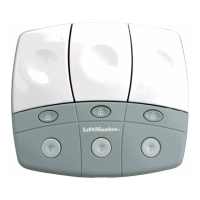
Steps to program the remote using the smart control panel.
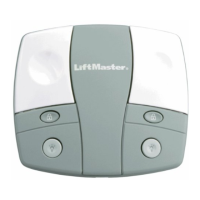
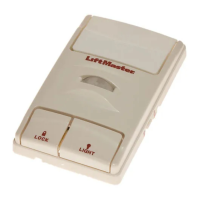
Steps to program the remote using a multi-function or motion sensing door control.
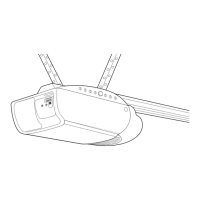
Steps to program the remote using the garage door opener directly.
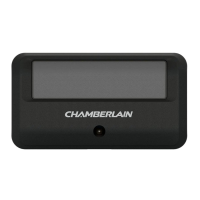
This document describes the Chamberlain 1-Button Remote Control Model 950EV, a device designed to operate garage door openers manufactured from January 1, 1993, that feature a LEARN button. The remote control is intended for convenient, wireless operation of garage doors or gates.
The primary function of the 950EV remote control is to wirelessly activate compatible garage door openers. It utilizes a single button for operation and programming. The remote is designed to work with various Chamberlain garage door opener types, identifiable by the color of their LEARN button: Yellow (Security+ 2.0®), Purple (315MHz Security+®), Red/Orange (390MHz Security+®), and Green (Billion Code).
The remote control offers several programming options to ensure compatibility with different garage door opener systems.
To program the remote to any compatible opener, users first press and hold the program button on the remote (located with the visor clip) until the LED on the front of the remote turns on. Then, the remote control button is pressed and released a specific number of times corresponding to the garage door opener's LEARN button color:
This method involves the garage door opener's push button door control. Users press and hold both the light button and the push button on the door control until its LED blinks. Then, the remote control button is pressed and held until the garage door opener lights blink or two clicks are heard. This confirms successful programming.
For openers with a Smart Control Panel, users navigate the panel's menu to "PROGRAM" and then select "REMOTE." The remote control button is then pressed and held until the garage door opener lights blink or two clicks are heard.
With these door controls, the LEARN button on the control is pressed twice. Subsequently, the remote control button is pressed and held until the garage door opener lights blink or two clicks are heard.
This is a direct programming method. The LEARN button on the garage door opener is pressed and released. Within 30 seconds, the remote control button is pressed and held until the garage door opener lights flash or two clicks are heard.
If the remote was previously programmed to another opener type, it can be reprogrammed specifically for Yellow LEARN button openers. This process begins with the garage door closed. The yellow LEARN button on the opener is pressed and immediately released, causing the Learn LED to glow steadily for 30 seconds. Within this 30-second window, the remote control button is pressed and held until the garage door opener lights blink or two clicks are heard.
Once programmed, the remote control is simple to use. The user presses and holds the button until the door or other programmed device begins to move. The remote typically operates from 1 to 3 car lengths away, though range can vary based on installation and environmental conditions.
The manual emphasizes critical safety warnings:
The remote control uses a 3V CR2032 lithium coin cell battery, which typically provides power for up to 5 years. If the remote control's LED does not flash when the button is pressed, the battery needs replacement. To replace the battery:
To erase all remote controls and keyless entries from the opener, the LEARN button on the garage door opener is pressed and held until the Learn LED turns off (approximately 6 seconds). After this, the remote control should no longer activate the opener. Users can then reprogram the remote control if desired.
The Chamberlain Group, Inc. provides a one-year limited warranty, ensuring the product is free from defects in materials and/or workmanship for a period of 1 year from the date of purchase.
The manual lists replacement part numbers for the 3V 2032 Lithium battery (K010A0020) and the Visor Clip (K029B0137).
The device complies with FCC and Industry Canada rules. Adjustments or modifications are prohibited, except for changing the code setting or replacing the battery. The device is tested to comply with FCC standards for home or office use, and its operation is subject to two conditions: it must not cause harmful interference, and it must accept any interference received, including undesired operation.
 General
| Type | Garage Door Opener |
|---|---|
| Power Source | AC |
| Max Door Height | 7 feet |
| Remote Control | Yes |
| Frequency | 315 MHz |
| Security | Security+ 2.0 Rolling Code Technology |
| Motor Type | DC |
| Horsepower | 1/2 HP |
| Drive Type | Chain Drive |
| Remote Controls Included | 1 |
| Battery Backup | No |
| Security+ 2.0 Rolling Code Technology | Yes |
| Works with MyQ | Yes |
| Compatibility | Most garage doors |
| Safety Features | Safety sensors |





 To Next Page