EasyManua.ls Logo

Chamberlain 8500 - User Manual

Chamberlain 8500
76 pages
Print Icon
To Next Page IconTo Next Page
Loading...
Please read this manual and the enclosed safety materials carefully!
Fasten the manual near the garage door after installation.
The door WILL NOT CLOSE unless the Protector System
®
and cable tension monitor
are connected and properly aligned.
Periodic checks of the garage door opener are required to ensure safe operation.
The model number label is located behind the hinged door of your opener.
DO NOT exceed 10 complete cycles of door operation per hour.
This garage door opener is ONLY compatible with myQ
®
and Security+ 2.0
®
accessories.
This product is intended for installation only by trained garage door technicians. This
product may require adjustments to door springs and or track configurations. This
product is not intended for use on low headroom tracks or garage doors utilizing
extension springs.
For Residential and Light Duty Commercial Use
Install on Sectional Doors with Torsion Assemblies Only
S
e
e
P
a
g
e
1
8
f
o
r
D
e
t
a
i
l
s
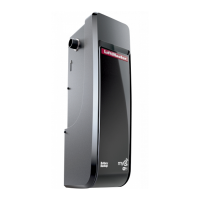
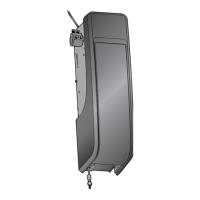
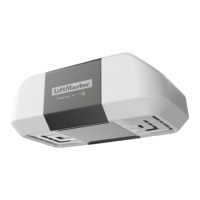
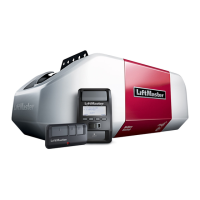
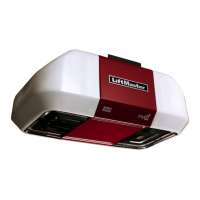
Wall Mount Garage Door Opener
Model 8500
LiftMaster
300 Windsor Drive
Oak Brook, IL 60523

Table of Contents

Questions and Answers

  • D
    Dominic AguilarAug 17, 2025
    What to do if my Chamberlain 8500 doesn't work with the remote or wall control?
    • L
      Larry FloydAug 18, 2025
      If your Chamberlain Garage Door Opener isn't working from either the door control or the remote, first, ensure the opener has power by plugging a lamp into the outlet. If the lamp doesn't light, check the fuse box or circuit breaker. Also, make sure all door locks are disabled, and there isn't ice or snow under the door preventing it from opening. The garage door spring may be broken and need replacement. Finally, if the yellow command LED doesn't turn on, try reversing the wires connected to the RED and WHT terminals of the control panel or replace the wire if needed.
  • S
    Sandra FosterAug 20, 2025
    What to do if Chamberlain 8500 sending indicator light glows steadily, but receiving indicator light is dim or flashing?
    • M
      Miguel McneilAug 20, 2025
      If the sending indicator light on your Chamberlain Garage Door Opener glows steadily, but the receiving indicator light is dim or flashing, realign the receiving sensor, clean its lens, and ensure the brackets are secure. Also, verify that the door track is firmly secured to the wall and does not move.
  • M
    Ms. Chelsea CaldwellAug 23, 2025
    What to do if one or both of the Indicator lights on the Chamberlain 8500 safety sensors do not glow steadily?
    • R
      Richard HarrisonAug 23, 2025
      If one or both indicator lights on your Chamberlain Garage Door Opener safety sensors do not glow steadily, disconnect all wires from the back of the garage door opener. Remove the sensors from their brackets and shorten the sensor wires to 1-2 ft (30-60 cm) from the back of each sensor. Reattach the sending sensor to the garage door opener using the shortened wires. If the sending sensor indicator light glows steadily, attach the receiving sensor and align the sensors. If the indicator lights then glow, replace the wires for the sensors. If the sensor indicator lights still do not light, replace the safety reversing sensors.
  • M
    Mary GriffinAug 25, 2025
    What to do if my Chamberlain Garage Door Opener door stops and reverses while closing?
    • O
      omorrisAug 26, 2025
      If your Chamberlain Garage Door Opener door stops and reverses while closing, check for any obstructions in the door's path and remove them. Also, ensure that the cable tension monitor is properly connected to the opener. If the problem persists, consider replacing the cable tension monitor.
  • J
    Joy CarterAug 28, 2025
    How to fix a Chamberlain 8500 that doesn't activate from the door control?
    • U
      uclarkAug 28, 2025
      If your Chamberlain Garage Door Opener isn't activating from the door control, start by inspecting the door control and its wires for any shorts, such as staples in the wire, and replace if necessary. Then, disconnect the wires at the door control and touch them together. If the garage door opener activates, replace the door control. If it doesn't activate, disconnect the door control wires from the garage door opener and briefly short across the red and white terminals with a jumper wire. If the opener activates, replace the door control wires.
  • M
    Melissa JonesAug 30, 2025
    What to do if my Chamberlain 8500 Garage Door Opener door stops while opening?
    • K
      Kurt BartlettAug 30, 2025
      If your Chamberlain Garage Door Opener door stops while opening, you may need to reprogram the limits and forces. Refer to the Adjustment section for instructions.
  • T
    Tiffany BrooksSep 1, 2025
    How to fix Chamberlain 8500 safety reversing sensors wire open?
    • B
      Bobby MackSep 1, 2025
      To fix Chamberlain Garage Door Opener safety reversing sensors with an open wire, inspect the sensor wires for any shorts (like a staple in the wire), ensure correct wiring polarity (black/white wires not reversed), and check for broken or disconnected wires. Replace or reattach wires as needed.
  • A
    ashley16Sep 4, 2025
    What to do if my Chamberlain Garage Door Opener shows no movement, but the motor runs for 2-3 seconds?
    • J
      Joe BurtonSep 4, 2025
      If your Chamberlain Garage Door Opener exhibits no movement but the motor runs for 2-3 seconds, reconnect the emergency release. If the issue persists, the motor may need to be replaced.
  • V
    Victoria BoydSep 7, 2025
    What to do if there is a cable tension monitor reversal in Chamberlain 8500?
    • I
      inguyenSep 7, 2025
      To fix the cable tension monitor reversal on your Chamberlain Garage Door Opener, check that the cable tension monitor is properly connected to the opener.
  • M
    Michael MillerSep 9, 2025
    What to do if the door control or wire is shorted in Chamberlain 8500 Garage Door Opener?
    • M
      Michelle BoyleSep 9, 2025
      To fix a shorted door control or wire on your Chamberlain Garage Door Opener, inspect the door control and wires for any shorts (like a staple in the wire) and replace them if needed.

Summary

Introduction

Safety Symbol and Signal Word Review

Explains safety symbols and signal words used throughout the manual.

Assembly

Attach the Collar to the Garage Door Opener

Guides on securely attaching the opener collar to the torsion bar.

Installation

Position and Mount the Garage Door Opener

Detailed steps for correctly positioning and mounting the opener to the torsion bar and wall.

Attach the Cable Tension Monitor

Instructions for installing the cable tension monitor for safety.

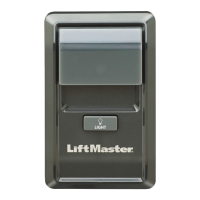
Install the Door Control (myQ Control Panel)

Guide for wiring and mounting the wall-mounted door control panel.

Install the Safety Reversing Sensor System

Comprehensive guide for installing the safety reversing sensors, including bracket options and wiring.

Connect Power

Options and procedures for connecting the garage door opener to electrical power.

Adjustment

Program the Travel Limits

How to set the fully open and closed positions for the garage door.

Set the Force

Adjusting the force required for opening and closing the garage door.

Test the Safety Reversal System

Procedure to test the door's auto-reverse safety feature.

Operation

Programming

Add Remote or Keyless Entry

Steps to program new remote controls and keyless entry devices to the door control.

Troubleshooting

Diagnostic Chart

A guide to interpreting LED flash codes for troubleshooting issues.

Chamberlain 8500 Specifications

General IconGeneral
BrandChamberlain
Model8500
CategoryGarage Door Opener
LanguageEnglish

Related product manuals