EasyManua.ls Logo

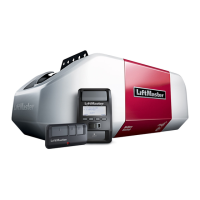
Chamberlain 85870 - User Manual

Chamberlain 85870
129 pages
Print Icon
To Next Page IconTo Next Page
Loading...
Wi-Fi
®
Garage Door Openers
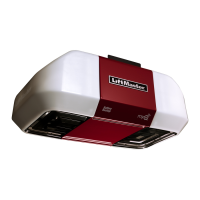
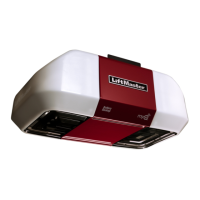
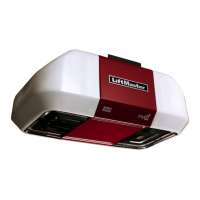
Chain Drive Model - 85870
FOR RESIDENTIAL USE ONLY
Please read this manual and the safety materials carefully!
The door WILL NOT CLOSE unless the Protector System
®
is
connected and properly aligned.
Periodic checks of the garage door opener are required to
ensure safe operation.
This garage door opener is ONLY compatible with myQ
®
and
Security+ 2.0
®
accessories.
DO NOT install on a one-piece door if using devices or
features providing unattended close. Unattended devices and
features are to be used ONLY with sectional doors.
Attach warning labels to the location indicated on label.
Register your garage door opener to receive updates and offers from LiftMaster.
SM
1.
Take a photo of the camera icon
including the points ( ).
2.
Send it in by texting the photo to
71403 (US) or visit
www.liftmaster.photo (Global).
LiftMaster
300 Windsor Drive
Oak Brook, IL 60523

Questions and Answers

  • D
    Destiny MurrayJul 29, 2025
    What to do if the green LED is blinking on my Chamberlain 85870?
    • R
      rodriguezmatthewJul 29, 2025
      If the green receiving sensor LED is blinking on your Chamberlain Garage Door Opener, it indicates that the sensors are either obstructed or misaligned. First, check for any obstructions that might be blocking the sensor light beam. If there are no obstructions, try aligning the sensors. In case the receiving sensor (the one with the green LED) is facing direct sunlight, try switching it with the sending sensor and then reinstall the safety reversing sensors to ensure they operate correctly.
  • B
    brooke80Aug 11, 2025
    How to troubleshoot Chamberlain 85870 when sensor LEDs are off?
    • K
      Kevin SchmittAug 12, 2025
      If the sensor LEDs are off on your Chamberlain Garage Door Opener, it means the sensor isn't receiving power. First, verify that your garage door opener has power. Then, check the sensor wire to ensure it's neither shorted nor broken. Lastly, confirm that the sensors are correctly wired, with white wires connected to the white terminal and white/black wires connected to the grey terminal.

Summary

Product Preparation and Setup

Serial Number and Safety Information

Record serial number and review safety symbols and unattended operation rules.

Smartphone Connectivity Requirements

Details needed for smartphone control and testing Wi-Fi signal strength.

Installation Procedures

Header Bracket Location and Mounting

Guides on determining header bracket location and secure wall or ceiling mounting.

Rail and Opener Mounting

Steps for attaching the rail, positioning the opener, and hanging it securely.

Door Control and Protector System Installation

Installing the Wall Control Panel

Steps for mounting the door control panel and wiring it to the opener.

Safety Reversing Sensor Installation

Guides for installing and wiring the safety reversing sensors for safe operation.

Power, Adjustments, and Operation

Power Connection Methods

Connects the opener to a power source via typical or permanent wiring.

Programming Travel Limits and Force

Sets the door's open/close limits and configures the opener's force sensing.

Using Opener Features and Controls

Explains features like myQ®, controls, smartphone use, and manual operation.

Maintenance and Troubleshooting

Safety Testing and Routine Maintenance

Procedures for testing safety features, routine maintenance, and battery replacement.

Diagnostic Code Chart

Lists diagnostic codes, symptoms, and solutions for opener issues.

Warranty and Support

LiftMaster Limited Warranty

Details the warranty period for parts, motor, and accessories.

Chamberlain 85870 Specifications

General IconGeneral
BrandChamberlain
Model85870
CategoryGarage Door Opener
LanguageEnglish

Related product manuals