EasyManua.ls Logo

Chamberlain ELITE 8557W - User Manual

Chamberlain ELITE 8557W
32 pages
Print Icon
To Next Page IconTo Next Page
Loading...
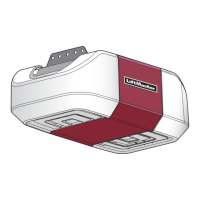
ELITE Series Wi-Fi
®
Garage Door Opener
MODELS 8550W • 8557W • 8587W
LM-ELITE
PHOTOREGISTER
SM
1
2
USER’S GUIDE
• Please read this guide and the enclosed safety materials carefully!
• The door WILL NOT CLOSE unless the Protector System
®
is connected and properly aligned.
• Periodic checks of the garage door opener are required to ensure
safe operation.
• This garage door opener is ONLY compatible with MyQ
®
and Security+ 2.0
®
accessories.
• DO NOT install on a one-piece door if using devices or features
providing unattended close. Unattended devices and features are to
be used ONLY with sectional doors.
• Attach warning labels to the location indicated on label.
FOR RESIDENTIAL USE ONLY
LiftMaster
845 Larch Avenue
Elmhurst, Illinois 60126-1196
LiftMaster.com
Register your garage door opener to receive
updates and offers from LiftMaster
Take a photo of the camera icon
including the points (
).
Send it in by texting
the photo to 71403 (US)
or visit www.liftmaster.photo (Global)

Questions and Answers

  • S
    Stephen HuntAug 31, 2025
    What to do if I need to scroll through saved codes on my Chamberlain ELITE 8557W?
    • M
      Michael HodgesSep 1, 2025
      To scroll through the saved codes on your Chamberlain Gate Opener, press the OPEN button to cycle to the most recent code, which will be labeled as "01".
  • K
    Kathryn SmithSep 12, 2025
    What to do if my Chamberlain ELITE 8557W Gate Opener has a Current Sensor Fault?
    • T
      Teresa RiosSep 12, 2025
      Make sure the current sensor is connected to the main control board. Check the current sensor harness for opens or shorts. After correcting the fault, the operator will need a power cycle to resume operation. If the fault persists, replace the power board.
  • M
    Maria AndersonAug 30, 2025
    How to resolve a constantly flashing battery status LED on a Chamberlain Garage Door Opener?
    • M
      Megan HoffmanAug 30, 2025
      A constantly flashing battery status LED on your Chamberlain Garage Door Opener indicates a battery backup charging circuit error. To resolve this, replace the logic board.
  • A
    Angela GonzalezSep 13, 2025
    How do I resolve a Run-Distance Error on my Chamberlain Gate Opener?
    • M
      moralesscottSep 13, 2025
      Check the limit positions and ensure proper switch function. You can relearn the run-distance by setting the handing again.
  • J
    jeffrey45Sep 12, 2025
    What causes a brownout in my Chamberlain Gate Opener?
    • T
      Taylor StewartSep 12, 2025
      Review the power supply and wiring. When rebooting, allow sufficient time for the power to discharge to ensure a fresh boot.
  • J
    Jon StewartSep 16, 2025
    How do I fix a Close input (EYE/EDGE) communication fault from another operator on my Chamberlain ELITE 8557W?
    • D
      Daniel JonesSep 17, 2025
      Check the inputs and communication method between operators, whether it's a wired bus or radio. Ensure the operator is powered. You might need to erase the wireless communication and reprogram the two operators.
  • K
    kjonesSep 23, 2025
    What to do if my Chamberlain ELITE 8557W Gate Opener has a Power board fault?
    • C
      Christina CollinsSep 23, 2025
      Replace the power board.
  • J
    Jesse RiceAug 27, 2025
    What to do if Chamberlain ELITE 8557W Gate Opener has low or dead batteries?
    • R
      Ryan HoffmanAug 27, 2025
      If your Chamberlain Gate Opener is running on battery power only and the batteries are low or dead, charge them using AC or solar power, or replace the batteries.
  • A
    Andrea PriceAug 26, 2025
    How to troubleshoot Chamberlain ELITE 8557W solenoid lock not working correctly?
    • R
      Randy HooperAug 26, 2025
      If the Solenoid lock on your Chamberlain Gate Opener isn't working correctly: * Check that the Solenoid is wired to the N.O. and COM terminals. * Ensure the Solenoid has power (do not power the solenoid from the control board accessory power terminals). * If shorting the lock’s NC and COM wires does not activate the Solenoid, replace the Solenoid lock or its wiring.
  • A
    Amy LynnAug 25, 2025
    How to troubleshoot Chamberlain Gate Opener Maglock not working correctly?
    • K
      Kelly MooreAug 26, 2025
      If the Maglock on your Chamberlain Gate Opener isn't working correctly: * Check that the Maglock is wired to the N.C. and COM terminals. * Ensure the Maglock has power (do not power it from the control board accessory power terminals). * If shorting the lock’s NO and COM wires does not activate the Maglock, replace the Maglock or its wiring.

Chamberlain ELITE 8557W Specifications

General IconGeneral
BrandChamberlain
ModelELITE 8557W
CategoryGate Opener
LanguageEnglish

Related product manuals