EasyManua.ls Logo

Chamberlain RJO20 - User Manual

Chamberlain RJO20
40 pages
Print Icon
To Next Page IconTo Next Page
Loading...
Please read this manual and the enclosed safety materials carefully!
Fasten the manual near the garage door after installation.
The door WILL NOT CLOSE unless the Protector System
®
and cable tension
monitor are connected and properly aligned.
Periodic checks of the garage door opener are required to ensure safe operation.
This garage door opener is ONLY compatible with myQ
®
accessories.
The model number label is located behind the hinged door of your opener.
This product is NOT intended for use on low headroom tracks with outside pickup
drum or garage doors utilizing extension springs. For advanced or customized
adjustments, door springs, and/ or track con gurations, contact a trained door
systems technician.
For Residential Use
Install On Sectional Doors With Torsion Assemblies Only
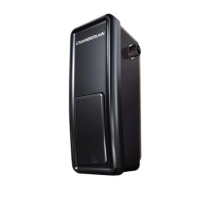
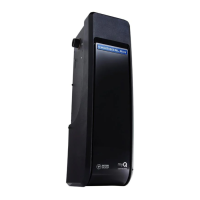
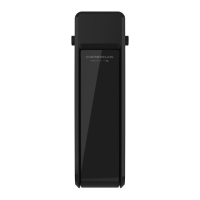
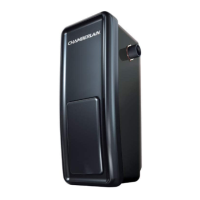
Wall Mount Garage Door Opener
Model RJO20
The Chamberlain Group, Inc.
300 Windsor Drive
Oak Brook, IL 60523

Questions and Answers

  • M
    Miguel SandersSep 23, 2025
    Why Chamberlain RJO20 safety sensor LED lights are not lit?
    • R
      Rebekah RiveraSep 23, 2025
      If the safety sensor LED lights on your Chamberlain garage door opener are not lit: * The opener may be in sleep mode. * The sensor LEDs will turn on when the opener is activated. * If the sensor LEDs do not glow steadily when the opener is activated, see SAFETY SENSOR TROUBLESHOOTING.
  • D
    Dustin CarrollAug 25, 2025
    Why does my Chamberlain RJO20 Garage Door Opener door stop and reverses while closing?
    • R
      rachelmartinAug 25, 2025
      If your Chamberlain garage door stops and reverses while closing, consider these potential solutions: * Check for any obstructions in the door's path and remove them. * Ensure the cable tension monitor is properly connected to the opener. * If the issue persists, consider replacing the cable tension monitor.
  • C
    Christopher OrrAug 25, 2025
    What to do if Chamberlain RJO20 door doesn't activate from the door control?
    • R
      reginaharrisAug 26, 2025
      If your Chamberlain garage door isn't activating from the door control, try these steps: * Disconnect the wires at the door control and touch them together. If the garage door opener activates, replace the door control. * If the opener still doesn't activate, disconnect the door control wires from the opener and momentarily short across the red and white terminals with a jumper wire. If the opener activates, replace the door control wires.
  • A
    Amanda PetersAug 27, 2025
    What to do if Chamberlain Garage Door Opener garage door opener won't operate due to power failure?
    • B
      brad30Aug 27, 2025
      If your Chamberlain garage door opener won't operate due to a power failure: * Manually open the power door lock. * Use the emergency release handle to disconnect the door.
  • B
    Brittany DeanAug 27, 2025
    Why Chamberlain RJO20 Garage Door Opener door opens but won't close?
    • J
      Jonathan PhillipsAug 27, 2025
      If your Chamberlain garage door opens but won't close, consider these potential issues: * Check that the cable tension monitor is correctly installed. If a second cable tension monitor has been removed, follow the instructions to relearn a single cable tension monitor. * The safety reversing sensors must be connected and aligned correctly before the door opener will move in the down direction. * If you can close the door using constant pressure, verify the safety reversing sensors are properly installed, aligned, and free of any obstructions. * If the garage door opener lights blink 10 times, check the safety reversing sensors. * If the garage door opener lights don't blink and it is a new installation see Adjustment section.
  • B
    blacknicholasSep 13, 2025
    What to do if Chamberlain RJO20 door control or wire shorted?
    • S
      smithrobinSep 13, 2025
      If the door control or wire is shorted on your Chamberlain garage door opener, inspect the door control/wires for a short (like a staple in the wire) and replace them as needed.
  • B
    Brittany LynnSep 12, 2025
    What to do if Chamberlain RJO20 safety reversing sensors wire open (broken or disconnected)?
    • A
      Austin MartinSep 12, 2025
      If the safety reversing sensors wire on your Chamberlain garage door opener is open (broken or disconnected), inspect the sensor wires for a disconnected or cut wire.
  • M
    matthewbakerSep 12, 2025
    What to do if Chamberlain Garage Door Opener safety reversing sensors wire shorted or black/white wire reversed?
    • M
      Mr. Michael GarciaSep 12, 2025
      If the safety reversing sensors wire on your Chamberlain garage door opener is shorted or the black/white wire is reversed, inspect the safety sensor wire at all staple and connection points, and replace or correct the wire as needed.
  • C
    Colleen NelsonSep 4, 2025
    How to fix Chamberlain RJO20 Garage Door Opener when door travels 2-3 inches and stops?
    • M
      Michele StoneSep 4, 2025
      If your Chamberlain garage door travels only 2-3 inches and then stops, here are some steps you can take: * Reprogram the limits and forces. See Adjustment section. * If the motor unit continues to travel 2-3 inches, check the travel module connection or replace the travel module.
  • M
    Mark ChurchSep 2, 2025
    Why Chamberlain RJO20 door doesn't open completely?
    • E
      Eric WolfSep 2, 2025
      If your Chamberlain garage door isn't opening completely, check the power door lock.

Summary

PREPARATION

Safety Symbol and Signal Word Review

Explains safety symbols and signal words used in the manual for hazard identification.

Glossary

Defines key terms used in the preparation and installation sections of the manual.

Is Your Garage Door Ready?

Provides a checklist to ensure garage door compatibility with the opener for safe operation.

Prepare Your Garage Door

Details steps to uninstall old openers, disable locks, and check door balance before installation.

Carton Inventory

Lists all included parts and accessories in the opener's packaging for verification.

Overview of Installation

Shows a diagram of the opener and its components installed in a typical garage setting.

INSTALLATION

IMPORTANT INSTALLATION INSTRUCTIONS

Crucial safety warnings and mandatory steps to ensure proper and safe installation of the opener.

Tools You Will Need

Lists all necessary tools required for the successful installation of the garage door opener.

Attach the Collar to the Garage Door Opener

Step-by-step guide to securely attach the opener's collar to the torsion bar shaft.

Position and Mount the Garage Door Opener

Instructions on correctly positioning and mounting the opener unit to the torsion bar and wall bracket.

Attach the Emergency Release Rope and Handle

Details how to attach the emergency release rope and handle for manual door operation.

Power Door Lock Location

Guidance on selecting the optimal location for installing the power door lock mechanism.

Install Power Door Lock

Step-by-step instructions for mounting and wiring the power door lock.

Position the Cable Tension Monitor (Required)

Explains how to determine the correct position for the cable tension monitor for safety.

Attach the Cable Tension Monitor

Instructions for mounting the cable tension monitor and connecting its wire to the opener.

Install the Door Control (myQ Control Panel)

Guides on mounting and wiring the myQ® control panel for door operation and status.

Install Remote Light

Provides instructions for installing and connecting the remote work light accessory.

Install the Protector System

Details the installation and mounting of safety reversing sensors to ensure safe door closing.

Connect Power

Explains the two options for connecting the garage door opener to the power supply.

Align the safety reversing sensors

Step-by-step process for aligning the safety reversing sensors for proper operation.

ADJUSTMENT

Program the Travel Limits

Sets the fully open and fully closed positions for the garage door.

Enter Force Adjustment Mode

Configures the opener's force settings for smooth and safe door travel.

Test the Safety Reversal System

Verifies that the door reverses upon contact with an obstruction.

Test the Protector System

Checks the functionality of the safety reversing sensors by simulating an obstruction.

Test the Power Door Lock

Confirms the power door lock engages to secure the door when closed.

Test the Emergency Release

Guides on testing the manual release mechanism for disengaging the opener from the door.

Test the Cable Tension Monitor

Verifies the cable tension monitor is functioning correctly to detect slack.

OPERATION

IMPORTANT SAFETY INSTRUCTIONS

Critical safety guidelines for operating the garage door opener to prevent injury.

Using Your Garage Door Opener

Explains how the opener can be activated by various devices and its basic functions.

Using the Door Control (myQ Control Panel)

Details the functions and operation of the wall-mounted myQ® control panel.

Using the Remote Control

Instructions on how to use the handheld remote control to operate the garage door opener.

PROGRAMMING

To Add a Remote Control, Keypad, or myQ Enabled Accessories

Steps to program additional remote controls, keypads, or myQ® accessories to the opener.

Reprogramming Remote Light or Additional Light

Instructions for programming or re-programming the garage door opener's remote light.

HomeLink

Guidance on programming the HomeLink® in-vehicle system to operate the garage door opener.

GETTING CONNECTED

Internet Gateway

Information about the Internet Gateway for remote monitoring and control via the myQ® app.

Setup and Connect Your Gateway and Opener in the myQ App

Steps to set up the Internet Gateway and connect it to the garage door opener using the myQ® app.

To Erase All Codes From the Door Control (myQ Control Panel) Memory

Procedure to erase all programmed remote controls and accessories from the control panel.

MAINTENANCE

Care of Your Garage Door Opener

Outlines the recommended monthly and yearly maintenance schedule for the opener.

THE REMOTE CONTROL BATTERY

Instructions on how to replace the battery in the remote control transmitter.

TROUBLESHOOTING

Diagnostic Chart

A chart correlating diagnostic LED flash codes to potential issues and solutions.

Automatic Garage Door Opener Safety & Maintenance Guide

Garage Door Opener Safety - An Automatic Decision

Emphasizes the importance of safe operation practices for garage door openers.

Garage Door Openers are Not Toys

Advises discussing garage door safety with children and explaining the risks.

Routine Maintenance Can Prevent Tragedies

ACCESSORIES

WARRANTY

CHAMBERLAIN LIMITED WARRANTY

Details the terms, conditions, and duration of the product's limited warranty.

Repair Parts

Installation Parts

Lists part numbers and descriptions for components used during the initial installation.

Garage Door Opener Parts

Lists part numbers and descriptions for replacement components of the opener unit.

Contact Information

Chamberlain RJO20 Specifications

General IconGeneral
Battery BackupYes
LightingLED Light
Voltage120V
Motor TypeAC
Lift Capacity650 lbs
Remote Controls Included1
Security+ 2.0Yes
ConnectivityWi-Fi
Safety FeaturesAuto-Reverse, Safety Sensors
TypeWall Mount
DriveJackshaft
Wireless TechnologySecurity+ 2.0
Horsepower1/2 HP
WarrantyLifetime Motor Warranty

Related product manuals