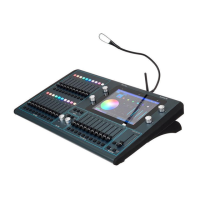
ChamSys MQ100 Series Service Document
Page 16 of 22 www.chamsys.co.uk
Section 3: Resolving some common issues.
Below are some common issues that can appear on an MQ80 console and how to solve
these, including replacing faders, encoders, and keys.
Replacing faders:
Faders can naturally wear down with use and may
end up needing replacement if noise is being
experienced, or they feel scratchy, or unusually loose.
To replace a fader, start by completely de-soldering
the five solder joints for the fader, as highlighted in
the image to the right. The holes must be completely
free of solder to allow the fader to be removed. Once
removed, place the new fader into the holes and
solder the connections. We recommend using high
quality lead free solder.
Fader part number: 308-001-01
Replacing encoders:
To replace the low-res encoders, you must first
disassemble the product and remove the nut and
washer from the upper side of the encoder. Then,
using the soldering iron, push the three wires that
connect the encoder to the PCB away from the
encoder (see picture, left). The encoder can then be
taken out and the new one put in its place. Push the
wires back onto the connectors on the encoder and re-
solder them using high quality lead free solder. To
finish, place the washer and nut on the top side of the
encoder and screw up tightly to prevent the encoder
from moving. Reassemble the product.
Encoder part number: 417-001


 To Next Page
 Loading...