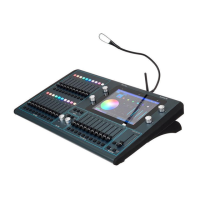
ChamSys MQ100 Series Service Document
Page 3 of 22 www.chamsys.co.uk
Section 2: Servicing an MQ100/200/300 Console.
This guide details the maintenance of the MagicQ MQ100/200/300 consoles and details
commonly featured hardware fault finding.
MagicQ consoles have been designed and built for easy access to the internal parts,
should this be required. Removal of the front panels allows access to the PCB (Printed
Circuit Board), there is a lower access panel, and the back panel containing the main bulk
of the hardware can be easily removed to be serviced.
Tools Required:
There are several tools required for maintaining MagicQ 100/200/300 series consoles.
• A pair of snips
• 7mm nut driver
• PZ1 screwdriver
• PZ2 screwdriver
• 2x flat head screwdrivers
• 2mm Allen key or ball driver
• 2.5mm Allen key or ball driver
Opening the Back Panel:
The back panel of the MQ100 series consoles is removed in the same way throughout
the range: by unscrewing 9x M4x10 black screws using a PZ2 screwdriver. There are
three each side and three along the bottom, as indicated below.
Once removed, the back panel can slide out using the tabs on the working light sockets.
Ensure this is done carefully to prevent breaking any cables inside. The two console
working light connectors will need to be disconnected before being able to remove the
back panel any distance from the console body. Note: on Pro2014 consoles the working
light connectors are not connected to the front panel so they do not need disconnecting.


 To Next Page
 Loading...