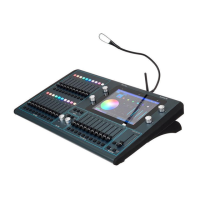
ChamSys MQ100 Series Service Document
Page 4 of 22 www.chamsys.co.uk
With all MQ100 series consoles, on the top left is the fan. The fan should not be
obstructed, as this will interfere with the cooling of the console. Below the fan is the
solid-state drive (SSD), which is connected to the main processor card. This is an
industrial grade processing board, which is responsible for the running of the console.
The main DC card has several components mounted onto it. The main being the
processor card, which in turn has the SSD connected. Because of the design of a separate
DC card to main connection board, which provides most of the connections on the back
panel, and means that if a connector is damaged, the expensive processor card does not
need replacing. There is a power connector linking the processor card and DC card.
Pro2010 and Pro2014 series consoles have a Network card fitted above the main
processing card. This provides the 4 Ethernet connections. The below shows the later
Pro2014 rear panel. These have a complete re-designed DC card, processor card and
transition card, and use a SATA SSD rather than an IDE drive.


 To Next Page
 Loading...