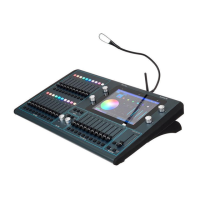
ChamSys MQ100 Series Service Document
Page 7 of 22 www.chamsys.co.uk
Connecting the Display:
The screen is connected by a black header on
the transition card mounted on top of the
processor card. It is vital to ensure that the
connected is orientated the correct way, as
wrong connection will damage the screen.
On MQ100 Pro2010 and Pro2014 consoles this
connector will only fit in one way.
The lug on the connector should be lined up
with the gap in the socket, as this will ensure
that the screen is plugged in correctly.
On older style consoles, the screen connects directly to the processor card. There is no
socket to help the orientation of the connector, so you must ensure that it is connected
the correct way. With the back plate facing away from you, and the processor card
nearest, the yellow and orange wires are on the right hand side of the connector.


 To Next Page
 Loading...