ChamSys MQ70/MQ50 Service Document
Page 3 of 25 www.chamsys.co.uk
Section 2: Testing to determine faults.
All ChamSys consoles contain built-in hardware tests to help diagnose any faults that
may occur. To access these tests on any MagicQ console, first power on the console. The
board test mode can then be accessed using one of two methods, listed below.
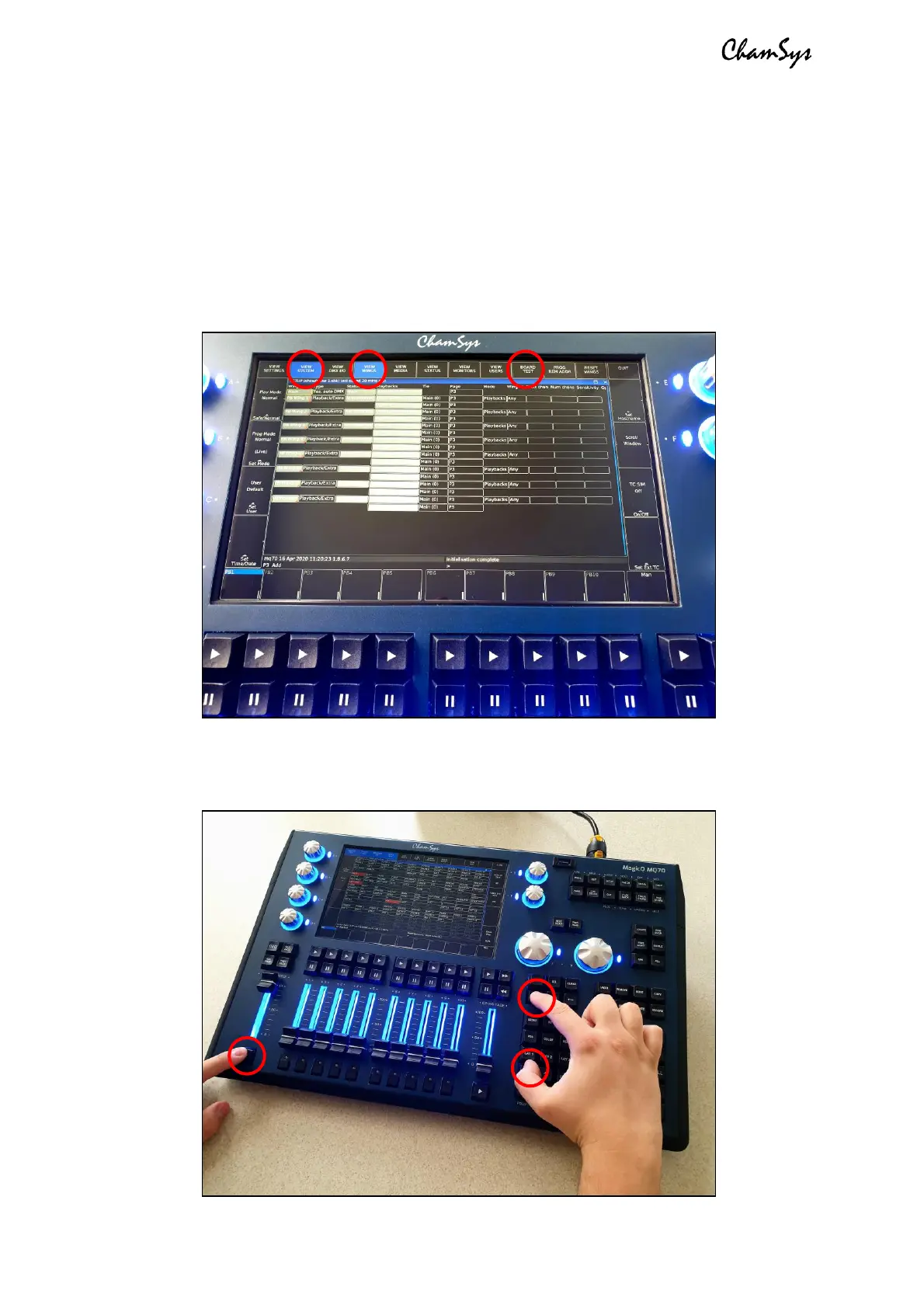
• Navigate to the Setup window using the physical key on the console, located in
the top right group of keys. Then use the on-screen soft keys (see image below)
to navigate to View System > View Wings > Board Test.
• OR Press 3 keys together to trigger the shortcut to access the board test mode.
These keys are ALT + CTRL + SHIFT (see image below for locations).


 To Next Page
 Loading...