ChamSys MQ70/MQ50 Service Document
Page 5 of 25 www.chamsys.co.uk
Testing encoders: The letter for the encoder will be listed in the command box when
testing it, with positive values when turning the encoder clockwise and negative values
when turning the encoder anti-clockwise. Once fully turning in one direction, the encoder
will highlight grey on screen, and then green when fully turned in the opposite direction.
The faster the encoder is turned, the higher values are reported, but the encoders should
be turned slowly in order to produce accurate results. Mixed values, triggering of other
encoders or encoders not working at all implies faults with one or more encoders.
Testing the touch screen: While in board test mode, drag your finger around the screen
and you should see co-ordinates reported in the command box. If you do not, the touch
is not working correctly. Also, if you witness the co-ordinates jump to other values when
taking your finger off the screen, this can also imply a fault.
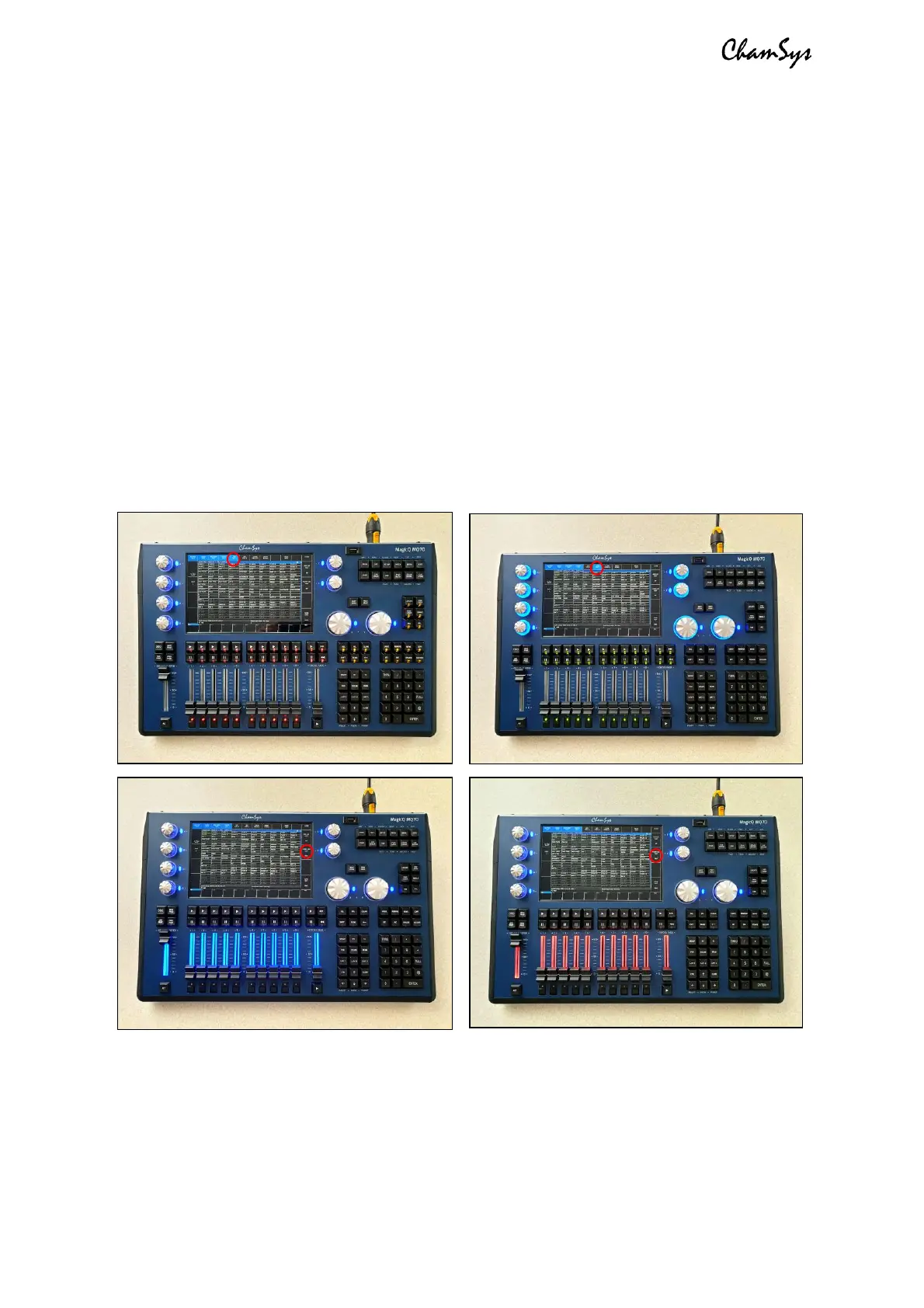
Testing LEDs: When in board test mode, you can activate LED tests using the on screen
soft keys. If any LEDs do not light up during these tests, then they will likely need
replacing. To see which LEDs should be lit during each test, see the images below. There
are 4 tests in total: 2 for key LEDs and 2 for fader LEDs in each colour.
You can also run through a full production test using the PROD TEST soft key on screen
in board test mode, but some specific testing equipment is required for testing some
other functions on the console, such as the DMX, Network and Midi ports.
Once all testing is complete, see Section 3, below for instructions on disassembly of the
console, then Section 5 for instructions on replacing any faulty parts.


 To Next Page
 Loading...