3
Quick Start Guide - Cyl-Tel
®
& Tank-Tel
®
Liquid Level Gauges
Installation
The Cyl-Tel/Tank-Tel Liquid Level Gauge has a maximum
operating differential pressure of 29 psid. In order to protect
the sensor from damage, ensure that the equalization valve
is in the ‘EQUALIZATION SERVICE’ position before
removing or installing a Cyl-Tel/Tank-Tel Gauge onto
a Chart tank. If the valve is not in equalization then the
diaphragm in the sensor can be permanently damaged. Refer
to the user manual for more information.
Initial Setup
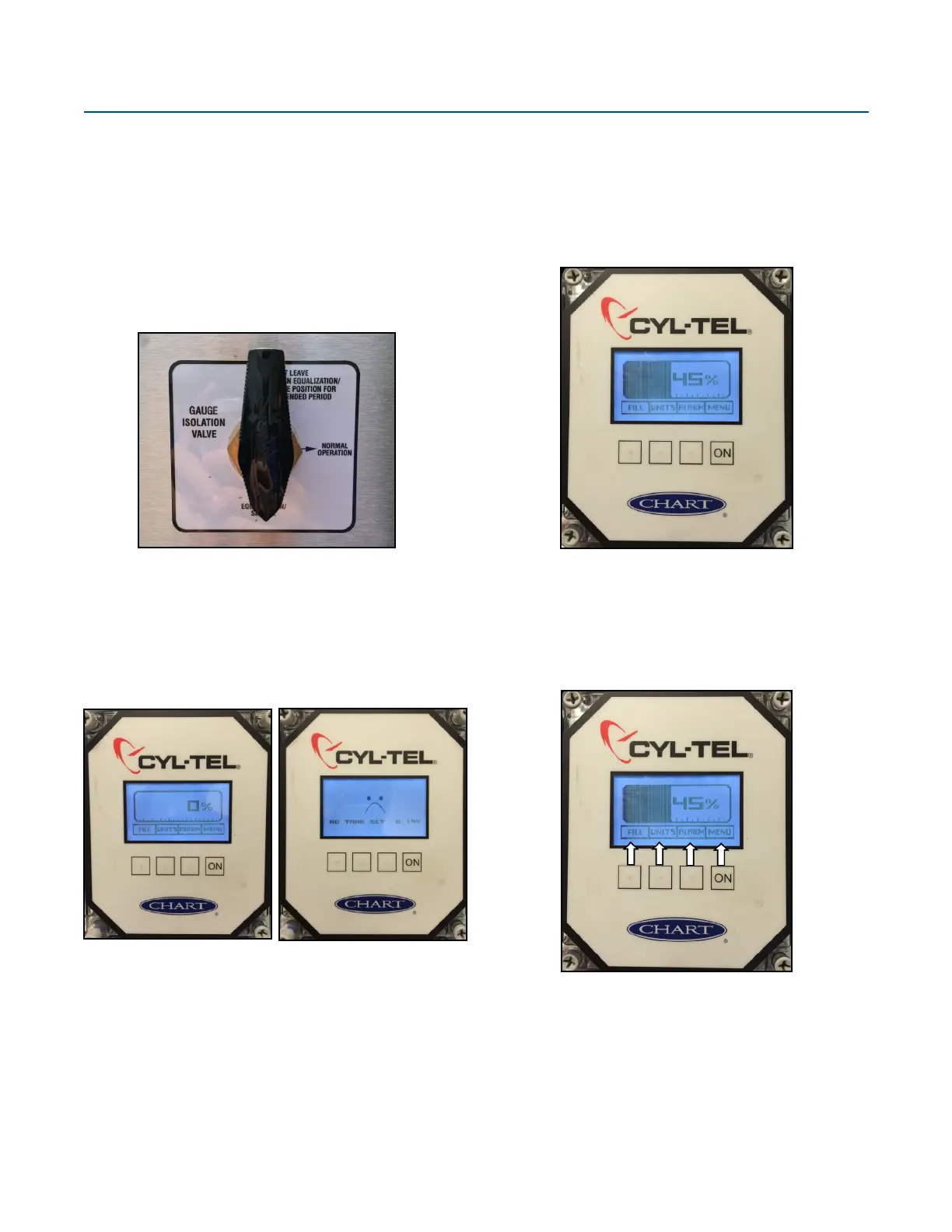
Upon receiving, the Cyl-Tel/Tank-Tel Gauge will look one of
two ways. If it has been setup at the factory it will show 0%
(left). If it has not been setup it will show a sad face (right).
If “NO TANK SET” is displayed, refer to First Time Setup in
this guide.
ON Button
Pressing the ‘ON’ button will turn the Cyl-Tel/Tank-Tel
Gauge display on and run through the startup diagnostics and
tests. When the test is complete the screen will display the
Instructions
tank’s liquid level and pressure (pressure display is optional).
Once the unit is on and the level is displayed, holding the
‘ON’ button for 15 seconds will access the Cyl-Tel/Tank-Tel
Gauge setup menus.
Keypad Use
There are four buttons on the Cyl-Tel/Tank-Tel Gauge face.
Each one has a different purpose. Each button performs the
operation of the text box above the button on the screen.
FILL - This button will lock the display on for 15 minutes.
UNITS - This button will toggle the different units available.
ALARMS - This button will toggle the display of any setup
alarms on and off. It will not clear any alarms.
MENU - When on, holding this button for 15 seconds will
allow the user to enter the ‘MAIN MENU’ for the gauge.


 To Next Page