MAINTENANCE OPERATION
EN
| Intelect
®
Legend 2 - Service Manual DOMESTIC 26
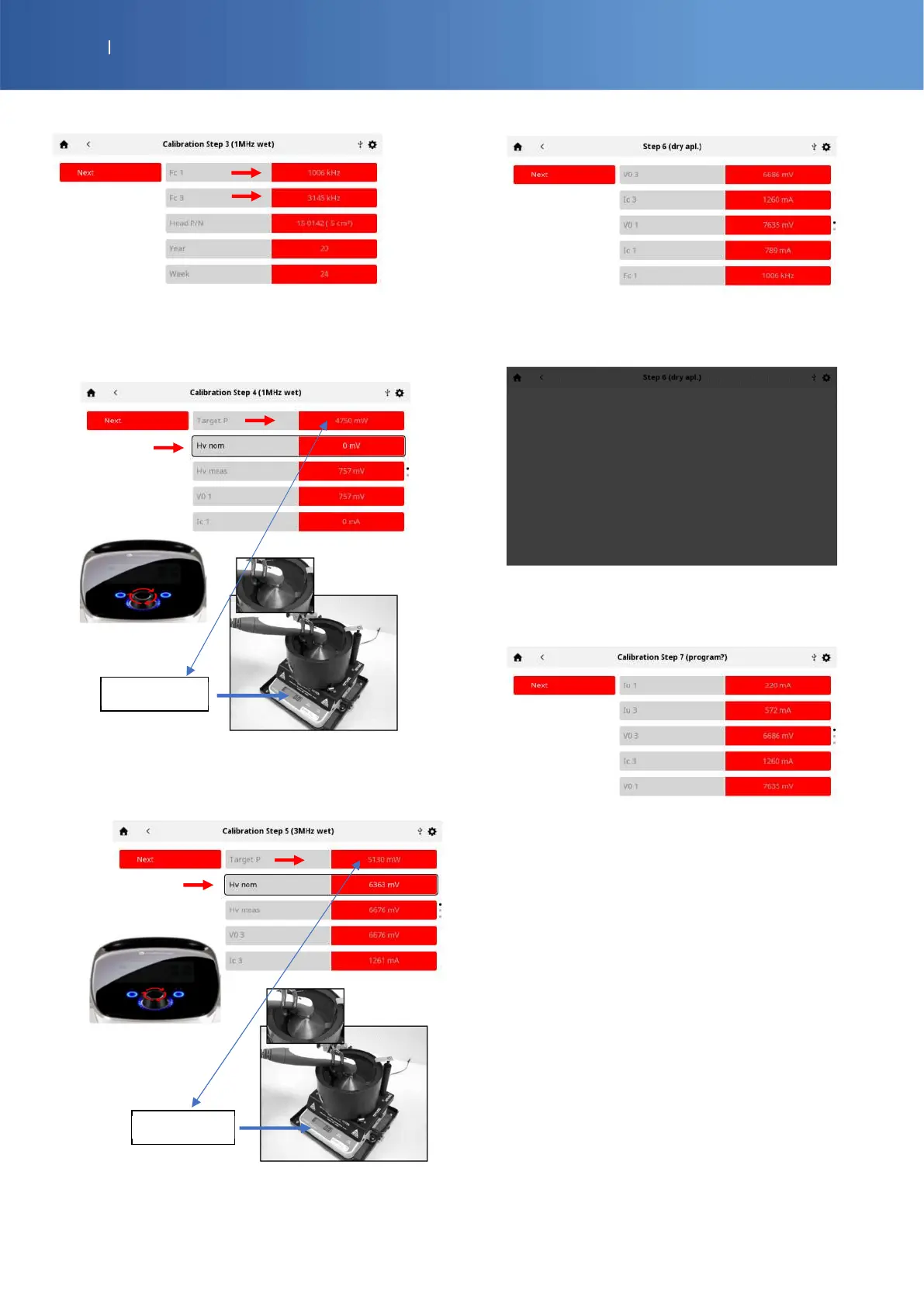
Press “Next” to calibrate the power output to 1 MHz
Select “Hv nom” line and increase the power with the
knob to read the “Target P” value on the power meter
balance screen.
Press “Next” to calibrate the power output to 3 MHz
Select “Hv nom” line and increase the power with the
knob to read the “Target P” value on the power meter
balance screen.
Press “Next”, dry the applicator and place it on the
holder.
Wait 6 sec during this grey screen
Press “Next” to save the setting and program the
memory
The calibration is finished, you can find the values of
the applicator
Press “Next” to return to the Home page















 To Next Page