EasyManua.ls Logo

Chauvet Data Stream 4 - User Manual

Chauvet Data Stream 4
11 pages
Print Icon
To Next Page IconTo Next Page
Loading...
3000 N 29
th
Ct, Hollywood, FL 33020 U.S.A.
(800) 762-1084 (954) 929-1115
FAX (954) 929-5560
www.chauvetlighting.com
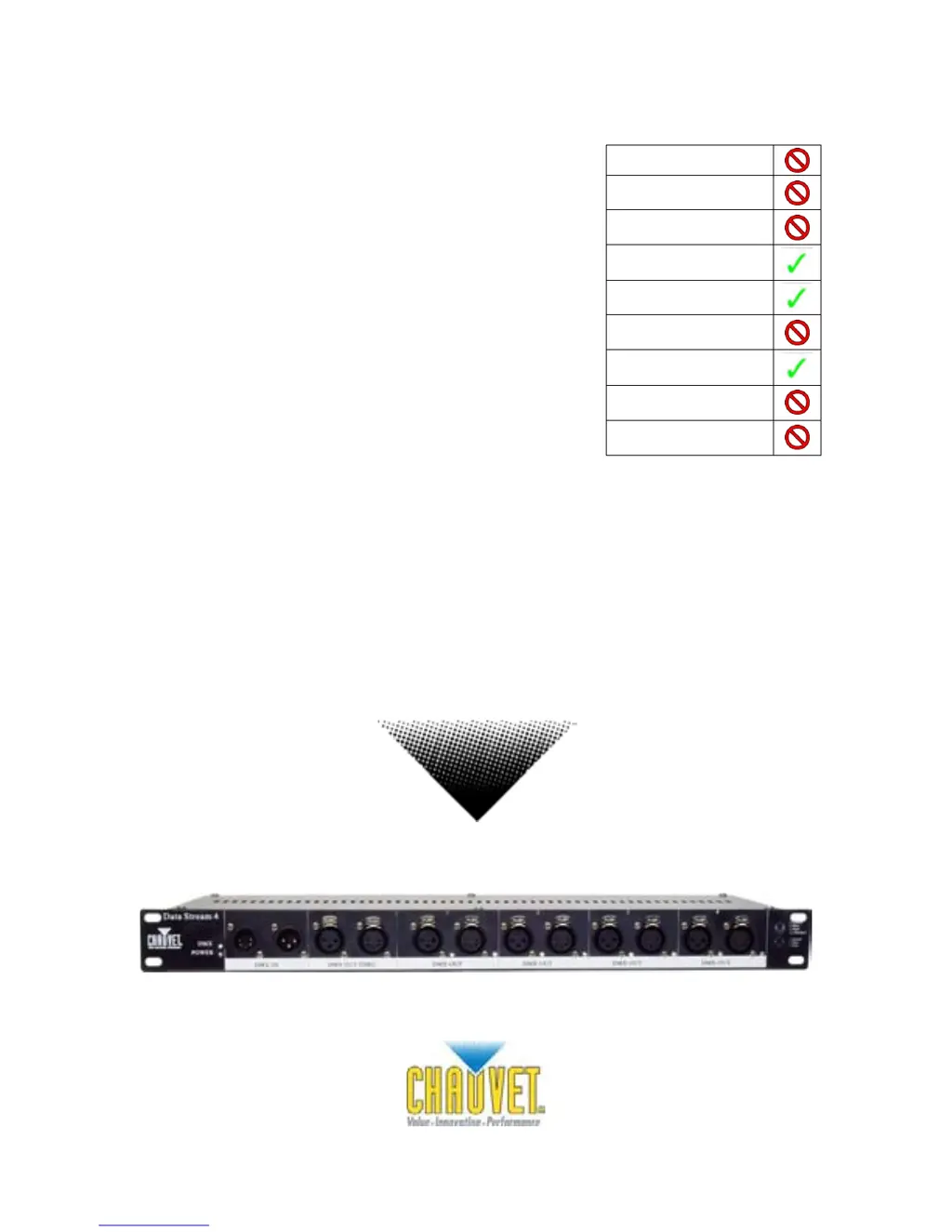
Data Stream 4
USER MANUAL
Snapshot
OK on Dimmer
Outdoor OK
Sound Activated
DMX512
Master/Slave
115V/230V Switch
Replaceable Fuse
User Serviceable
Duty Cycle

Other manuals for Chauvet Data Stream 4

Questions and Answers

  • R
    Rebecca AyersSep 6, 2025
    What to do if Chauvet Lighting Equipment light will not come on after power failure?
    • J
      Jason CastroSep 6, 2025
      If your Chauvet Lighting Equipment light will not come on after a power failure, some discharge lamps require a cooling off period before the electronics in the fixture can kick start it again. Wait 5 to 10 minutes before powering up.
  • J
    Jason GutierrezAug 22, 2025
    How to troubleshoot a Chauvet Flood Light with no power?
    • J
      Jennifer SmithAug 22, 2025
      If your Chauvet Flood Light has no power, first, ensure that the power mains are active. If the issue persists, inspect the device's fuse and replace it if needed.
  • M
    mwilliamsSep 3, 2025
    What to do if Chauvet Lighting Equipment fixture is on but there is no movement to the audio?
    • S
      samanthawilsonSep 4, 2025
      If your Chauvet Lighting Equipment fixture is on but there is no movement to the audio, ensure you have the correct audio mode selected on the control switches. If audio is provided via a ¼” jack, make sure a live audio signal exists. You may also need to adjust the sound sensitivity knob.
  • E
    Eric WrightSep 2, 2025
    Why do lamps cut off sporadically in Chauvet Lighting Equipment?
    • D
      dawnmartinezSep 2, 2025
      To resolve the issue of lamps cutting off sporadically in your Chauvet Lighting Equipment, consider that the lamp may be bad, the fixture might be overheating, or the lamp may be at the end of its life.
  • E
    Emily YoungSep 1, 2025
    What to do if there is no light output from Chauvet Lighting Equipment?
    • E
      Erin RiversSep 1, 2025
      If there's no light output from your Chauvet Lighting Equipment, check the slip ring and brushes for contact. You can also try installing a new bulb. If the issue persists, call a service technician.
  • L
    Latasha KellyAug 30, 2025
    What to do if Chauvet Lighting Equipment device has no power?
    • T
      Tyler ZunigaAug 30, 2025
      If your Chauvet Lighting Equipment has no power, check for power on the Mains and check the device’s fuse, both internal and/or external.
  • M
    moralesalexisAug 29, 2025
    What to do if Chauvet Lighting Equipment fixture is not responding?
    • L
      Logan GrahamAug 29, 2025
      If your Chauvet Lighting Equipment is not responding, verify the DMX Dip switch settings for correct addressing, check the DMX cables, and check the polarity switch settings.
  • S
    Sherry ThomasAug 27, 2025
    What to do if my Chauvet DJ Equipment has no power?
    • M
      Maxwell SimonAug 27, 2025
      If your Chauvet DJ Equipment device isn't getting power, first, check if the power is on at the mains. Then, inspect the device’s fuse, both internal and external.
  • P
    Patrick CortezAug 26, 2025
    Why do I have loss of signal on my Chauvet Data Stream 4?
    • A
      Austin ColeAug 26, 2025
      To address signal loss in your Chauvet DJ Equipment setup, ensure you are using DMX cables and install a terminator. Keep DMX cables away from power cables and black lights.
  • J
    Jeffrey CoxAug 25, 2025
    What to do if my Chauvet Data Stream 4 has no audio reaction?
    • Q
      qandersonAug 25, 2025
      If your Chauvet DJ Equipment fixture is on but not reacting to the audio, ensure the control switches are set to the correct audio mode. If you're using a ¼” jack for audio, verify that a live audio signal is present. Also, adjust the sound sensitivity knob.

Summary

1. BEFORE YOU BEGIN

What is included

Lists all components provided with the Data Stream™ 4 fixture.

Unpacking Instructions

Guidance on how to unpack the fixture safely and check for damage.

AC Power

Information on the fixture's auto-switching power supply and voltage requirements.

Safety Instructions

Crucial safety precautions for installation, operation, and maintenance of the fixture.

2. INTRODUCTION

Features

Details the key features and capabilities of the Data Stream™ 4.

Product Overview

Provides a visual and descriptive layout of the fixture's components.

3. SETUP

Fuse Replacement

Instructions for safely replacing the unit's fuse.

Fixture Linking

Guidance on connecting multiple fixtures for synchronized operation.

Data Cabling

Information on DMX data cables, connectors, and conversion charts.

Mounting and Rigging

Instructions for fixture mounting, orientation, and safe rigging practices.

4. OPERATING INSTRUCTIONS

General Troubleshooting

5. APPENDIX

DMX Primer

An explanation of DMX-512 protocol and channel addressing.

Contact Us

Contact information for CHAUVET support and general inquiries.

General Maintenance

Recommendations for cleaning and maintaining the fixture for optimal performance.

Returns Procedure

Steps and requirements for returning merchandise for service or repair.

Claims

Information on how to report shipping damage or other claims.

Technical Specifications

Detailed technical data including dimensions, power, and specifications.

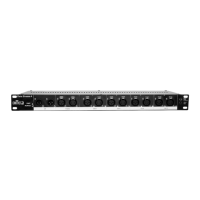
Chauvet Data Stream 4 Specifications

Power IconPower
AC powerAutoswitching 100V-240V 50/60Hz
fuse1A 250V
Operating Environment IconOperating Environment
maximum ambient temperature104°F
Weight and Dimensions IconWeight and Dimensions
length19 in
width5.3 in
height1.8 in
weight5.8 lbs

Related product manuals