EasyManua.ls Logo

Chauvet DMX-44 - User Manual

Chauvet DMX-44
20 pages
Print Icon
To Next Page IconTo Next Page
Loading...
Chauvet, 3000 N 29
th
Ct, Hollywood, FL 33020 U.S.A
(800) 762-1084 (954) 929-1115
FAX (954) 929-5560
www.chauvetlighting.com
DMX-44
DMX Controller
USER MANUAL

Questions and Answers

Summary

Before You Begin

What is Included

Lists the items included with the DMX-44 controller package.

Unpacking Instructions

Guidance on unpacking the controller and checking for damage.

Safety Instructions

Essential safety precautions for using the DMX-44 controller.

Introduction

Features

Key features and capabilities of the DMX-44 controller.

General Overview

Explanation of the DMX-44's functionality and interface.

Product Overview (front)

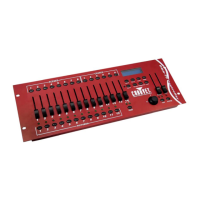
Front Panel Controls and Functions

Details each button and fader on the front panel and their functions.

Product Overview (rear panel)

Rear Panel Connections

Describes the ports and connectors on the rear of the DMX-44 controller.

Common Terms

Glossary of Lighting Terms

Explains common terminology used in lighting and DMX control.

Operating Instructions

Setup

Guides users on setting up the DMX-44 controller system.

Fixture Addressing

Explains how to address fixtures for control by the DMX-44.

Programming

Entering Program Mode

Instructions to enter the programming mode on the controller.

Create a Scene

Steps to create and save a static lighting state (scene).

Edit a Scene

How to modify and update an existing scene's parameters.

Scene Copy and Deletion

Procedures for copying and deleting individual scenes.

Bank Copy and Deletion

Instructions for copying and deleting entire banks of scenes.

Chase Programming

Create a Chase

Steps to build a sequence of scenes (a chase) for playback.

Copy Bank Into Chase

How to transfer scenes from a bank into a chase.

Adding a Step to a Chase

Steps to add scenes as steps within a chase.

Delete a Scene;Step in a Chase

How to remove specific steps or scenes from a chase.

Delete a Chase

Procedure for removing a chase program from memory.

Playback (Scenes)

Manual Run Scene

How to manually trigger and run individual scenes.

Running in Sound-Mode

Running scenes synchronized with music.

Running in Auto-Mode

Running scenes automatically with speed and fade adjustments.

Blackout

Function to immediately turn off all light output.

Playback (Chases)

Manual Run Chases

Steps to manually step through a chase sequence.

Auto Run Chases

Running chases automatically with speed and fade adjustments.

Music Run Chases

Running chases synchronized with music.

Midi Operation

MIDI Control Setup

Configure controller to respond to MIDI commands for triggering scenes and chases.

Appendix

DMX Primer

Introduction to the DMX-512 protocol and its use in lighting.

Fixture Linking

Guidance on connecting multiple DMX fixtures in a daisy chain.

Returns Procedure

Instructions for returning the product for service or repair.

Claims

Information on filing claims for damaged or missing items.

DMX Dipswitch Quick Reference Chart

DMX Address Chart

Table mapping dipswitch settings to DMX addresses for fixtures.

General Troubleshooting

Troubleshooting Guide

Common symptoms and their solutions for controller and fixture issues.

Technical Specifications

Product Dimensions and Power

Physical dimensions, weight, and power requirements of the DMX-44.

EC Declarations of Conformity

Statements regarding compliance with EC directives.

Chauvet DMX-44 Specifications

Power IconPower
operating rangeDC 9V-12V 500mA min
adapterProvided
Operating Environment IconOperating Environment
maximum ambient temperature45°C (113° F)
Weight and Dimensions IconWeight and Dimensions
length514 mm (20.25 in)
width89 mm (3.5 in)
height171 mm (6.75 in)
weight2.7 Kg (6 lbs)

Related product manuals