EasyManua.ls Logo

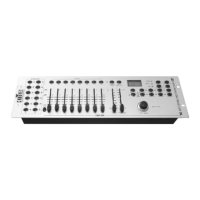
Chauvet DMX-55 DMX - User Manual

Chauvet DMX-55 DMX
21 pages
Print Icon
To Next Page IconTo Next Page
Loading...
Chauvet, 3000 N 29
th
Ct, Hollywood, FL 33020 U.S.A
(800) 762-1084 (954) 929-1115
FAX (954) 929-5560
www.chauvetlighting.com
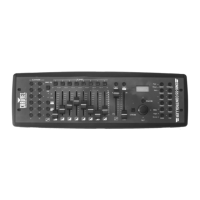
DMX-55
DMX Controller
USER MANUAL

Questions and Answers

  • M
    Megan BellAug 20, 2025
    What to do if my Chauvet Controller has no power?
    • D
      Dylan CombsAug 20, 2025
      If your Chauvet Controller is not turning on, first, ensure that it is receiving power from the mains. Then, check the device's fuse, both internal and external.
  • M
    Monica WilsonAug 22, 2025
    How to fix a Chauvet Controller fixture that is not responding?
    • A
      Angela AndersonAug 22, 2025
      If your Chauvet Controller fixture isn't responding, verify the DMX Dip switch settings for correct addressing. Also, check the DMX cables and polarity switch settings.
  • C
    Cynthia MartinAug 25, 2025
    What causes signal loss in a Chauvet Controller and how to fix it?
    • S
      stricklandmichaelAug 25, 2025
      To address signal loss with your Chauvet Controller, ensure you are using only DMX cables and consider installing a terminator. Keep DMX cables separate from power cables or black lights.
  • A
    Andrew HollandAug 26, 2025
    Why is the beam on my Chauvet Controller very dim?
    • M
      Mark WattsAug 26, 2025
      If the beam from your Chauvet Controller is dim, try cleaning the optical system or replacing the lamp. Also, check the 220/110v switch to ensure it is set correctly.
  • C
    Chris JonesAug 27, 2025
    What to do if the breaker keeps blowing on my Chauvet Controller?
    • P
      Peter HernandezAug 27, 2025
      If the breaker or fuse keeps blowing on your Chauvet Controller, check the total load placed on the device.
  • A
    Angel JonesAug 29, 2025
    Why is there no movement to the audio on my Chauvet Controller fixture?
    • H
      hcarsonAug 29, 2025
      If your Chauvet Controller fixture is on but not responding to audio, ensure you have selected the correct audio mode on the control switches. If using a ¼” jack, confirm a live audio signal is present. You may also need to adjust the sound sensitivity knob.
  • M
    Matthew SmithAug 31, 2025
    Why does the lamp in my Chauvet Controller cut off sporadically?
    • A
      amandaknightAug 31, 2025
      If the lamp in your Chauvet Controller cuts off sporadically, it might be a bad lamp or the fixture is overheating. The lamp may also be at the end of its life.
  • D
    David TurnerSep 2, 2025
    What to do if Chauvet Controller light won't turn on after power failure?
    • K
      Kimberly BennettSep 2, 2025
      If the light on your Chauvet Controller does not come on after a power failure, wait 5 to 10 minutes before powering it up again. Some discharge lamps require a cooling off period before the fixture's electronics can restart.
  • S
    Sandra KaufmanSep 4, 2025
    Why does my Chauvet Controller move so slow?
    • T
      Timothy RobinsonSep 4, 2025
      If your Chauvet Controller moves slowly, check the 220/110v switch to ensure it is set correctly.
  • M
    Matthew KaneSep 6, 2025
    Why is there no light output from my Chauvet Controller?
    • S
      Shawn PalmerSep 6, 2025
      If your Chauvet Controller has no light output, check the slip ring and brushes for contact. Also, ensure a bulb is installed. If problems persist, contact a service technician.

Summary

Getting Started

What is included

Lists the items included with the DMX-55 controller.

Unpacking Instructions

Guidance on how to safely unpack the DMX-55 controller and its components.

Safety Instructions

Crucial safety precautions for operating the DMX-55 controller to prevent hazards.

Introduction and Overview

Features and General Overview

Key capabilities, specifications, and a high-level summary of the DMX-55 controller's functionality.

Product Controls and Layout

Details the front panel layout, buttons, faders, and joystick of the DMX-55 controller.

Connections and Common Terms

Covers rear panel connections, DMX definitions, and essential terminology for DMX-55 operation.

Operating the DMX-55 Controller

System Setup and Fixture Patching

Guides on initial system setup, power connection, and assigning DMX addresses to fixtures.

Joystick and Channel Configuration

Instructions for assigning joystick functions and reversing DMX channel output for fixtures.

Scene and Chase Programming

Covers creating, editing, storing, and managing scenes and chases with the DMX-55 controller.

Playback Modes and Operation

Details manual, sound, and auto modes for running scenes and chases, including blackout.

Appendix and Support

DMX Primer and Fixture Linking

Explains DMX-512 basics, addressing, and methods for connecting lighting fixtures.

Maintenance and Troubleshooting

Guides on cleaning, upkeep, and resolving common operational issues for the DMX-55.

Technical Specifications

Lists detailed physical, power, and protocol specifications for the DMX-55 controller.

Chauvet DMX-55 DMX Specifications

Power IconPower
operating rangeDC 9V-12V 500mA min
adapterProvided
Operating Environment IconOperating Environment
maximum ambient temperature45°C (113° F)
Weight and Dimensions IconWeight and Dimensions
length514 mm (20.25 in)
width89 mm (3.5 in)
height171 mm (6.75 in)
weight2.7 Kg (6 lbs)

Related product manuals