Need help?
Do you have a question about the Chauvet Obey 40 and is the answer not in the manual?
Lists the contents included with the Obey 40 D-Fi 2.4 package.
Provides guidance on how to carefully unpack the Obey 40 D-Fi 2.4 and check its condition.
Details procedures for filing claims and defines text conventions used in the manual.
States CHAUVET's liability regarding manual information changes and copyright.
Details the key features and capabilities of the Obey 40 D-Fi 2.4 controller.
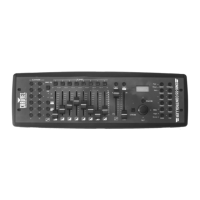
Provides an overview of the Obey 40 D-Fi 2.4 as a powerful DMX controller with wireless capabilities.
Explains rack mounting, placement, wireless range considerations, and physical dimensions.
Explains the use of wireless D-Fi™ for DMX transmission and range limitations.
Describes how looks are created, saved into scenes, and scenes into chases.
Details the layout and functions of the front panel controls, buttons, and display.
Identifies back panel ports and explains DMX polarity settings for connectivity.
Covers power supply requirements, voltage compatibility, and mounting considerations.
Explains how to configure D-Fi settings using DIP switches for transmission or reception.
Details the function of DIP switches for D-Fi™ channel selection and transmit/receive modes.
Describes manual/auto-sync channel selection and the D-Fi™ signal indicator states.
Instructions for using DMX cabling as an alternative or supplement to D-Fi™ transmission.
Explains D-Fi™ communication with compatible products and distribution products.
Details how the controller uses DMX addressing to control lights and the address ranges.
Explains the use of 8 channel faders across 2 pages to control 16 DMX channels.
Introduces fader assignment and reversal as powerful customization tools for lighting rigs.
Step-by-step guide on how to change a fader's default DMX address.
Instructions for copying fader customizations and reversing fader output.
Procedure to reset the controller to factory default settings, clearing customizations.
Explains the purpose of program mode for creating and saving lighting looks, scenes, and chases.
Details how to control lights using faders to set colors, positions, and operating modes.
Steps for programming lights to create a look and saving it into a scene.
Explains how to save lighting looks into scenes, organized into banks.
Instructions for deleting individual scenes, banks of scenes, or all scenes.
Details how to create chases by sequencing scenes or banks of scenes.
Instructions for adding steps to or removing steps from an existing chase.
Step-by-step guide on inserting a new step into the middle of a chase.
Procedures for deleting steps from chases, entire chases, or all programmed chases.
Describes the purpose of playback mode for running shows using saved scenes and chases.
Covers manual, auto, tap-sync, and music playback for scenes and banks.
Details manual, auto, tap-sync, and music playback for chases.
Explains how to trigger scenes and chases using external MIDI input.
Instructions for operating compatible CHAUVET fog machines using the dedicated fog button.
Details how to operate CHAUVET strobes using the dedicated strobe button.
Explains how the audio sensitivity knob adjusts the board's response to sound.
Provides guidelines for cleaning and maintaining the Obey 40 D-Fi 2.4 for optimal performance.
Lists detailed specifications including dimensions, power, and wireless frequency.
Provides contact information for CHAUVET World Headquarters, Europe, and Mexico.
 Power
Power| auto-ranging external power supply | 100~240 VAC, 50/60 Hz |
|---|---|
| power consumption at 120 V | <1 W (500 mA) max, 0.2 A inrush |
| power consumption at 230 V | <1 W (500 mA) max, 0.2 A inrush |
 Operating Environment
| indoor rating | for indoor use only |
|---|---|
| maximum ambient temperature | 104° F (40° C) |
 Weight and Dimensions
| length | 19 in (483 mm) |
|---|---|
| width | 3.5 in (89 mm) |
| height | 6.75 in (171 mm) |
| weight | 5.7 lbs (2.6 kg) |


 To Next Page