
 Need help?
Do you have a question about the Chauvet Legend 330SR Spot and is the answer not in the manual?
Manual version, release date, and user guidelines.
Details CHAUVET trademarks, logos, and copyright ownership.
Permissions for manual use, intended audience, and liability.
Lists included items and procedures for handling shipping damage.
Explains text conventions and visual symbols used in the manual.
Quick summary of product features and capabilities.
Essential safety warnings for installation, usage, and maintenance.
Safety guidelines for operators, mounting, rigging, and electrical connections.
Precautions for operating the fixture, including temperature and light exposure.
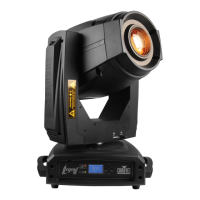
Overview of the moving yoke beam product's capabilities.
Highlights the main functional features and specifications.
Diagrams illustrating the fixture's external views and key components.
Visual representation of the fixture's physical dimensions in inches and millimeters.
Instructions for connecting the fixture to AC power and wiring the plug.
Procedures for replacing a blown fuse and connecting via DMX.
Explanation of the available DMX channel modes (21 and 27).
Diagram and description of the first gobo wheel with rotating gobos.
Diagram and description of the second gobo wheel with fixed gobos.
Diagram and details of the color wheel with 7 colors plus white.
Step-by-step guide for safely replacing the fixture's lamp.
Final steps for lamp replacement and important warnings.
Recommendations to extend the lifespan of the lamp and avoid damage.
Procedures for mounting, orientation, and rigging safety.
General rigging guidelines and steps for attaching the fixture securely.
Explanation of the control panel buttons and the LCD screen functions.
How to set the DMX address and navigate the fixture's menu system.
Details on DMX functions and general fixture settings.
Configurations for lamp behavior and display properties.
Procedures for running tests and viewing fixture operational data.
How to reset various functions and access special operational modes.
Setting DMX address, channel mode, and viewing DMX attribute values.
Adjusting pan/tilt direction, feedback, and auto-correction.
Configuring blackout effects during movement or color changes.
Managing the lamp's power status and remote control options.
Configuring delays for lamp ignition and power-off sequences.
Configuring display inversion, backlight, and temperature units.
Running automatic and manual tests on the fixture's functions.
Accessing operational timers and checking the fixture's firmware version.
Step-by-step guides for resetting specific functions.
Procedure to reset all moving parts to their home positions.
Setting maintenance reminders and restoring factory default settings.
Accessing and adjusting offsets for various fixture elements.
Fine-tuning offsets for Gobos, Iris, Prism, Zoom, Focus, and Frost.
Detailed mapping of DMX channels to functions for Mode 1 (21 channels).
Continued mapping of DMX channels to functions for Mode 1.
Final mapping of DMX channels to functions for Mode 1.
Detailed mapping of DMX channels to functions for Mode 2 (27 channels).
Continued mapping of DMX channels to functions for Mode 2.
Continued mapping of DMX channels to functions for Mode 2.
Final mapping of DMX channels to functions for Mode 2.
Guidelines for cleaning and maintaining the fixture for optimal performance.
Troubleshooting common lamp, temperature, and memory-related errors.
Diagnosing reset failures and errors related to head movement.
Physical, electrical, and optical specifications of the fixture.
Thermal limits, DMX connectivity, and product ordering codes.
Procedures for returning products and obtaining an RMA number.
Contact information for CHAUVET support and dealers.
 General
| Type | Moving Head Spot |
|---|---|
| Color Temperature | 8000K |
| Pan Range | 540° |
| Tilt Range | 270° |
| Voltage | 100-240V, 50/60Hz |
| Light Source | Discharge Lamp |
| DMX Channels | 16 |
| Color Wheel | 1 |
| Gobo Wheel | 1 |
| Effects | Prism, Frost |
| Control | DMX |
| Weight | 22 kg |
| Gobos | 7 Rotating Gobos + Open |



 To Next Page
