Connect To Controller
17
Add new device to the list
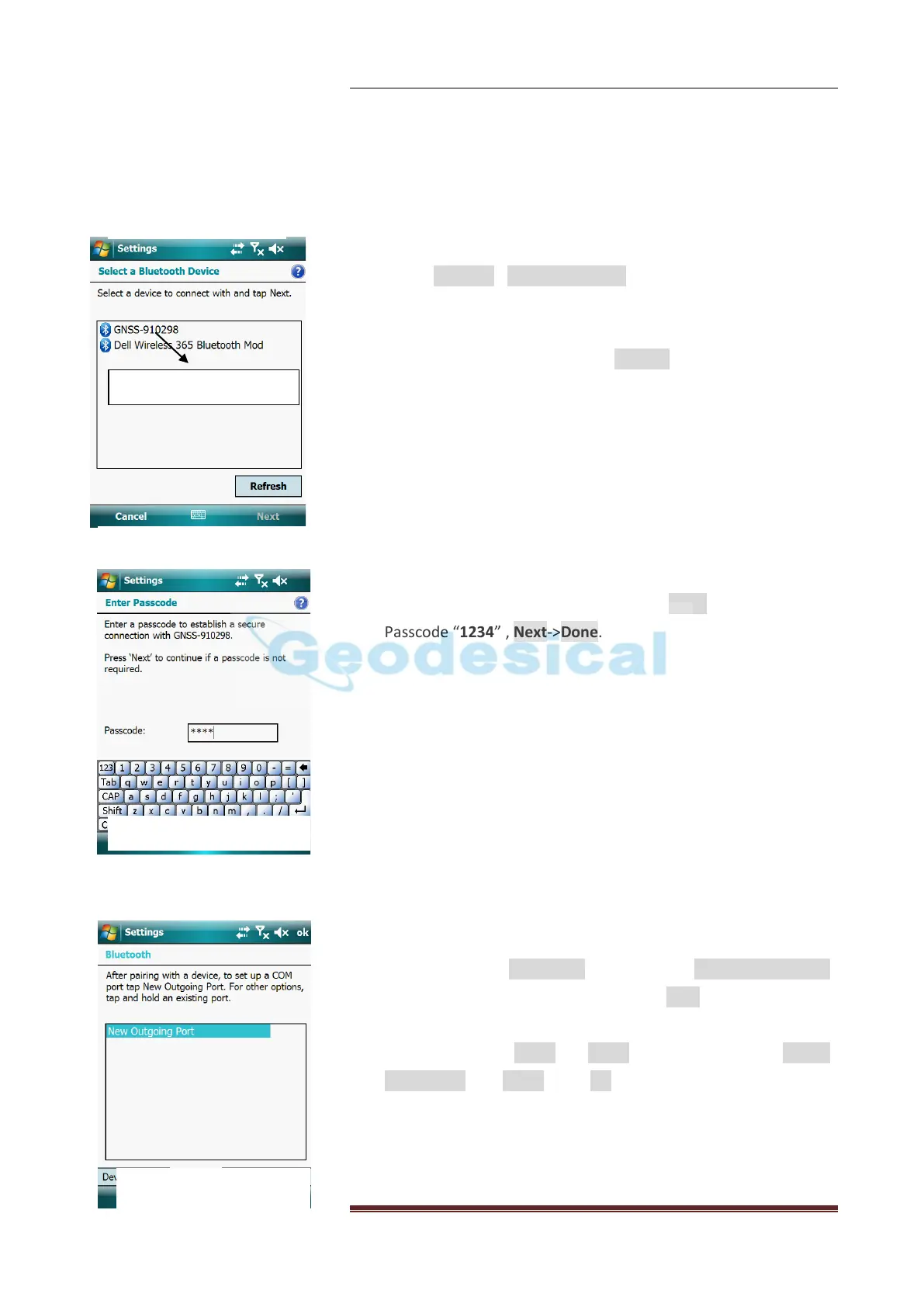
Tap on Devices->Add New device, the PAD start searching for
the Bluetooth® devices nearby. For each device detected by
Controller, the Bluetooth® name is returned in the search
window (e.g.GNSS-400071). The Refresh button can be used to
resume the search if necessary.
Select the Bluetooth® name corresponding to the receiver you
want to communicate with and then tap Next, keying in the
Passcode “1234” , Next->Done.
Establish a Bluetooth Communication
Now come to the COM Ports Tab, select the New Outgoing Port.
Highlight the device name, and then tap Next.
Choose a COM port to connect Bluetooth® with the GNSS
receiver. Choose Com8 or Com9, then unselect the Secure
Connection, tap Finish. Click OK on the top right corner to exit
Bluetooth setting.


 To Next Page