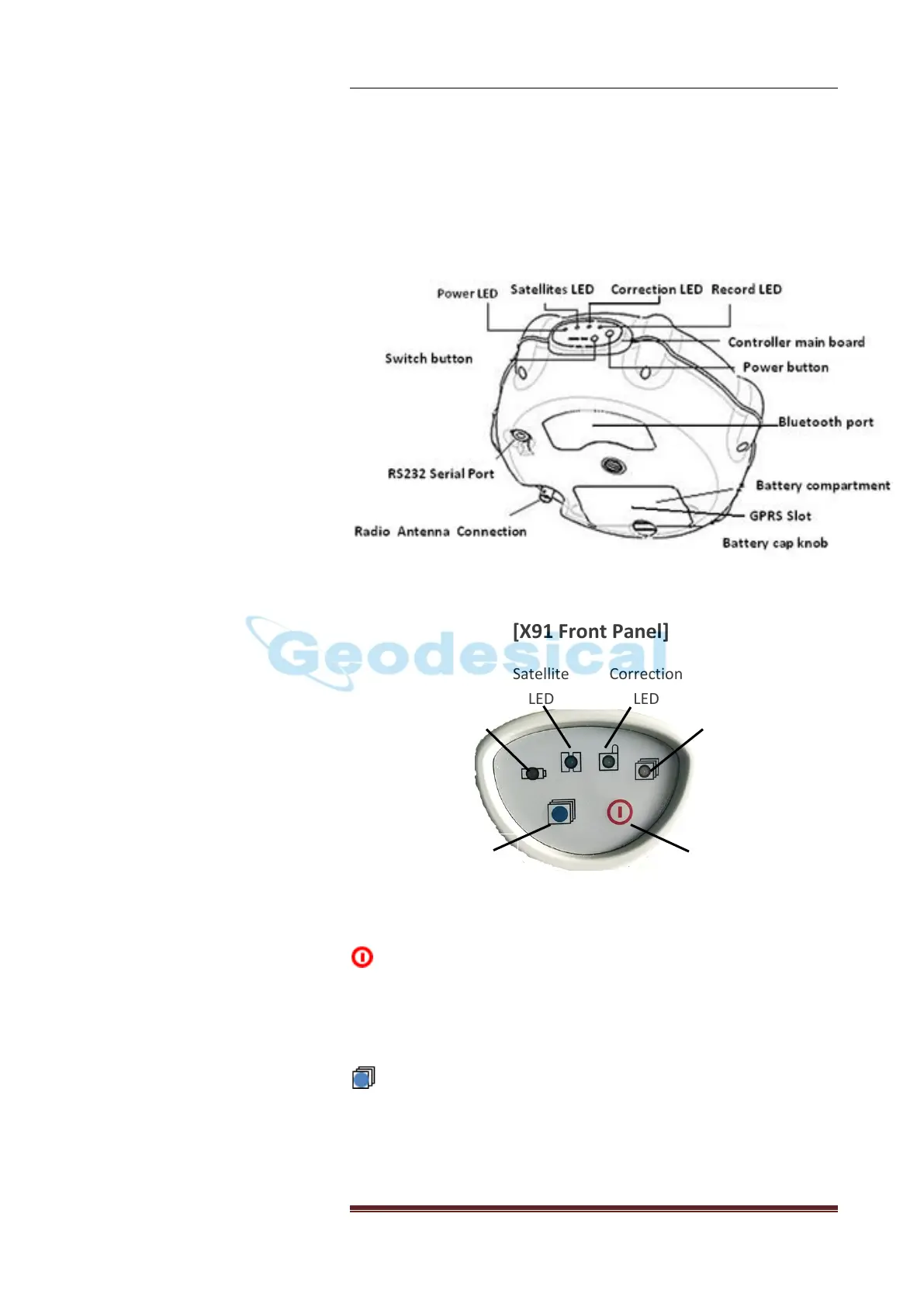
Product View
10
3. PRODUCT VIEW
3.1 Receiver
[X91 Front Panel]
Power Button
To turn on X91GNSS, quick press the power button until the power
LED (red) lights up. After the receiver powers on, the other three
LED will flash together for one time.
Switch Button
The function of switch button is to switch X91GNSS from RTK mode
to static mode. The procedure can be divided into 2 steps.
Step 1: Switching
Long press the button until the Record LED off.



 To Next Page