APACHE 3 User Guide (Network Bridge Version)| 2021-02 P a g e
|
16
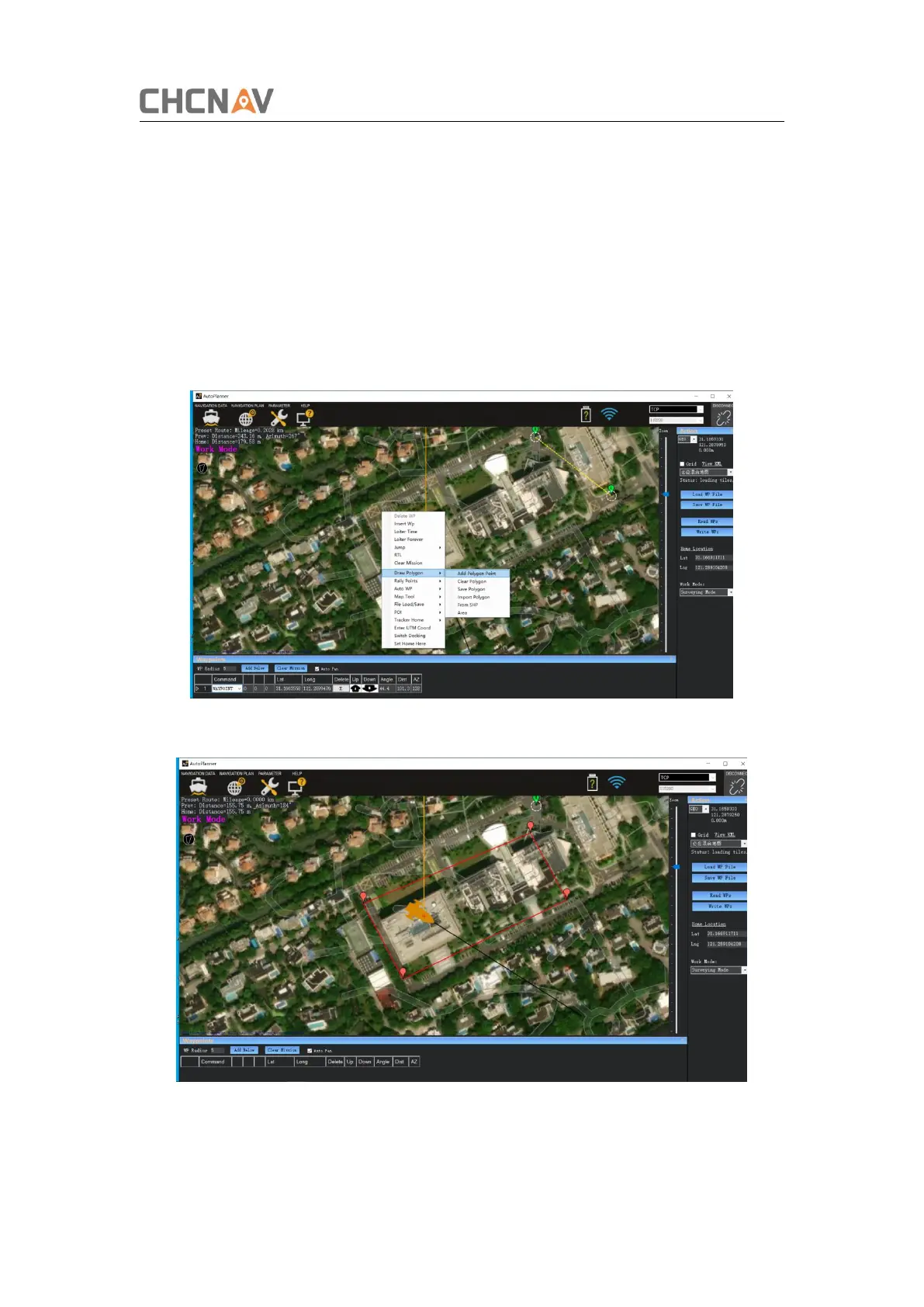
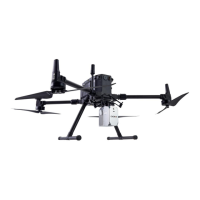
(2)Plan work area
Right-click on the interface and select [Draw Polygon] → [Add Polygon Point].
Note:
1) The satellite image is not updated in real time, so pay attention to the actual area
when planning the polygon.
2) The role of the home point: a. The home point is the return point. b. The logic for
generating the automatic route is to generate the waypoint 1 near the home point,
and the other waypoints are generated in sequence.
Figure 3-5 Plan work area
Figure 3-6 Plan work area


 To Next Page