Need help?
Do you have a question about the CHCNAV APACHE 3 and is the answer not in the manual?
Copyright information for CHC | Shanghai Huace Navigation Technology Ltd. and its trademarks.
Lists product and brand names as trademarks of their respective holders.
General information about GPS accuracy and potential interference.
Compliance statement for Class B digital devices regarding FCC rules.
Declaration of Conformity for APACHE 3 with EU directives.
Overview of the APACHE 3 USV User Guide and recommendations for new users.
Explains the purpose of warnings and cautions to minimize risks of injury or equipment damage.
Discusses wireless modem regulations and the need for authorization to operate the USV.
Outlines the USV's design for rough environments and the need for careful handling.
Provides information on how to contact CHC for technical support.
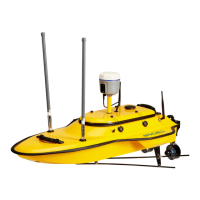
Overview of the APACHE 3 USV's features, design, and capabilities.
Lists the standard accessories included with the APACHE 3 USV.
Instructions for preparing power for external radio and charging batteries.
Details on setting up the RTK base station for external radio and Ntrip modes.
Guidance on installing accessories for the USV system.
Instructions for installing antennas and other accessories on the USV.
Instructions for mounting ground station accessories.
Steps for booting the boat and remote control, and checking indicators.
How to use the remote control to check motor functionality.
Instructions for installing AutoPlanner and HydroSurvey software packages.
Steps to configure the computer's IP address for network connectivity.
Steps to establish a TCP connection for the AP software.
Instructions on how to plan a route using the AP software.
Detailed steps for drawing a polygon to define the work area.
How to edit automatic waypoints using the WP Grid feature.
Process of saving planned waypoints to the central control.
Instructions to log in and view the HD camera feed within the AP software.
Overview of additional functions available in the AP software.
How to remotely control the USV using the AP software interface.
Describes functions like Set WP, Restart Mission, Clear Track, and Keep Loiter.
Using switches for software control, shoal depth, obstacle avoidance, and return functions.
Settings accessible via the GD100 webpage.
Steps to log into the GD100 webpage by connecting to the boat's Wi-Fi.
Process to register the receiver by obtaining and entering a registration code.
Setting up the rover station for CORS or internal radio modes.
Configuration steps for CORS mode within the I/O settings.
Configuration steps for internal radio mode via System Setup.
Viewing USV status, positioning, battery, and sounder status.
Instructions for upgrading control, host, and Echo Sounder firmware.
Steps to create a new project and connect the boat in HydroSurvey software.
Settings for controlling data recording by distance, time, or space bar.
Steps to begin measuring, including mode selection and saving projects.
Instructions for connecting to the boat's Wi-Fi to download data files.
Steps to copy and process DEP files into the HydroSurvey project.
Process to correct depth data and handle errors, divided into steps.
Steps to correct depth data using sound velocity correction.
How to import a sound velocity file with depth and velocity data.
Applying calculated sound velocity correction to all raw data.
How to skip delay correction for GPS/depth and adjust beam angle.
How to handle depth data by double-clicking a file and using the interface.
Choosing an interval for exporting data and using the interval setting.
Changing the data export interval manually via the [Manual] button.
Saving htt files after the interval setting is complete.
Exporting Htt files with custom formats for data analysis.
Selecting a save path and clicking Export to acquire the final data result.
Device compliance statement with FCC Rules, subject to two conditions.
Warning about unauthorized modifications to the unit potentially voiding user authority.
Standard statement for Class B digital devices regarding interference limits.
Compliance with FCC radiation exposure limits for uncontrolled environments.

 To Next Page
 General