APACHE 3 User Guide (Network Bridge Version)| 2021-02 P a g e
|
35
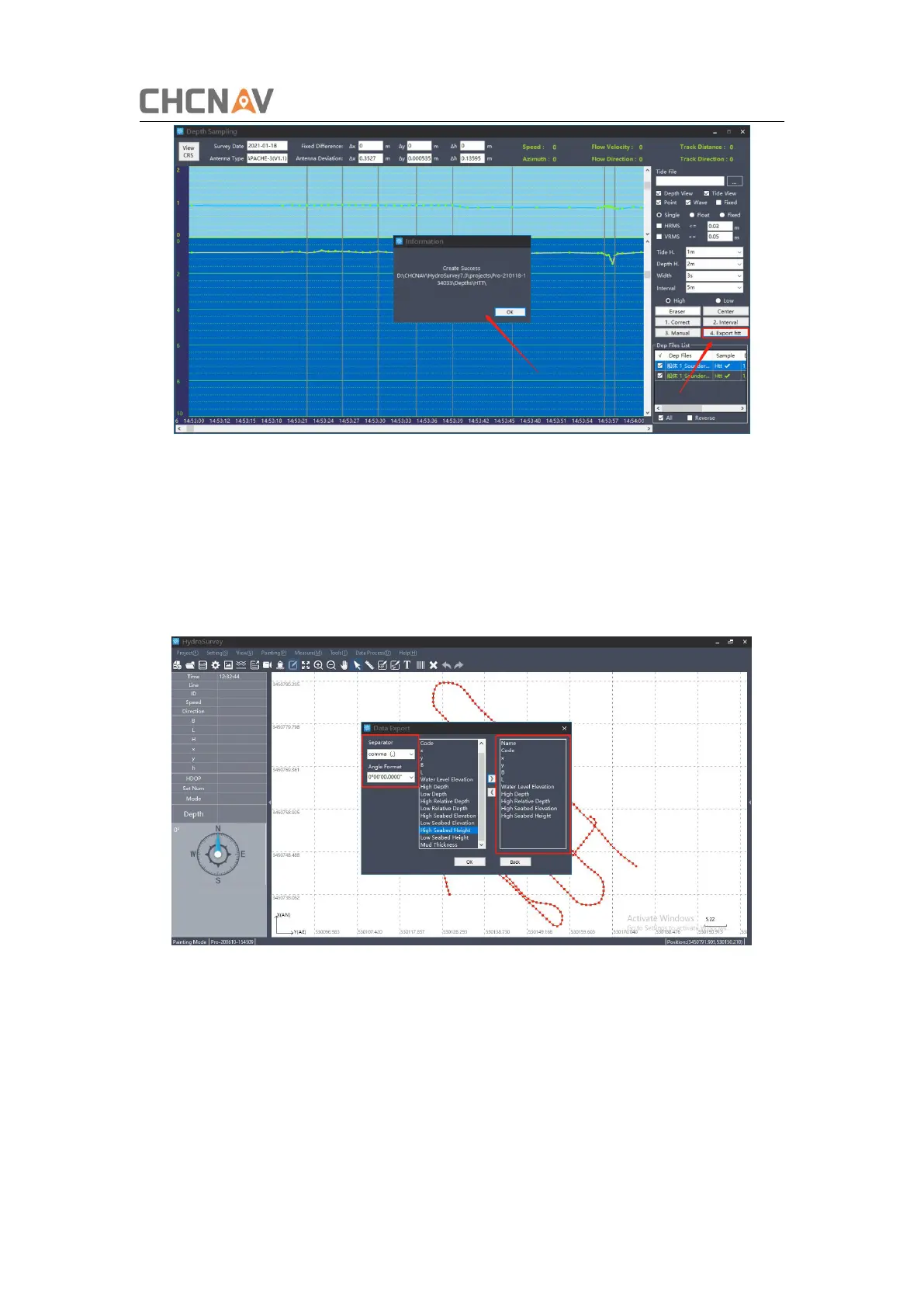
Figure 4-9 Export htt files
4.2 Data export
Click on [Data processing] – [Data Export], Select the Htt files and choose a file type,
there are some default format for option, and the format also can be modified via
[Customer]. At last export data to desktop via clicking [ Export].
Figure 4-10 Customer the format


 To Next Page