APACHE 3 User Guide (Network Bridge Version)| 2021-02 P a g e
|
24
3.4 Set Hydrosurvey
3.4.1 New project and connect to the boat
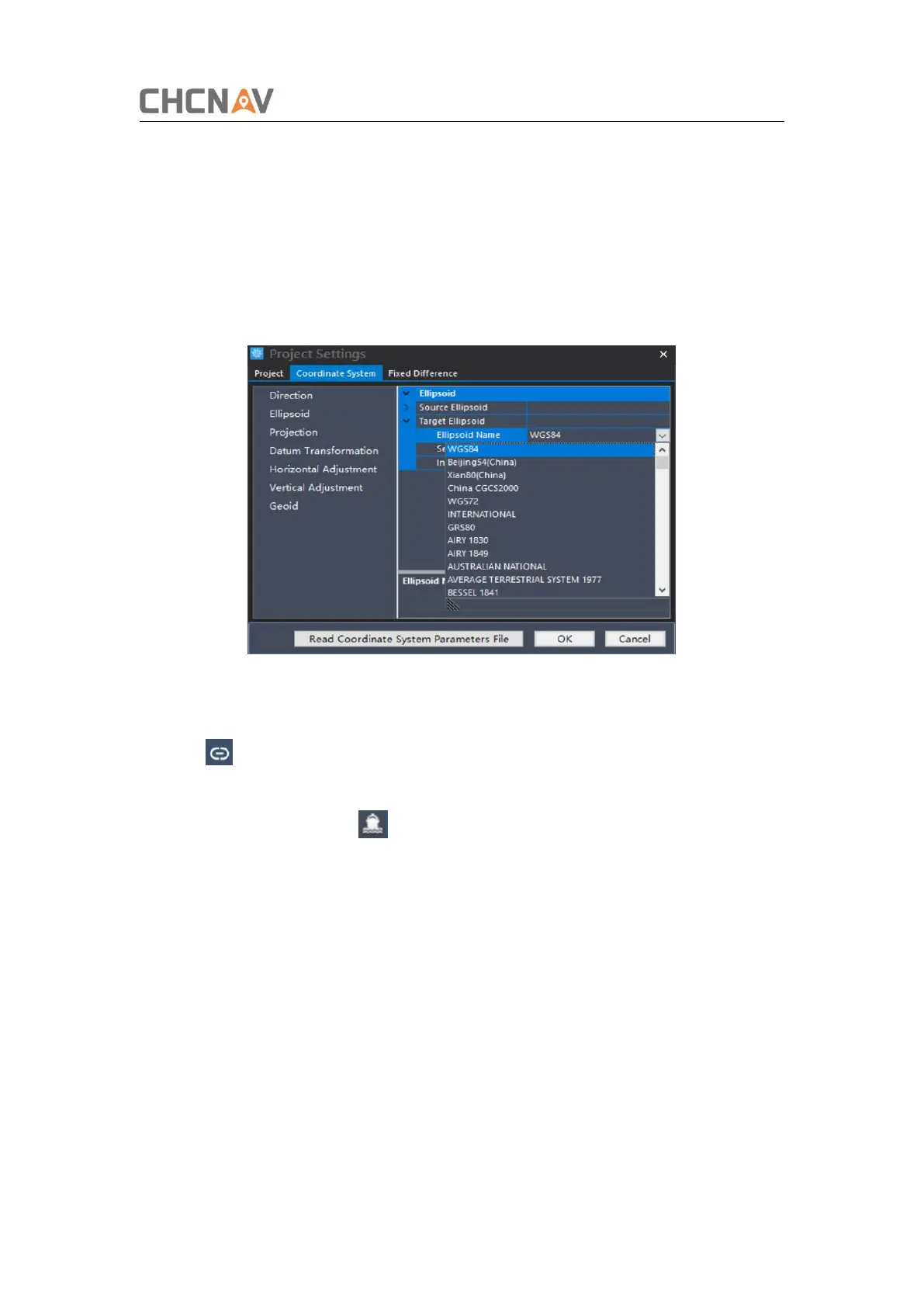
1)Open HydroSurvey 7 , click on [Project] - [New Project].
"Project name"is default and can be renamed if you need. And it also can be saved as
a template via clicking [Save coord template]. It is important to input the deviation if
you perform the base shift.
Figure 3-21 Create a new project and set coordinate system
2) click to connect the GPS and the sounder after you have connected the boat
via AutoPlanner.
3) When you set it up, click in the menu bar and then all the data are displayed
in the left of interface.


 To Next Page