APACHE 3 User Guide (Network Bridge Version)| 2021-02 P a g e
|
32
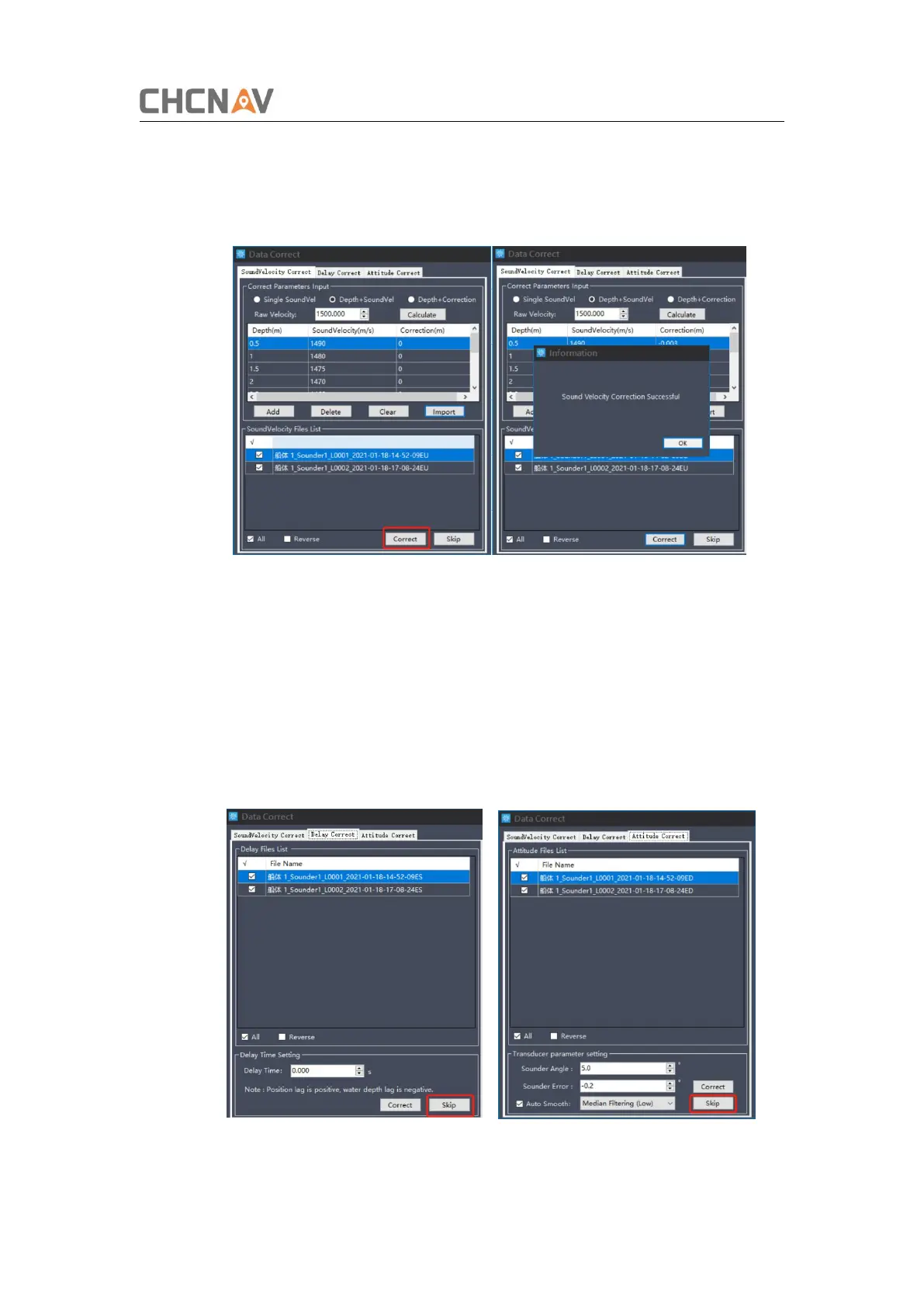
(3) Calculate correction and apply it to all raw data.
Click [Correct] button, then it will pop up successfully applying information
Figure 4-4 Apply sound velocity file
(4) Skip Delay correct and attitude correct
The delay correct is the correction for GPS and depth transmission delay. The
impact of time delay on bathymetric data can be reduced. The time delay value for
the whole system is a fixed. Enter a known time delay value or calculate it via a
special method if necessary. Hydrosurvey also support adjust the beam angle to
recalculate depth. For more detail, please directly contact with technical support
engineer of CHC.
Figure 4-5 Skip delay correct and attitude correct


 To Next Page