Getting Started
CHCNAV NX510 PRO USER MANUAL | 2021-08 P a g e | 9
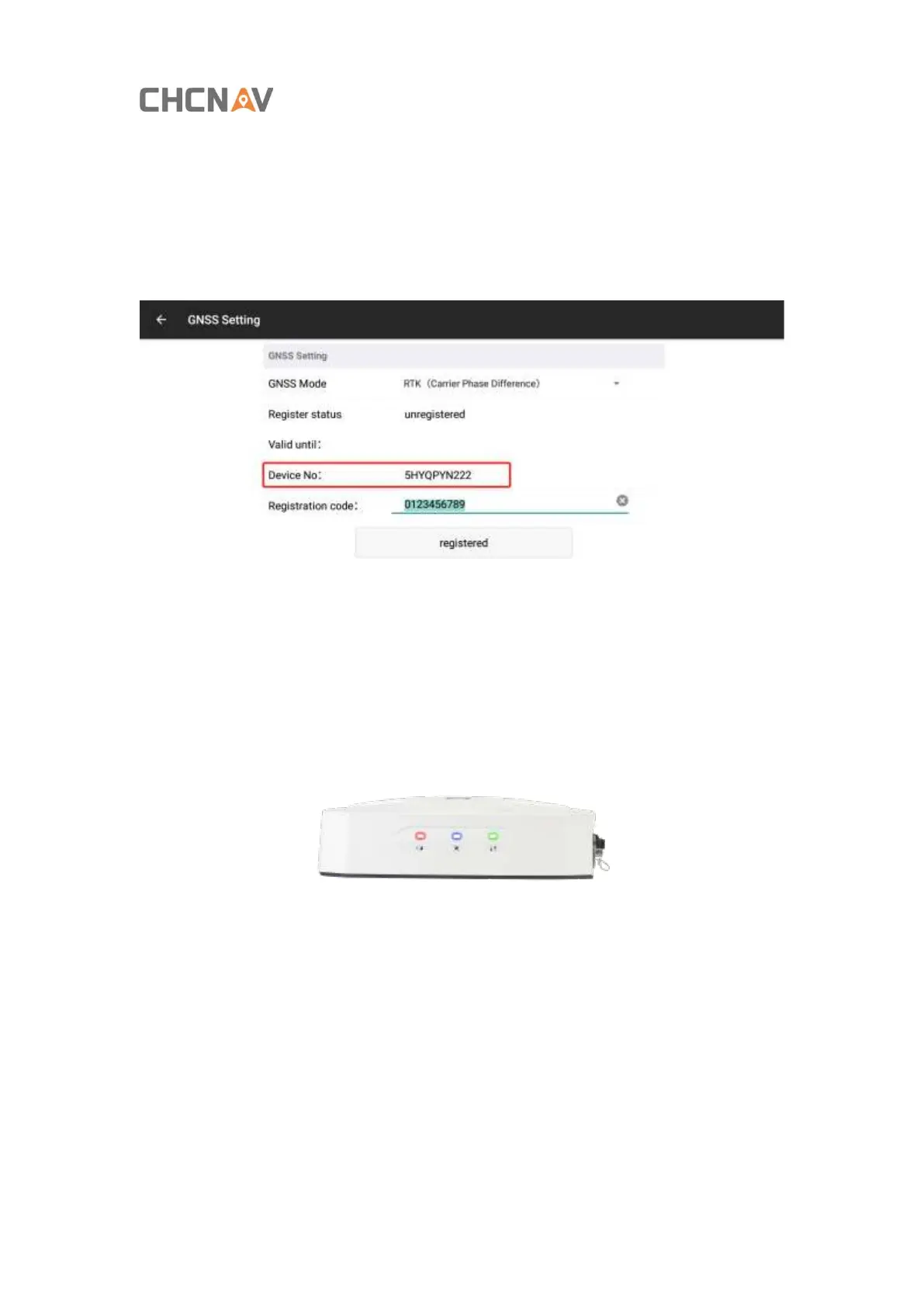
2.3. Register the RTK Mode
Get into [Setting]-[GNSS-Setting]
Show the device No.to technical support and we will provide you the registration code.
2.4.Checking RTK Signal Status
Green LED: it flashes once a second while receiving correction data.
Blue LED: indicates the number of tracked satellites; if it tracks N satellites, the blue
LED will flash N times every 5 seconds.
Red light: indicates the RTK status. Red indicates RTK Fixed.



 To Next Page