Getting Started
CHCNAV NX510 PRO USER MANUAL | 2021-08 P a g e | 16
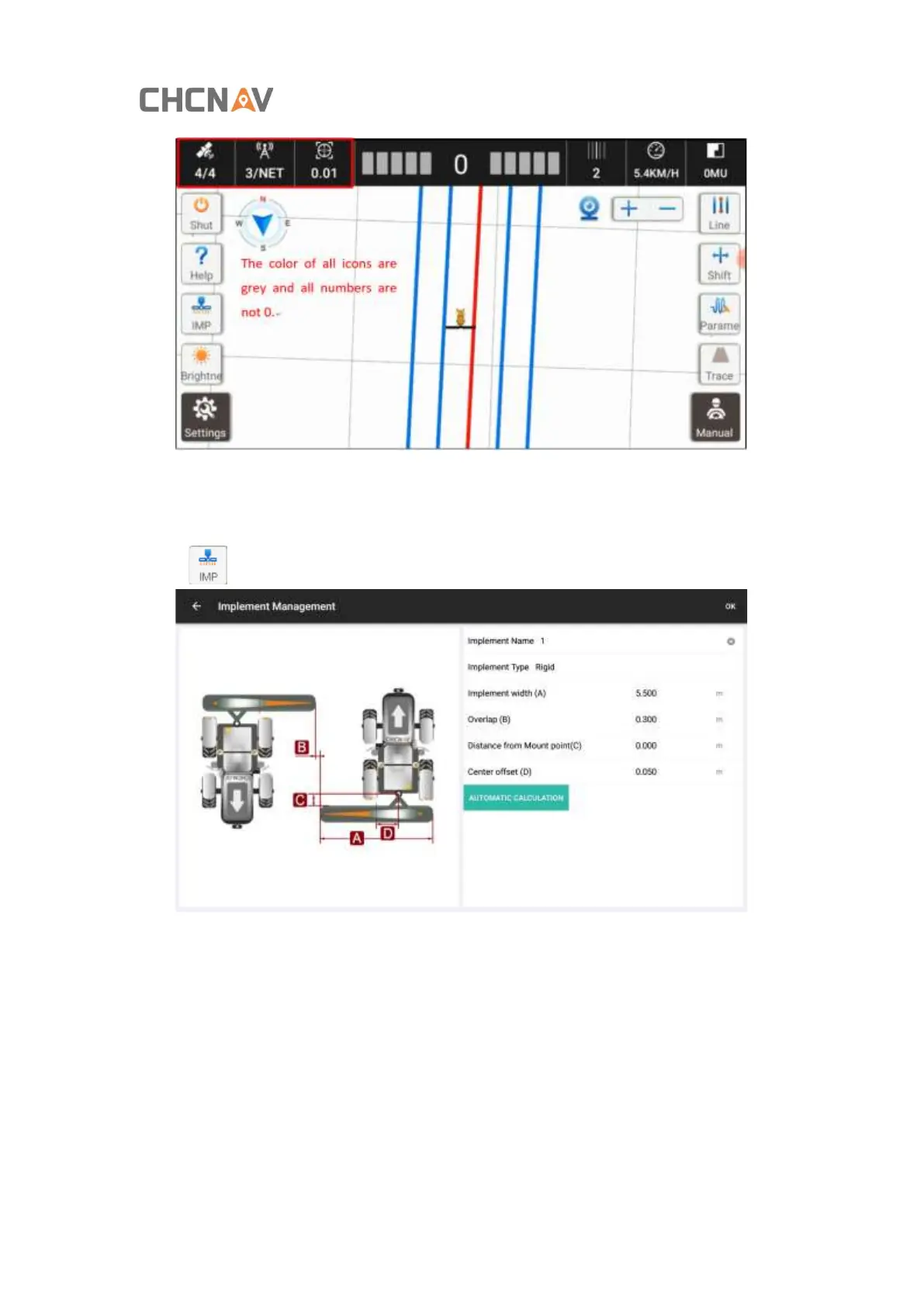
2.6. Implement Settings
Click [ ] on the left of main interface to enter the implement setting;
Plough width (A): width of the farm implements; (width from the far-left seeding opening to
the far-right seed opening of the seeder)
Line spacing (B): the distance between lines;
Axle-plow distance (C): distance steering shaft and hitch point; (‘0’ in default)
Center offset (D): The abnormal line spacing due to the misalignment of the plough, it could
be adjusted automatically based on the inputted value (see 4.2 Handover Line Calculation for
specific operations).



 To Next Page