Getting Started
CHCNAV NX510 PRO USER MANUAL | 2021-08 P a g e | 15
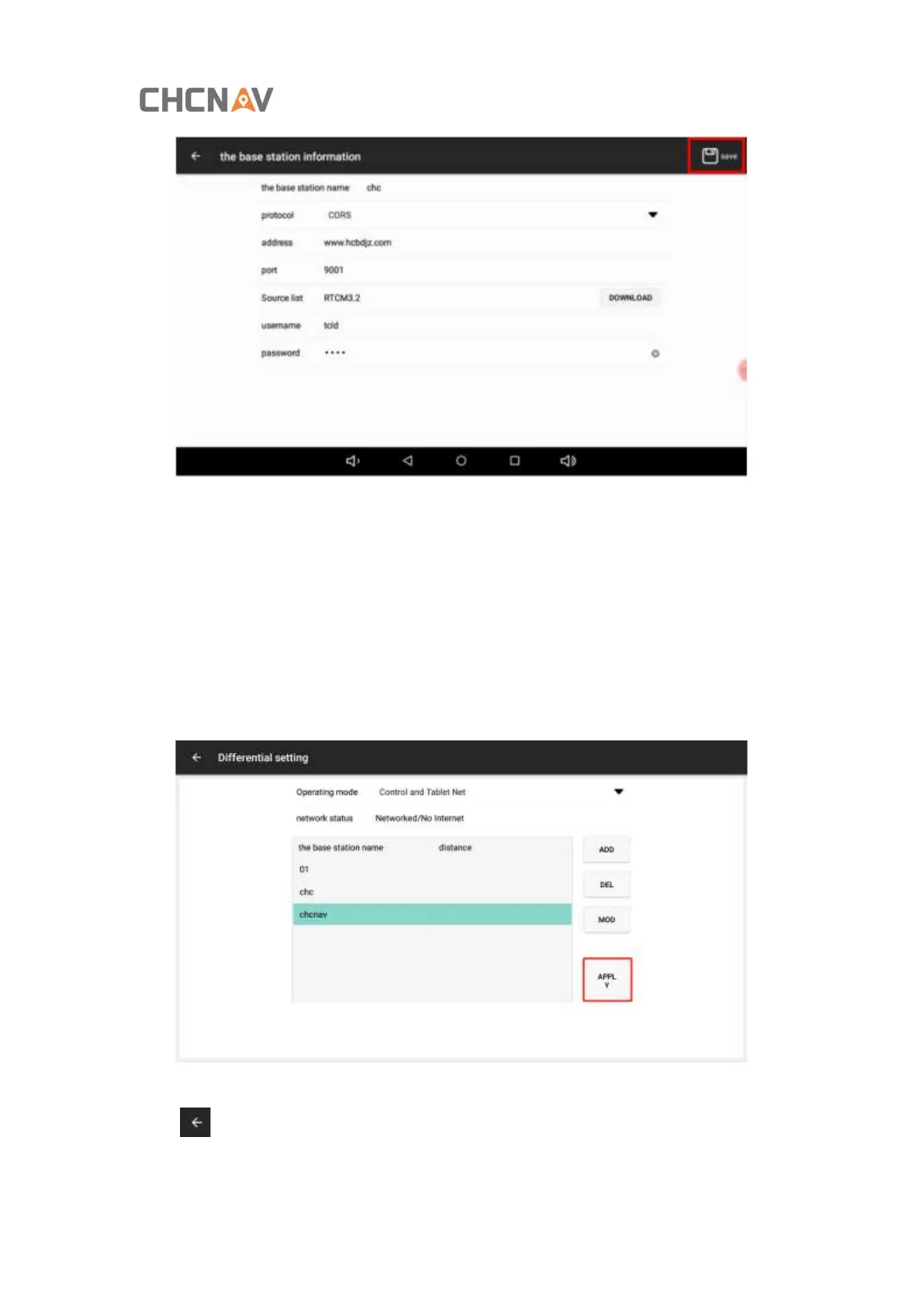
Step 3: return to the Differential setting interface, select the set base station, and click [Apply]
to connect to the base station. After returning to the main interface, the three icons in the
upper left corner are grey and the number is not zero, which means that the base station signal
is normally available.
Currently supports saving multiple base stations, the distance of the base station will be
displayed, select another base station and click the [APPLY] to replace current base station.
After selecting the base station, the interface shows that the application is successful. Click
the [ ] corner to return to the main interface. The main interface shows that the three
signal icons in the upper left corner are gray and non-zero, indicating that the RTK signal is
normally available;



 To Next Page