6000/7000 Appliances Hardware
6000 and 7000 Appliances Getting Started Guide|37
Item Component Description
1 Synchronization
port
Synchronize with cluster members.
2 RJ45 console
port
For a serial connection to the appliance. See "Connecting to the
6000/7000 Appliances CLI" on page33.
3 Port activity LED n Off - No activity
n Slow Blink (Green) - Activity
4 Link speed LED n Off - No Link or 10M link
n On (Green) - 100M link
n On (Amber) - 1000M link
5 Management
port
For an Ethernet connection to a remote management computer.
6 USB ports 2 USB 3.0 ports.
7 LOM port LOM (Lights Out Management) port to connect to the LOM card.
8 Console port 6500 and 6800 appliances - a MiniUSB port for a serial connection to
the appliance (shown in image).
6200, 6400, 6600, 6700, 6900, and 7000 appliances - a USB Type-C
port for a serial connection to the appliance.
See "Connecting to the 6000/7000 Appliances CLI" on page33.
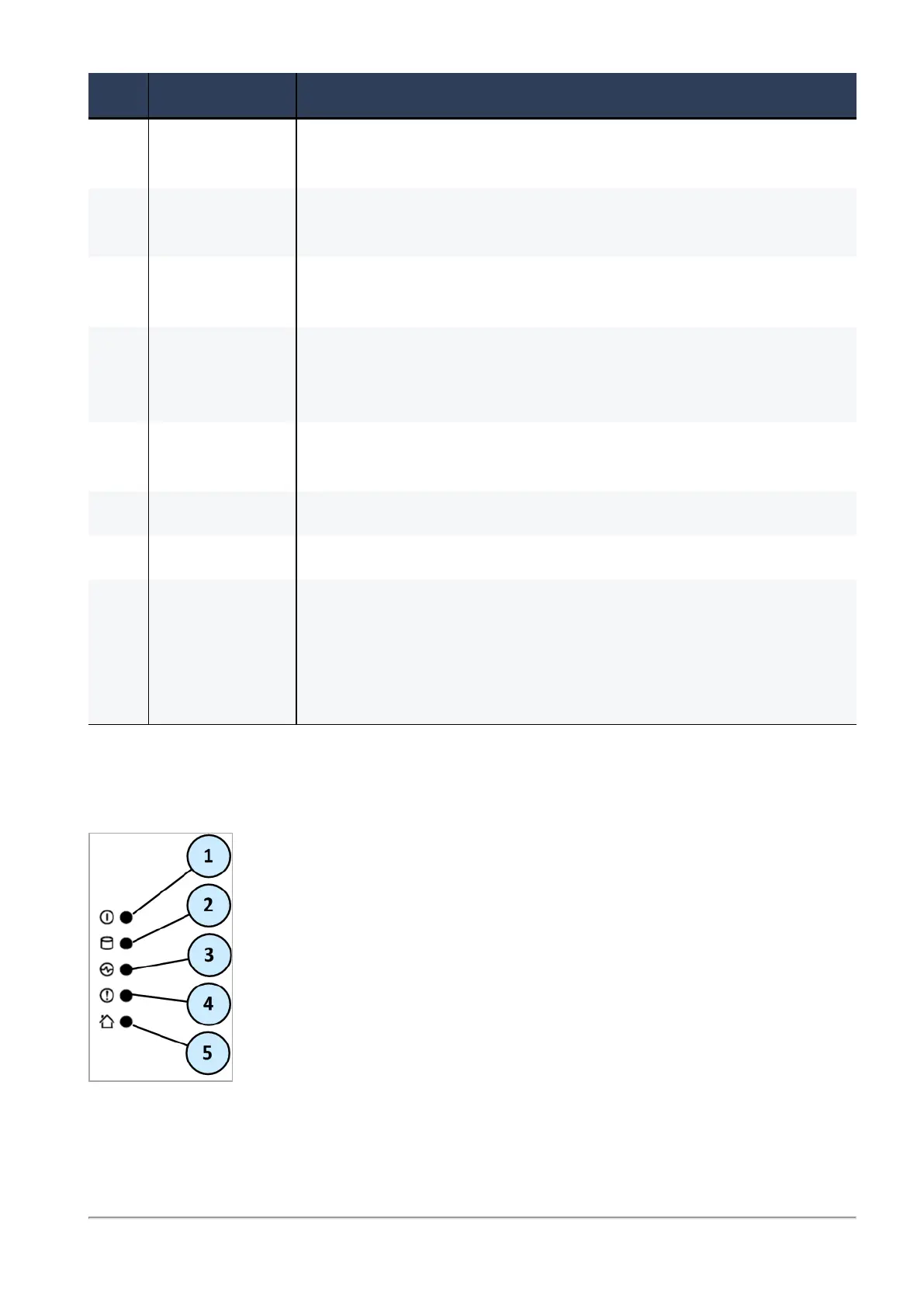
Front Panel System LEDs
System power, storage device activity, power supply status, alert, and location.








 To Next Page