EasyManua.ls Logo

Chef'sChoice GOURMEZZA - User Manual

Chef'sChoice GOURMEZZA
35 pages
Print Icon
To Next Page IconTo Next Page
Loading...
Register this and other ChefsChoice® products through our website:
https://chefschoice.com/pages/product-registration
Product registration is not required to activate warranty.
SAVE THIS INSTRUCTION MANUAL FOR FUTURE REFERENCE
© 2023 ChefsChoice® www.chefschoice.com
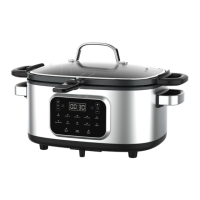
All-In-One Multi-cooker
Instruction Manual
English
Important Safeguards .................................................................................................................. 2-3
Polarized Plug ...................................................................................................................................... 3
Product Diagram ................................................................................................................................. 4
Before Using Your Multi-cooker .................................................................................................. 4
Using On A General Cooktop ......................................................................................................... 5
Using Your Multi-cooker .................................................................................................................. 6
Cooking Modes ................................................................................................................................ 6-9
Cleaning Your Multi-cooker ..........................................................................................................10
Storing Your Multi-cooker .............................................................................................................10
Troubleshooting ................................................................................................................................. 10
Warranty .................................................................................................................................................11

Questions and Answers

  • J
    Joseph LuceroJul 29, 2025
    What to do if Chef'sChoice GOURMEZZA multi-cooker displays 'HOT'?
    • K
      Katie CraigJul 29, 2025
      If the Chef'sChoice multi-cooker displays 'HOT' when using the Steam function, unplug the power cord from the power source, then plug it in again, or press 'Start/Cancel' for 3 seconds to enter standby status. Allow the appliance to cool down, and the 'HOT' message should disappear once it's cold.
  • R
    Rachel KirbyAug 13, 2025
    Why is the Chef'sChoice Kitchen Appliances timer not counting down?
    • M
      Madison RoseAug 13, 2025
      If the Chef'sChoice Kitchen Appliances multi-cooker timer is not counting down after reaching the cooking time, the timer may be moving slowly; check its progress after 5 minutes. If the timer hasn't moved after 5 minutes, it might be broken. Unplug the unit from the wall and allow it to cool down and/or release the steam before opening.

Summary

Key Safety Safeguards

Polarized Plug Safety Feature

Explains the polarized plug safety feature to reduce electrical shock risk.

Power Cord Safety Guidelines

Details safety precautions regarding the short power cord to prevent entanglement or tripping.

Important Usage Notices

Provides important notes on countertop protection, initial use odors, and surface scratching.

Appliance Product Diagram

Pre-Use Instructions

Cooktop Usage Guide

Multi-cooker Operation Guide

Detailed Cooking Modes

Appliance Cleaning Instructions

Storage Recommendations

Troubleshooting Common Issues

Product Warranty Information

Ordering Replacement Parts

Chef'sChoice GOURMEZZA Specifications

General IconGeneral
TypeElectric Knife Sharpener
Product TypeKnife Sharpener
Sharpening Stages3
Power SourceElectric
Voltage120V
FeaturesDiamond Abrasives, 3-stage sharpening
Sharpening Angle20 degrees
ColorBlack and Silver

Related product manuals