Flash to Pass
While driving, you can signal another
vehicle with your headlights by lightly
pulling the multifunction lever toward
you. This will cause the headlights to
switch from low beam operation to
high beam operation and remain on
until the lever is released. Repeating
this operation can flash the high beam
headlights continuously.
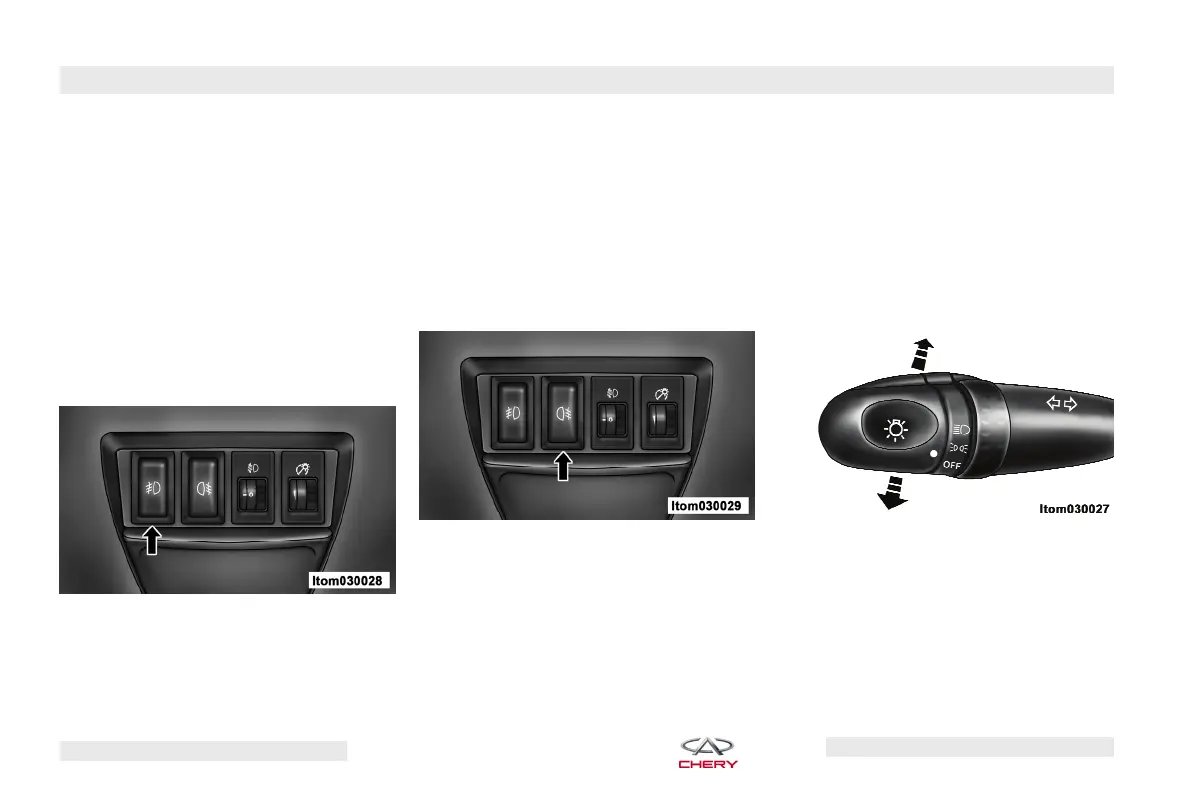
Front Fog Lights (If Equipped)
The front fog light switch is located at
the lower left of the instrument panel.
With the multifunction switch in the
first or second lighting position, press
the front fog light switch to turn on the
front fog lights. When the front fog
lights are ON, the indicator on the in-
strument cluster illuminates immedi-
ately. The front fog light should only
be used in foggy, snowy, or rainy
conditions.
Rear Fog Lights
The rear fog light switch is located at
the lower left of the instrument panel.
With the multifunction switch in the
second lighting position or when the
front fog lights are turned on first,
press the rear fog light switch to turn
on the rear fog lights. When the rear
fog lights are ON, the indicator on the
instrument cluster illuminates imme-
diately. The rear fog lights may distract
or affect visibility of drivers behind
you. Operating this light is recom-
mended only under the lowest visibil-
ity conditions.
Turn Signals
Move the multifunction lever upward
or downward and the corresponding
turn signal indicator on the instrument
panel will flash. Turn signals operate
only when the ignition switch is in the
ON position.
Front Fog Light Switch
Rear Fog Light Switch Turn Signal Control
44 – FEATURES OF YOUR VEHICLE
Chery Automobile Co., Ltd.



 To Next Page