80 Instruments and controls
Rear fog light
r illuminates yellow.
Illuminated when the rear fog light is
on 3 93.
Tail lights
8 illuminates green.
Illuminated when the tail lights are on.
Cruise control
m illuminates white.
Illuminated when the system is on.
m illuminates green.
Illuminated when the cruise control
system is activated 3 176.
Door open
( illuminates red.
It illuminates when a door or the
tailgate is open.
Information displays
Driver Information Centre
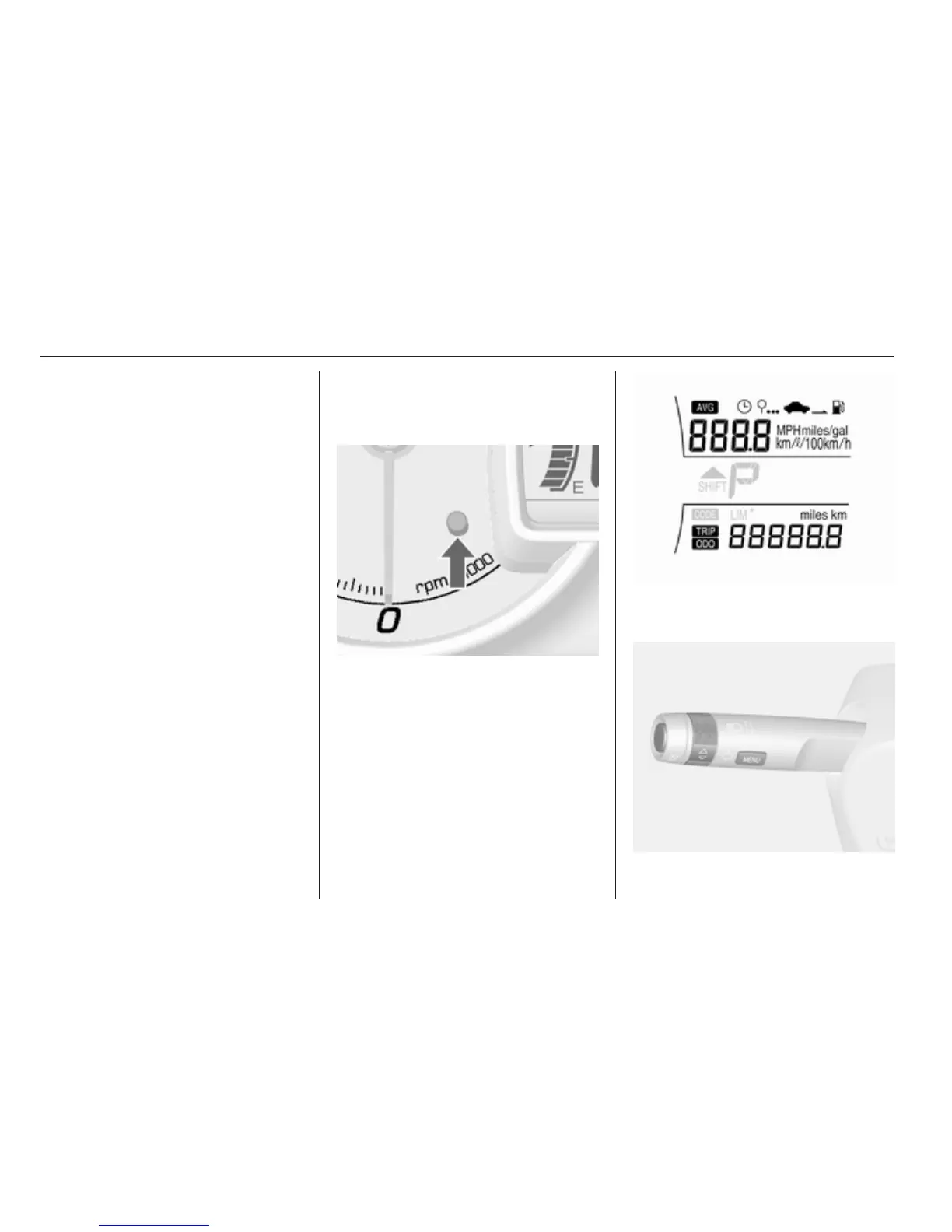
If the Driver Info Centre (DIC) is not
equipped, press the reset knob in the
cluster shortly to select the menu.
Each time you press the reset knob,
the mode changes in the following
order (the actual order may differ from
following order):
Clock → Outside temperature →
Odometer → Tripmeter → Clock → Unit
setting → Language setting...
Clock 3 67, Odometer3 70, Trip
computer 3 84.
The Driver Information Centre (DIC)
is located in the instrument cluster.



 To Next Page