As soon as the mobile telephone has
been switched on and the mobile
telephone is logged in, the start page
appears on the display.
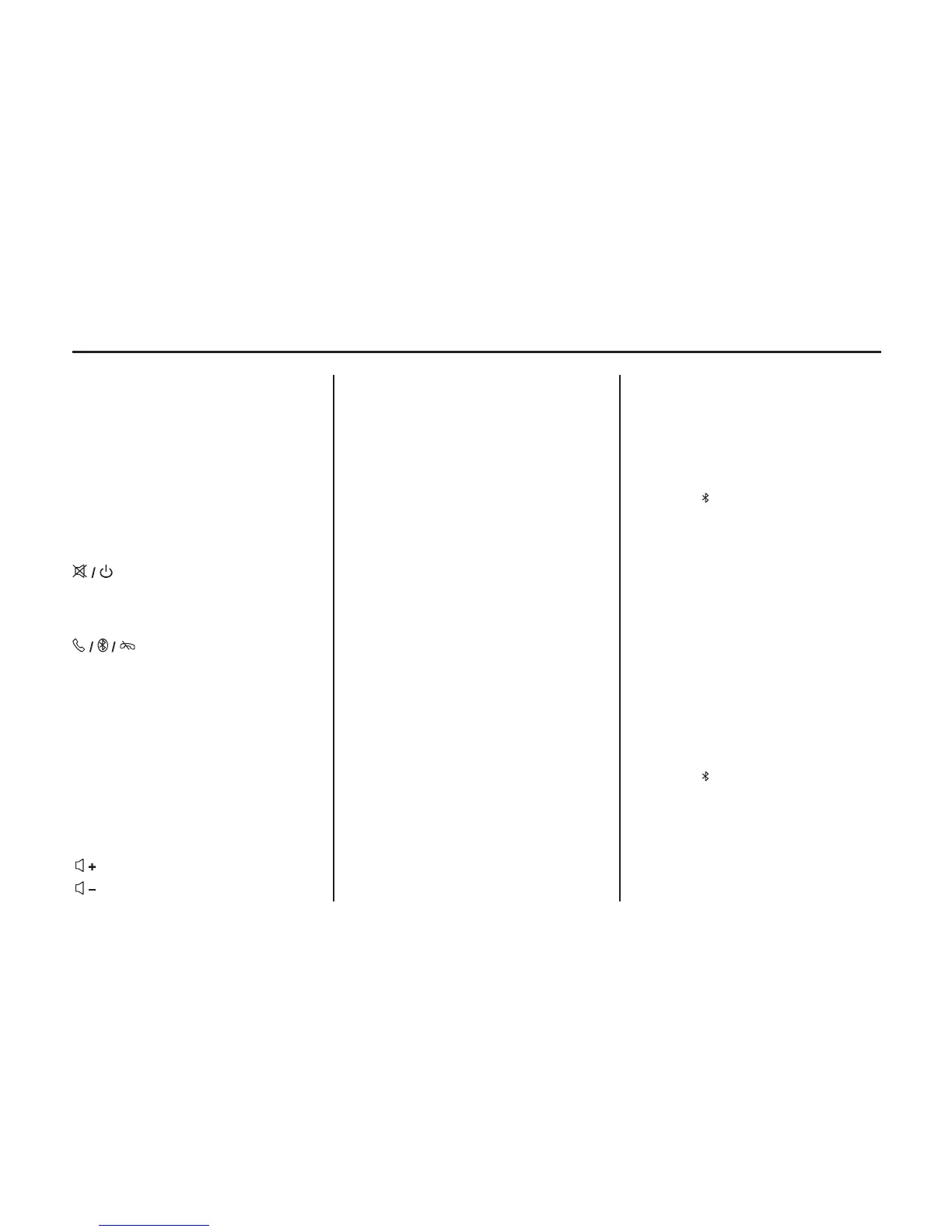
Steering Wheel Controls
(Mute/Power): Press to turn on
the system. Press to mute audio while
the radio is on. Press and hold to turn off
radio.
(Push to Talk / Bluetooth /
End Call): Press once to answer or
make a call. Press to access the
Bluetooth menu. Press twice to dial a
call. Press and hold to cancel, decline,
or hang up a call.
SEEK: Press to go to the next preset
radio station. Press and hold to search
for the next station.
MODE: Press to toggle through radio
modes as follows: FM AM CD AUX
FM.
: Press to increase volume.
: Press to decrease volume.
Telephone Connection
A connection can be created between a
mobile telephone and the infotainment
®
system via a Bluetooth connection as
long as your mobile telephone and the
mobile telephone portal support this
function.
For information on the Bluetooth
function for your mobile telephone, see
the operating instructions for the
mobile telephone.
®
Bluetooth Connection
The Bluetooth function on the mobile
telephone must be activated. See the
operating instructions for the mobile
telephone.
Bluetooth is a radio standard for wireless
connection of a mobile telephone to
other equipment. Information such as the
phonebook, call list, network operator,
and field intensity can be transmitted.
Depending on the type of equipment, the
functions may be restricted.
Creating a Connection
1. Press .
2. Press the softkey button below
PAIRING.
3. Search and select the device name
“CAR AUDIO” on the phone.
The name of the device will display for
three seconds. “Mode Selection” will
display. When device is connected,
“BT” will now display. Once a device is
paired, the radio will use an auto
connection feature and try to connect to
the last device paired when turned on.
Making a Call
To dial the last number called using the
Bluetooth system:
1. Press .
2. Press the softkey below CALL.
3. To redial the last call placed, press
the softkey below LAST CALL.
The radio will display “Dialing.”
Infotainment System 6-13
ION
UP-SHIFT LIGHT
The vehicle may have an up-shift light.
When this light comes on, shift to the
next higher gear if weather, road, and
traffic conditions allow.


 To Next Page