Chevrolet Corvette Owner Manual (GMNA-Localizing-U.S./Canada/Mexico-
14622938) - 2021 - CRC - 9/22/20
10 Keys, Doors, and Windows
If equipped with remote folding mirrors,
passive locking may fold and unfold the
mirrors. See Folding Mirrors 0 25.
Temporary Disable of Passive Locking
Temporarily disable passive locking by
pressing and holding
K on the interior door
switch with a door open for at least
four seconds, or until three chimes are
heard. Passive locking will then remain
disabled until the vehicle is turned on.
Remote Left in Vehicle Alert
When the vehicle is turned off and a remote
key is left in the vehicle, the horn will chirp
three times after both doors are closed. To
turn on or off, see “Remote Left in Vehicle
Alert” under Vehicle Personalization 0 97.
Remote No Longer in Vehicle Alert
If the vehicle is on, with a door open, and
then all doors are closed, the vehicle will
check for remote keys inside. If a remote
key is not detected, the Driver Information
Center (DIC) will display NO KEY FOUND and
the horn will chirp three times. This occurs
only once each time the vehicle is driven. To
turn on or off, see Vehicle Personalization
0 97.
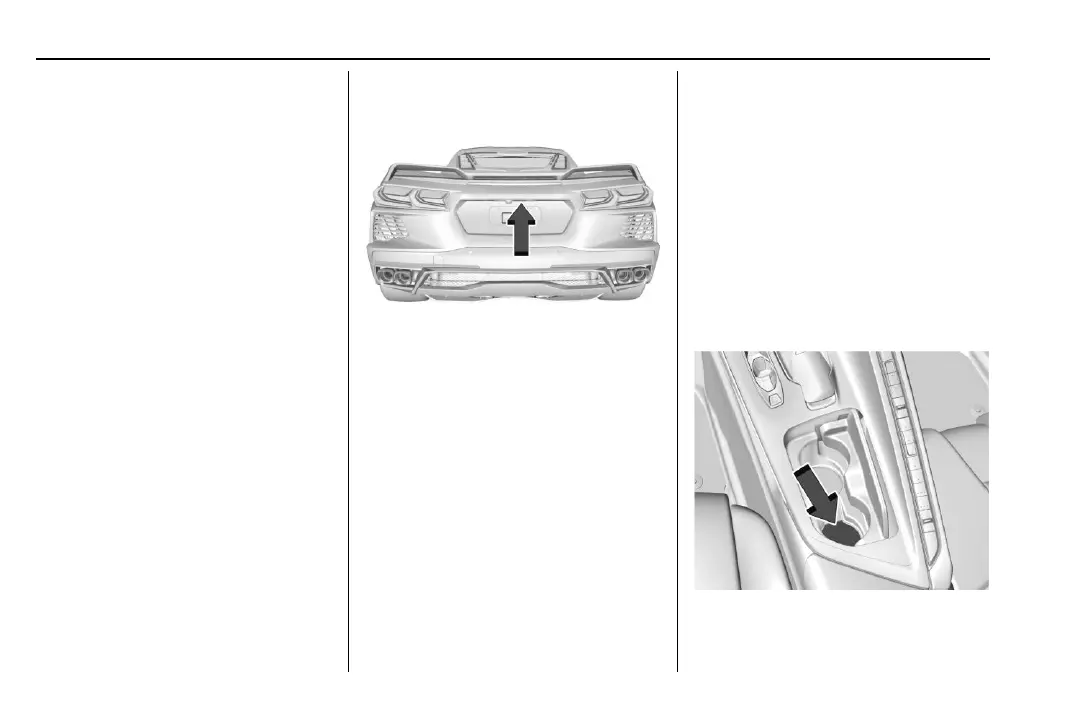
Keyless Trunk Opening
Press the hatch/trunk release touchpad to
open the trunk if the remote key is within
1 m (3 ft).
Programming Remote Keys to the
Vehicle
Only remote keys programmed to this
vehicle will work. If a remote key is lost or
stolen, a replacement can be purchased and
programmed through your dealer. When the
replacement remote key is programmed to
this vehicle, all remaining remote keys must
also be reprogrammed. Any lost or stolen
remote keys will no longer work once the
new remote key is programmed.
Programming with Recognized Remote Keys
A new key can be programmed to the
vehicle when there are two recognized keys.
To program, the vehicle must be in run and
all remote keys, both currently recognized
and new, must be with you.
1. Place the two recognized remote keys on
the passenger seat.
2. Scroll to the DIC menu to "Remote Key
Learn" menu and select.
The DIC displays READY FOR REMOTE #3,
4, 5, ETC.
3. Place the new remote key into the
backup pocket location.















 To Next Page