140 Infotainment system
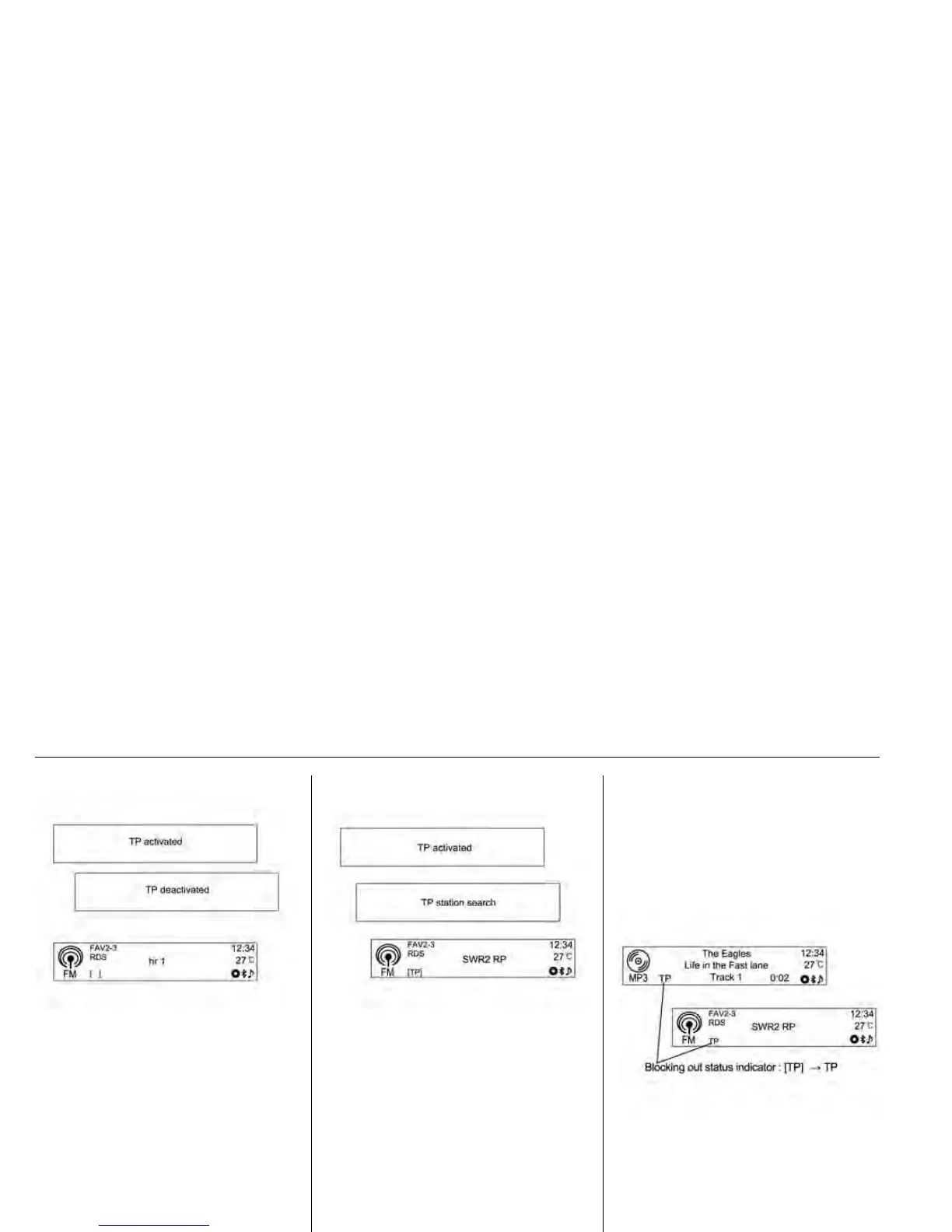
• If the radio traffic service is
switched on, then [ ] is displayed
in the radio main menu.
• If the current station is not a radio
traffic service station, then a
search is automatically started for
the next radio traffic service
station.
• Once a radio traffic service
station has been found, [TP] is
displayed in the radio main menu.
• If the radio traffic service is
switched on, then
CD/MP3/USB/iPod/Bluetooth
music or AUX replay is
interrupted for the duration of the
traffic announcement.
Blocking out traffic
announcements
To block out a traffic announcement,
e.g. during CD/MP3 replay or radio
reception:
Outside of Phone mode, press the
TP button.
Switch on the radio traffic service
and fully turn down the volume of the
Infotainment system.











 To Next Page