Infotainment system 165
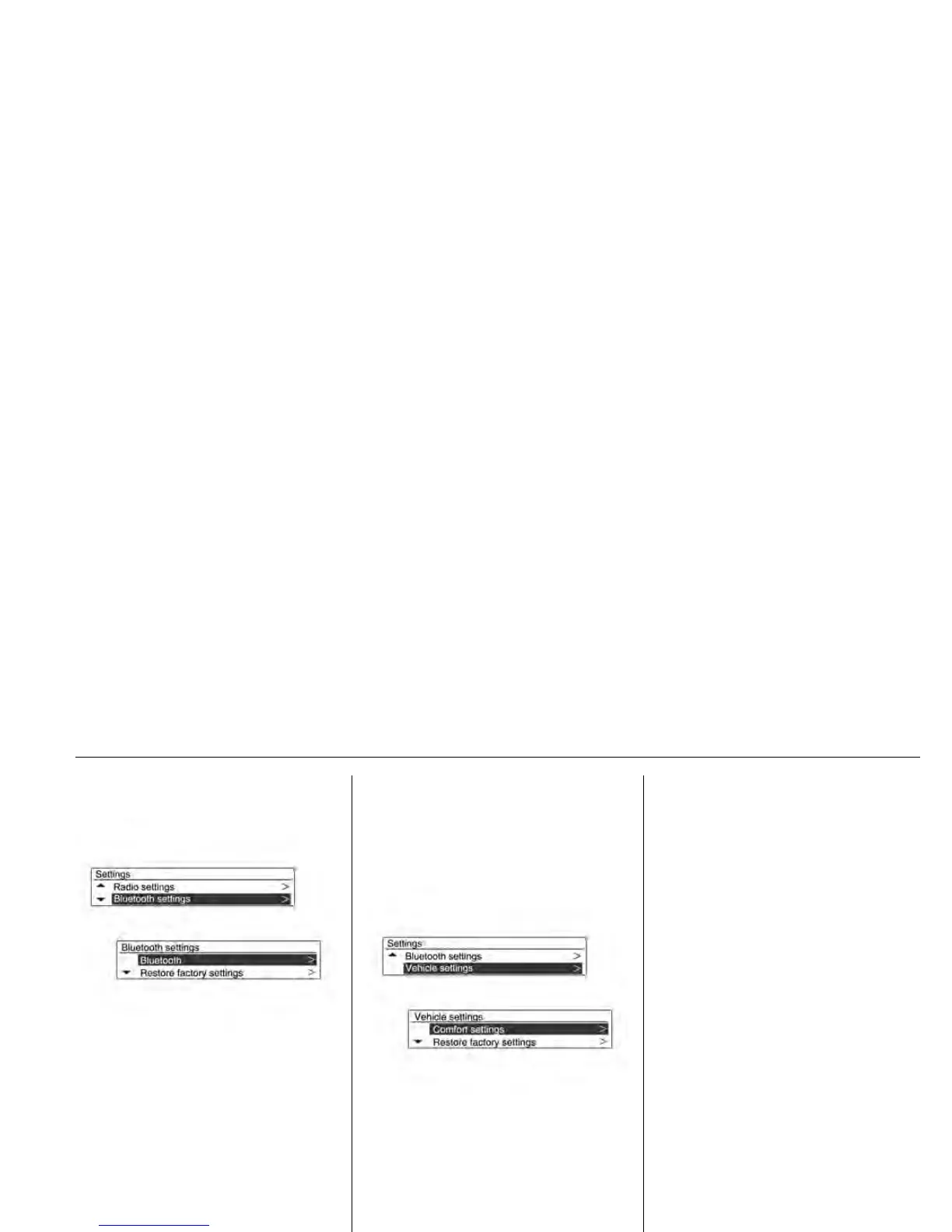
[Bluetooth Settings]
Bluetooth: Enter the Bluetooth
menu.
- Activation: Select On or Off.
- Device list: Select the desired
device and select/connect/
separate or delete.
- Pair device: Try pairing a new
Bluetooth device.
- Change bluetooth code:
Manually change/set the
Bluetooth code.
Restore factory settings: Restore
the initial setup values back to the
default settings.
[Vehicle settings]
Climate and air quality
- Auto fan speed: Modifies the fan
speed high / medium / low.
- Automatic air recirculation:
Modifies AQS (Air Quality
Sensor) sensitivity low/high.
- Auto demist: on/off (activate or
deactivate auto demist).
-Auto rear demist: on/off
(activate or deactivate auto rear
demist).
Comfort settings
- Chime volume: Change the
volume of warning chimes.
- Rear auto wipe in reverse:
Activate or deactivate
automatically switching on of the
rear window wiper when reverse
gear is engaged.
Park assist/Collision detection
- Park assist: Activate or
deactivate the ultrasonic sensors.
Exterior ambient lighting
- Exterior lighting by unlocking:
Activate or deactivate the entry
lighting.
- Duration upon exit of vehicle:
Activate or deactivate and
change the duration of exit
lighting.












 To Next Page