Infotainment system 183
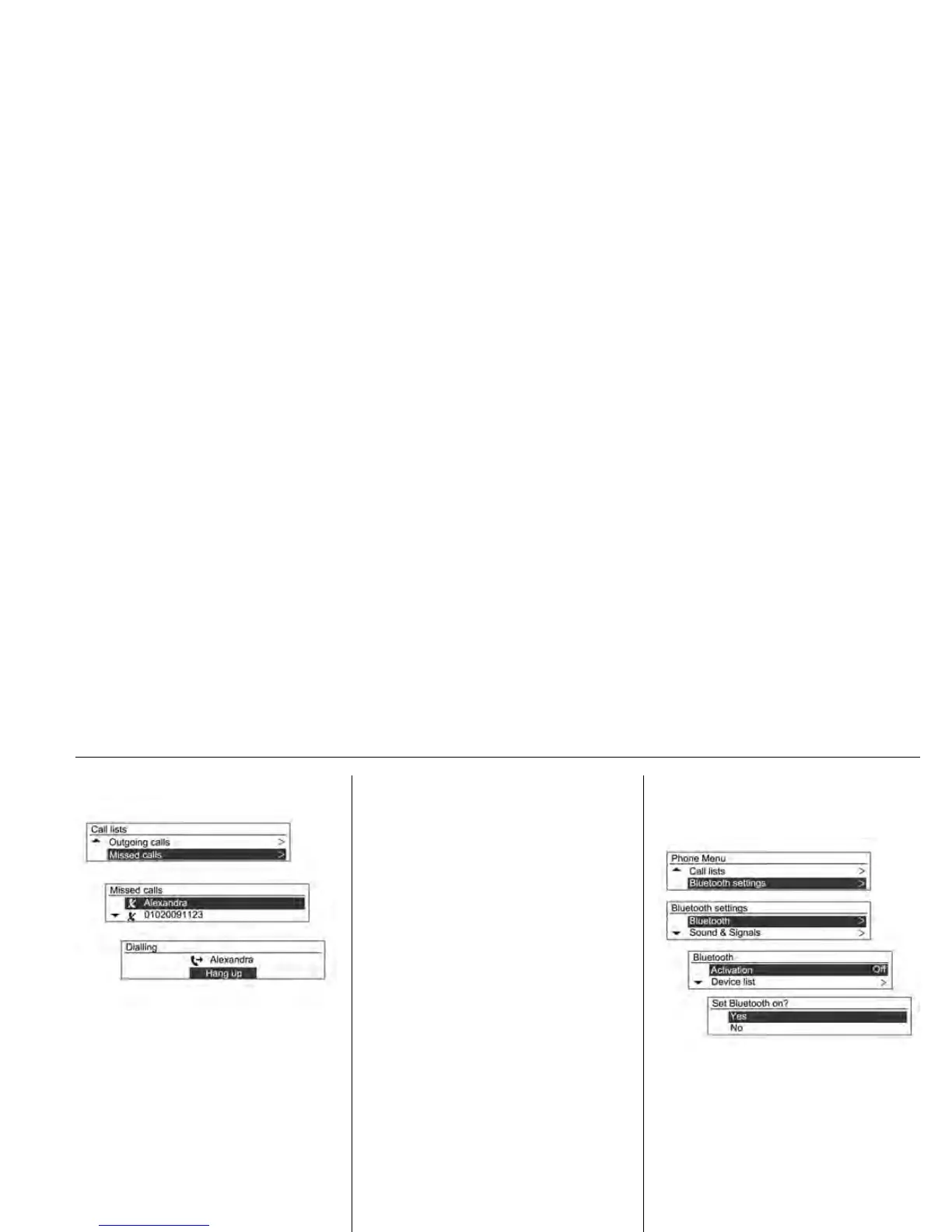
Turn the MENU-TUNE control knob
to check the call history and to make
a call.
Press the MENU-TUNE button to call
the selected number from the call
history.
• If the "Please wait" screen
continues to be displayed for too
long after selecting the call log,
check if the mobile phone is
requesting verification of the
transfer of call numbers. After
completing the mobile phone
verification procedures, the
contacts and the call log will be
transmitted to the Infotainment
System.
• The call log from the mobile
phone and the log displayed on
Infotainment may be different.
This Infotainment System shows
the information transmitted from
the mobile phone as it is.
Phone Menu
Bluetooth
Settings
Setup Bluetooth function.
Using the MENU-TUNE button with
control knob, select the Phone Menu
Bluetooth Settings, and then
press the MENU-TUNE button.
To activate the Bluetooth function,
register/connect/delete the Bluetooth
device or change the Bluetooth code,
choose Bluetooth by using the
MENU-TUNE button with control
knob, and then use the MENU-TUNE














 To Next Page