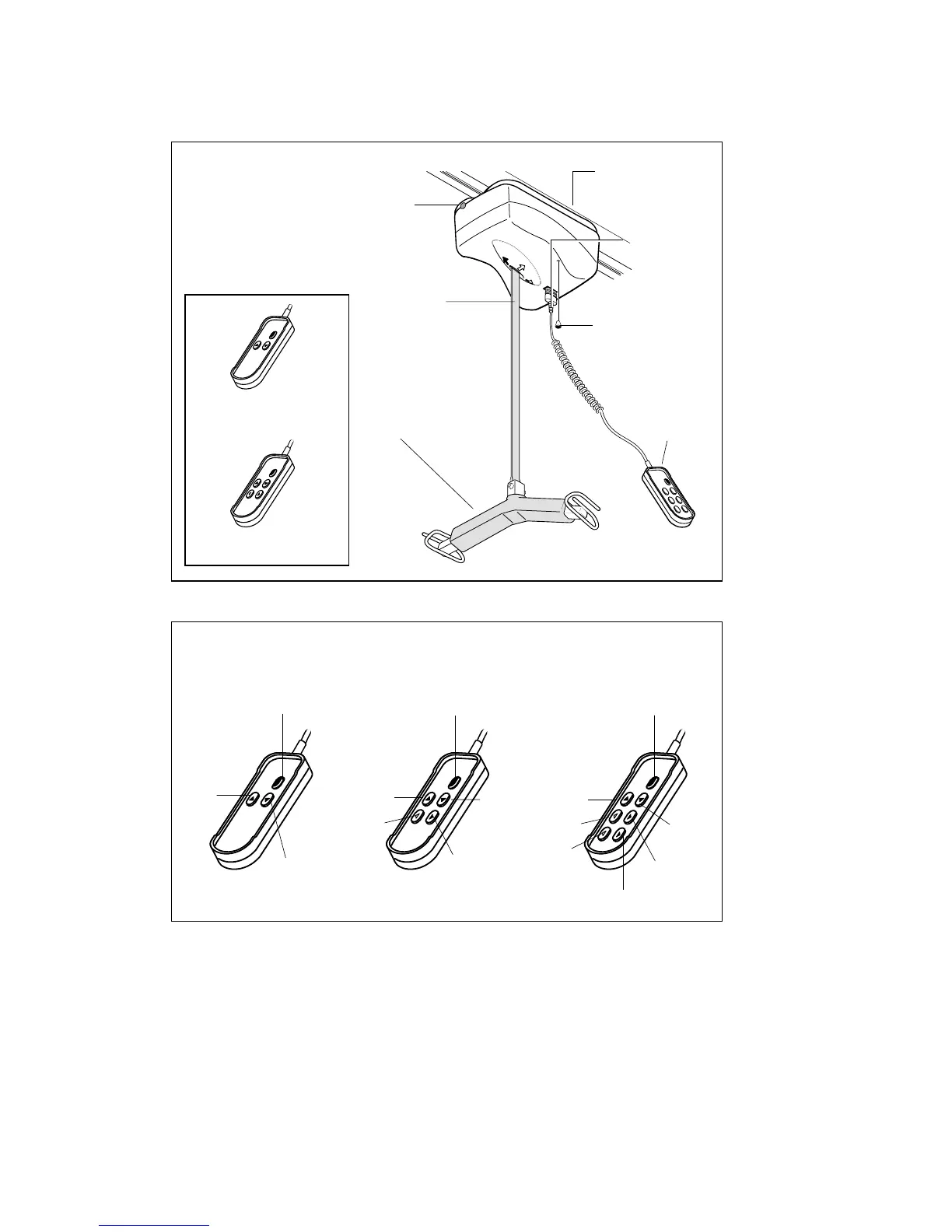
Chiltern Invadex Overhead Hoist
4
Emergency stop reset
(not seen from below)
Hand controls
Seven Button Hand Control
Using the Controls
3 Button Hand Controls
(Wispa Hoists)
Please Note: The handset is the correct way round when the cable is
at the top.
5 Button Hand Controls
(Wispa Hoists)
Traverse
Reset
Lifting
Reset
Lifting
Three Button Hand Control Five Button Hand Control
Lowering
Traverse
Lowering
Traverse
Lowering
Traverse
Traverse
X-Y
Reset
Lifting
Traverse
X-Y
Carry Bar
7 Button Hand
Controls
Hand Control
Socket
Lifting Tape
Indication light
Emergency stop/
Emergency lowering
Three Button Hand Control
The lifting function is controlled by the up and down arrows on the handset.
The reset button is the red button in the top right hand corner on the handset.
It resets the hoist for normal operation e.g after an alarm signal (refer to
troubleshooting section on page 8).



 To Next Page