EasyManua.ls Logo

Chint Power CPS SC4.6KTL-O - User Manual

Chint Power CPS SC4.6KTL-O
53 pages
Print Icon
To Next Page IconTo Next Page
Loading...
1
1
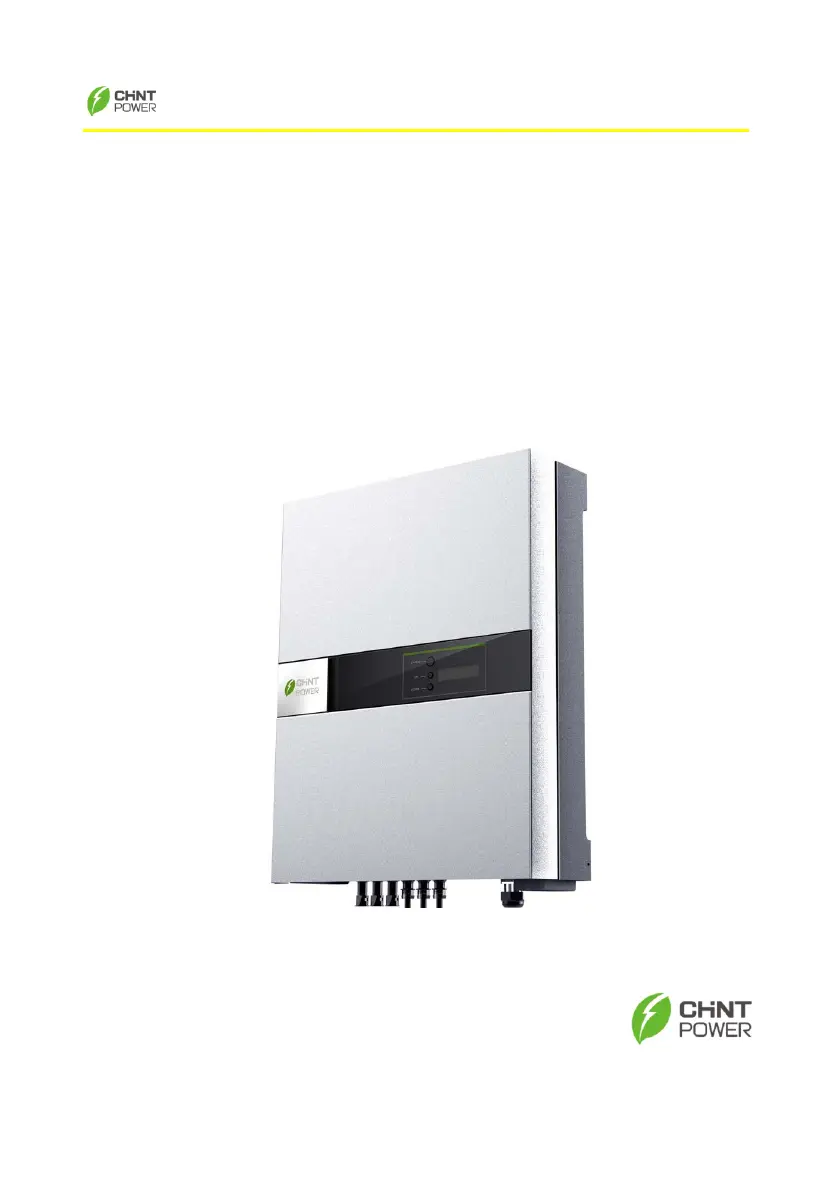
CHINT Grid PV-Inverter
CPS SC4.6KTL-O
Installation and Operation Manual
Version 2.0E

Questions and Answers

  • S
    Susan RobinsonAug 14, 2025
    Why does my Chint Power CPS SC4.6KTL-O Inverter show a Ground I Fault?
    • J
      johnsonbrookeAug 14, 2025
      A 'Ground I Fault' in your Chint Power Inverter indicates an excessively high ground current. First, disconnect the PV generator from the DC input and inspect the AC peripheral system. After resolving the issue, reconnect the PV and monitor the inverter's status. If the fault persists, further assistance is needed.
  • R
    Robert SotoAug 17, 2025
    What to do if my Chint Power Inverter shows 'No Utility'?
    • M
      Mark BryantAug 17, 2025
      If your Chint Power Inverter displays a 'No Utility' error, it means the grid is not connected. Verify the grid connection, checking wires and connectors. Also, confirm the grid's usability.
  • B
    Benjamin OrtegaAug 20, 2025
    How to fix 'Over Temperature' on Chint Power Inverter?
    • S
      Sheila JacksonAug 21, 2025
      An 'Over Temperature' error in your Chint Power Inverter means its internal temperature exceeds the normal specified value. To resolve this, try to lower the ambient temperature or move the inverter to a cooler location. If the problem persists, further assistance is needed.
  • R
    Robert PetersonAug 25, 2025
    What does 'DC INJ High' mean on my Chint Power Inverter?
    • M
      Mary HansenAug 25, 2025
      A 'DC INJ High' error on your Chint Power Inverter indicates that the grid DC current is higher than the permissible value. Observe the condition for one minute to see if it self-corrects. If the issue continues, further assistance is needed.
  • J
    John SmithAug 27, 2025
    What to do if Chint Power CPS SC4.6KTL-O Inverter shows 'Grid Fault'?
    • E
      Edwin HaysAug 27, 2025
      A 'Grid Fault' on your Chint Power Inverter indicates an issue with the grid connection. Wait one minute to see if the grid returns to normal. Ensure the grid voltage and frequency meet the required specifications. If the problem persists, further assistance is needed.
  • M
    Mary Adams MDAug 31, 2025
    How to troubleshoot 'PV Over Voltage' on Chint Power CPS SC4.6KTL-O?
    • J
      Jacob BeasleyAug 31, 2025
      If your Chint Power Inverter shows 'PV Over Voltage', check the open PV voltage to ensure it is not close to or exceeding 750VDC. If the PV voltage is below 750Vdc and the problem continues, further assistance is needed.
  • J
    Jessica TaylorSep 3, 2025
    How to resolve 'Isolation Fault' on Chint Power CPS SC4.6KTL-O Inverter?
    • P
      pereztaylorSep 3, 2025
      If your Chint Power Inverter shows a 'Isolation Fault', check the impedance between PV (+) & PV (-) and ground. The impedance should be larger than 5Mohm. If the impedance is below 5Mohm, further assistance is needed.
  • J
    jesse18Sep 6, 2025
    How do I fix a 'Relay Failure' on my Chint Power CPS SC4.6KTL-O?
    • A
      Adam HarveySep 6, 2025
      If your Chint Power Inverter displays a 'Relay Failure', disconnect PV(+) and PV(-) from the input, then restart the unit. If the problem continues, further assistance is needed.
  • J
    Joseph NguyenSep 10, 2025
    What to do if Chint Power Inverter shows 'EEPROM Failure'?
    • J
      jesse15Sep 10, 2025
      If your Chint Power Inverter shows a 'EEPROM Failure', disconnect PV(+) and PV(-) from the input, and restart the unit. If the problem persists, further assistance is needed.

Summary

Before You Start

1. Safety Instructions

Hot Surfaces

Warns about hot surfaces during operation and advises against touching them.

2. Limited Warranty

3. Overview

3.1. Grid PV System Introduction

Explains the main components of a grid PV system.

3.2. Inverter Components

Details the physical components and ports of the CHINT CPS SC4.6KTL-O Inverter.

3.3. Front Panel LEDs

Explains the function and status indication of the green and red LEDs on the front panel.

4. Features

5. Installation

5.1. Inside the Package

Lists items included in the PV-Inverter package.

5.2. Mounting the PV-Inverter

Provides general guidelines and suggestions for mounting the PV-Inverter.

Mounting inverter to the wall

Details specific steps for mounting the inverter on a wall.

5.3. Connecting the AC-Output Cable

Provides step-by-step instructions for connecting the AC output cable.

5.4. Connecting the PV-Panel

Explains how to connect the PV panels to the inverter's DC input.

6. Operation of PV-Inverter

6.1. Initialization and Settings

Explains initial setup, regulation type setting, and LCD display usage.

6.2. Operating Modes

Describes auto-power, normal, fault, and shutdown operating modes.

6.4. Auto Test Functionality

Details the auto test setting and record for specific models.

6.6. MPPT and Display Messages

Explains MPPT functionality and interpretation of LCD display messages.

7. Communication Interface

7.1. RS232 Port

Describes the RS232 communication port and its pin assignment.

7.2. Optional Communications Interface

Discusses optional communication interfaces like RS485 cards.

8. Troubleshooting

9. Preventative Maintenance

9.1 Visual Inspection

Advises on visually inspecting the inverter and cables for damage.

9.2 Checking and Maintenance

Details key checks for maintaining the inverter's condition and performance.

10. Specifications

11. Disposal

12. Contact Information

13. Compliance of Standards

14. Load Graph and Efficiency Graph

Appendix I: VDE Certification

Chint Power CPS SC4.6KTL-O Specifications

General IconGeneral
BrandChint Power
ModelCPS SC4.6KTL-O
CategoryInverter
LanguageEnglish

Related product manuals