EasyManua.ls Logo

Chint Power SCH125KTL-DO/US-600 - User Manual

Default Icon
111 pages
Print Icon
To Next Page IconTo Next Page
Loading...
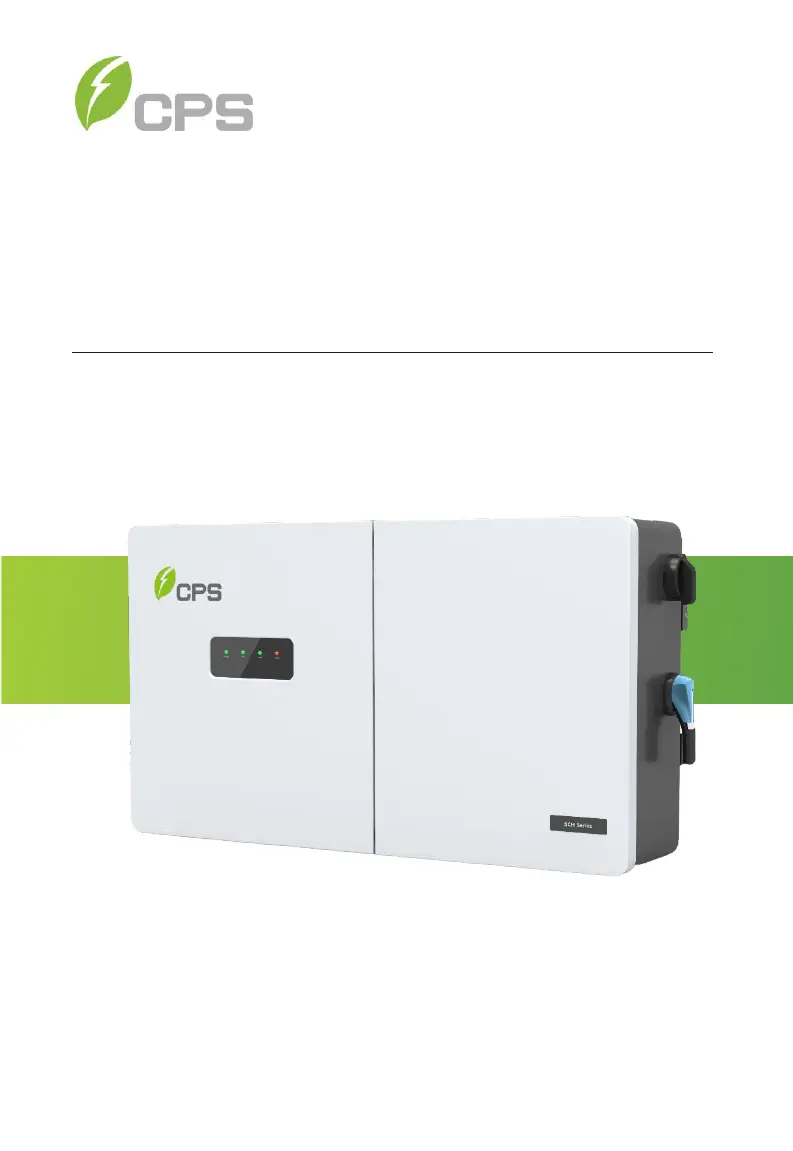
CPS SCH Series Grid-tied PV Inverter
SCH100KTL-DO/US-600, SCH125KTL-DO/US-600
and
SCH100KTL-DO/US-480
Installation and Operation Manual Rev 1.8
CHINT POWER SYSTEMS AMERICA CO.
REVISON 1.8 AUGUST 2021

Questions and Answers

  • G
    Gregory WyattAug 8, 2025
    What to do if Chint Power Inverter shows CommErr error?
    • H
      Heather CostaAug 8, 2025
      If the Chint Power Inverter displays a 'CommErr' message, it could be due to poor contact in the terminal block connectors of the internal communication wires. First, observe the inverter for 5 minutes to see if the alarm clears automatically. If not, switch off the 3-phase working power supply and reboot the system. If the issue persists, contact after-sales service personnel.
  • S
    Sharon RobinsonAug 13, 2025
    Why does my Chint Power SCH125KTL-DO/US-600 Inverter display ExtFanErr?
    • D
      Daniel FoxAug 13, 2025
      If your Chint Power Inverter shows an 'ExtFanErr' message, it could be due to a blocked fan, the fan's service life expiring, or poor contact in the fan socket connector. First, observe for 5 minutes to see if the alarm is eliminated automatically. Next, check the fan blades for any foreign objects. If the problem continues, switch off the 3-phase power supply and reboot the system. If none of these steps work, contact after-sales service personnel.
  • D
    danielle87Aug 17, 2025
    What to do if Chint Power SCH125KTL-DO/US-600 Inverter displays IntFanErr?
    • K
      Kathryn LeeAug 18, 2025
      If your Chint Power Inverter displays a 'IntFanErr' message, first, observe for 5 minutes to see whether the alarm will be eliminated automatically. Then, check the fan blades for any foreign objects. If the problem persists, switch off the 3-phase work power supply and then reboot the system. If the issue still continues, contact after-sales service personnel.
  • J
    James HuffmanAug 22, 2025
    What to do if Chint Power SCH125KTL-DO/US-600 Inverter displays Warn0030 (EepromErr)?
    • L
      lewisblakeAug 22, 2025
      If the Chint Power Inverter displays 'Warn0030 (EepromErr)', first, observe for 5 minutes to see whether the alarm will be eliminated automatically. If the issue continues, contact after-sales service personnel.
  • M
    Mark CunninghamAug 28, 2025
    How to troubleshoot Chint Power SCH125KTL-DO/US-600 when Power LED is off?
    • R
      Richard SullivanAug 28, 2025
      To troubleshoot a Chint Power Inverter when the Power LED does not light up: 1. Turn off the external AC breaker. 2. Switch the DC switch to the “OFF” position. 3. Check the PV input voltage and polarity.
  • J
    Jamie JohnsonSep 2, 2025
    What to do if GRID LED is blinking on Chint Power SCH125KTL-DO/US-600?
    • M
      Margaret GlassSep 2, 2025
      To troubleshoot a Chint Power Inverter when the GRID LED is blinking: 1. Turn off the external AC breaker. 2. Switch the DC switch to the “OFF” position. 3. Check whether the grid voltage is normal and whether the cable connection of AC side is correct and secure.

Summary

Chapter 1 IMPORTANT SAFETY INSTRUCTIONS

Warnings and symbols in this document

Explains the meaning of warning symbols used throughout the manual.

Chapter 2 Overview

2.3 Product Protection Functions

Lists the various safety and protection functions integrated into the inverter.

Chapter 3 Installation

3.1 Recommendations Before Installation

Provides essential recommendations and checks before proceeding with inverter installation.

3.2 Mechanical Installation

Covers the physical aspects of installing the inverter, including dimensions, mounting methods, and space requirements.

3.3 Electrical Installation

Details the procedures for making all electrical connections for the inverter.

Chapter 4 Commissioning (Via Wireless)

4.3 Commissioning Steps

Step-by-step guide for commissioning the inverter via the wireless connection.

4.4 Connection to the inverter - Wireless

Detailed steps for establishing a wireless connection to the inverter for setup.

Chapter 6 Fault Shutdown and Troubleshooting

6.1 LED Fault and Troubleshooting

Explains how to interpret LED indicators and troubleshoot common issues.

6.2 Fault and Troubleshooting

Provides detailed guidance on identifying and resolving various fault conditions and errors.

Chapter 7 Product Maintenance

Chint Power SCH125KTL-DO/US-600 Specifications

General IconGeneral
ModelSCH125KTL-DO/US-600
TypeString Inverter
Input Voltage Range200-1000 V
Max DC Input Current300 A
Number of MPPTs12
Max. Input Current per MPPT25 A
Rated AC Output Power125 kW
Rated AC Voltage480 V
AC Voltage Range422-528 V
Rated Grid Frequency60 Hz
THDi<3%
DC SwitchYes
Operating Temperature Range-25°C to +60°C
Protection DegreeIP65
Cooling MethodSmart air cooling
TopologyTransformerless
Max DC Input Power150000 W
Max. AC Apparent Power137.5 kVA
AC Surge ProtectionType II
DC Surge ProtectionType II
CommunicationRS485, Ethernet
Humidity Range0-100%
Power Factor>0.99 (Adjustable ±0.9 leading to 0.9 lagging)

Related product manuals