EasyManua.ls Logo

Chint Power CPS SCH Series - User Manual

Chint Power CPS SCH Series
111 pages
Print Icon
To Next Page IconTo Next Page
Loading...
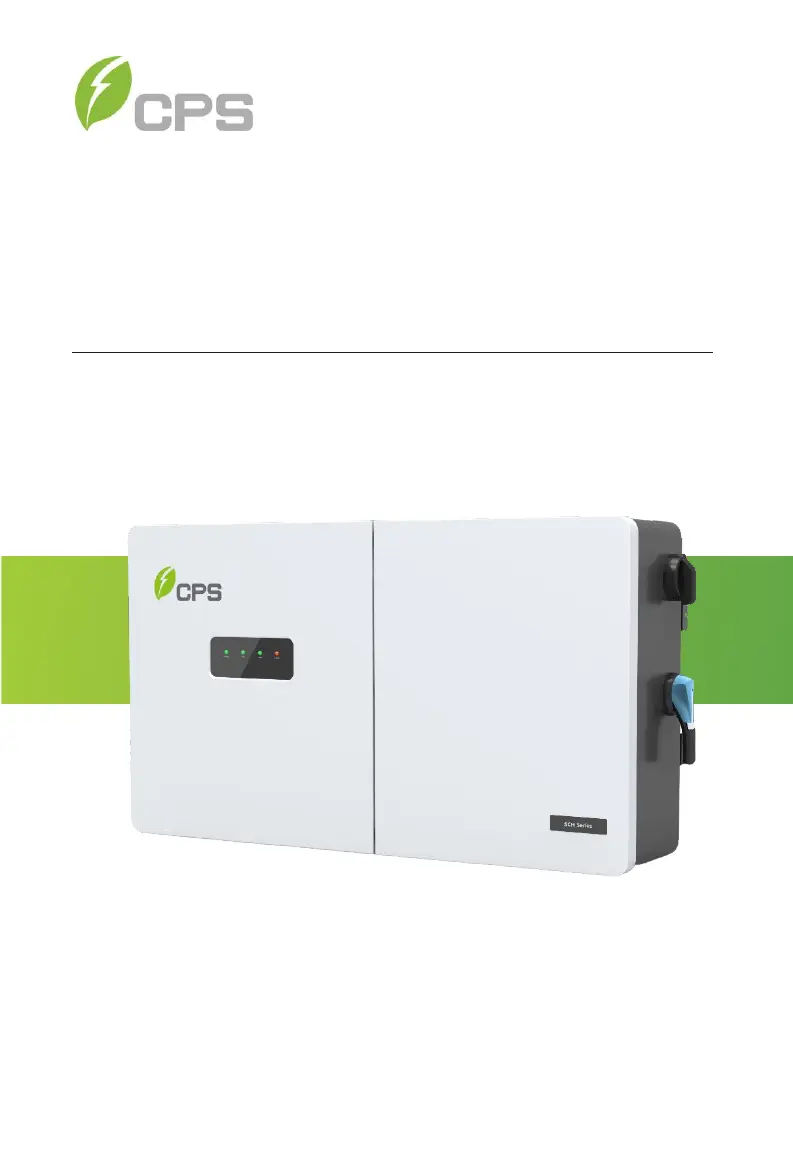
CPS SCH Series Grid-tied PV Inverter
SCH100KTL-DO/US-600, SCH125KTL-DO/US-600
and
SCH100KTL-DO/US-480
Installation and Operation Manual Rev 1.8
CHINT POWER SYSTEMS AMERICA CO.
REVISON 1.8 AUGUST 2021

Questions and Answers

Summary

Chapter 1 IMPORTANT SAFETY INSTRUCTIONS

Warnings and symbols in this document

Explains the meaning of various warning symbols used in the document.

Markings on the product

Details the safety markings and symbols found on the inverter unit.

Chapter 2 Overview

2.1 Inverter for Grid-tied PV Systems

Describes the function and system components of grid-tied PV inverters.

2.2 Product Features

Lists and details the key features and specifications of the inverter.

2.3 Product Protection Functions

Details the various built-in protection mechanisms and functions of the inverter.

2.4 Smart Inverter Functions and default Activation

Explains smart inverter functions and their default activation states.

2.5 Schematic Diagram and Circuit Design

Presents the electrical schematic and circuit design of the inverter.

2.6 Appearance and Main Item Description

Describes the physical appearance and identifies the main components of the inverter.

2.7 Anti-islanding Detection

Explains the anti-islanding detection mechanism as per UL1741/IEEE1547.

2.8 DC Ground Fault Protection

Details the DC ground fault detection method and its operation.

2.9 Surge Suppression

Provides specifications for surge suppression capabilities.

Chapter 3 Installation

3.1 Recommendations Before Installation

Provides essential recommendations and checks before proceeding with installation.

3.2 Mechanical Installation

Details the physical installation procedures and guidelines for the inverter.

3.3 Electrical Installation

Covers all aspects of electrical connections and wiring for the inverter.

3.3.3 AC and Ground Connection

Details the procedures for connecting AC and ground cables to the inverter.

3.3.4 DC Connection

Explains the DC fuse configuration and selection criteria.

3.3.5 Communication Connection

Details how to establish communication connections for the inverter.

Chapter 4 Commissioning (Via Wireless)

4.1 APP Download

Instructions on how to download and install the CPS Connect Pro mobile application.

4.2 Commissioning Checklist

A checklist of tasks to perform before and during inverter commissioning.

4.3 Commissioning Steps

Step-by-step guide on how to commission the inverter.

4.4 Connection to the inverter - Wireless

Details on establishing a wireless connection to the inverter for setup.

Chapter 5 APP Interface

5.1 Overview

Provides a general overview of the inverter's APP interface and its structure.

5.2 Main Menu

Details the sub-menus accessible from the main menu of the APP interface.

5.3 Running Data

Explains how to view power generation data (current, day, month, year, total).

5.4 Settings

Describes how to access and use the inverter's settings menu.

5.5 History

Access to historical data, including alarms and running status.

5.6 Turn ON;OFF

Explains manual and automatic procedures for turning the inverter ON and OFF.

Chapter 6 Fault Shutdown and Troubleshooting

6.1 LED Fault and Troubleshooting

Describes the meaning of LED indicators and basic troubleshooting steps.

6.2 Fault and Troubleshooting

Explains inverter shutdown causes and how to identify faults (Alarm, Protection, Fault, Warn).

Chapter 7 Product Maintenance

7.1 General Maintenance

Provides guidance on general maintenance tasks for optimal inverter performance.

7.1.1 Check Electrical Connections

Details how to inspect and tighten electrical connections during maintenance.

7.1.2 Clean the Air Vent Filter

Instructions for cleaning the air vent filter to ensure proper airflow and cooling.

7.1.3 Replace the Cooling Fans

Steps for replacing the internal cooling fans of the inverter.

7.4 Replace the Inverter

Step-by-step instructions for safely replacing the inverter unit.

Chapter 8 Technical Data

DC Input - UNGROUNDED ARRAY

Technical specifications related to the DC input and ungrounded array.

AC Output - Grounded WYE;Floating WYE;FLOATING DELTA (Note 4)

Technical specifications for AC output, including voltage and current ratings.

System and Performance

Details on system topology, efficiency, and power consumption.

Environment

Environmental specifications such as operating temperature, humidity, and altitude.

Safety

Details on safety and EMC standards compliance.

Chint Power CPS SCH Series Specifications

General IconGeneral
BrandChint Power
ModelCPS SCH Series
CategoryInverter
LanguageEnglish

Related product manuals