2
BUTTON FUNCTIONS AND LIGHTS OVERVIEW
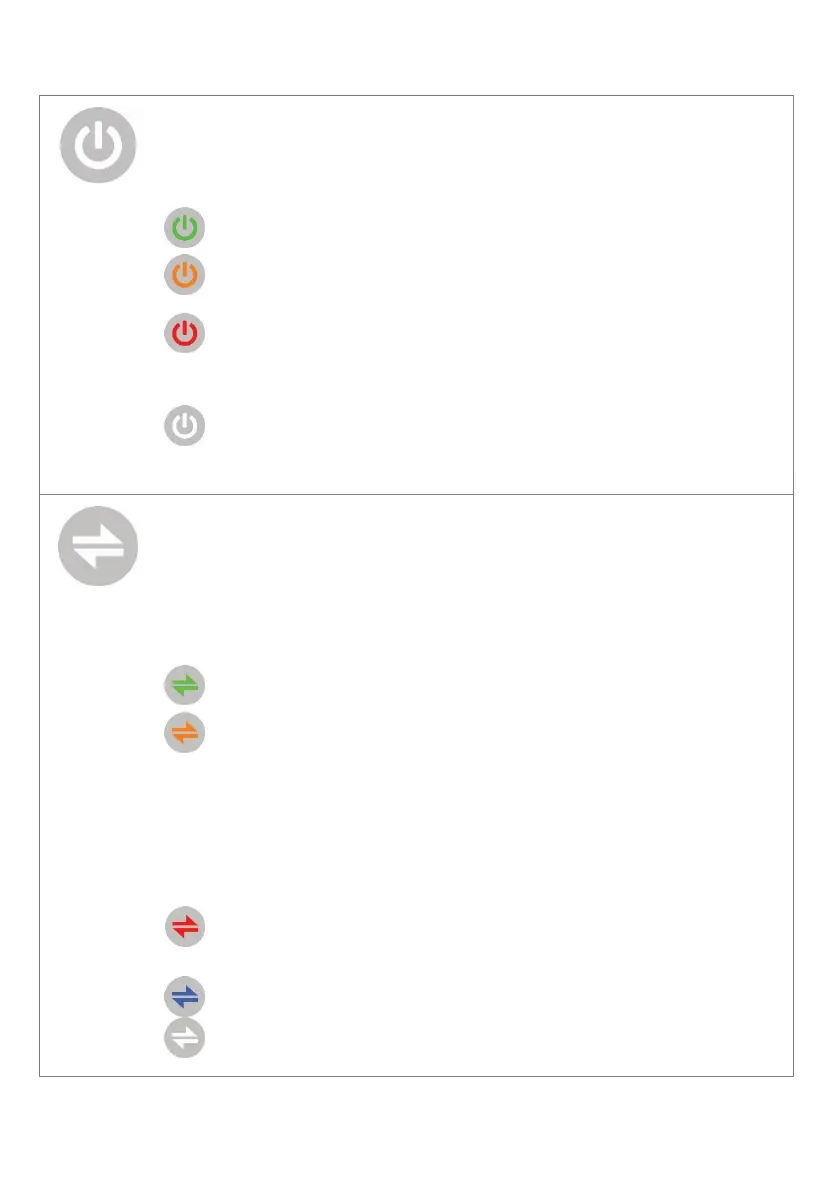
The Power button is backlit green to indicate that SEVEN is on.
Press the Power button hear the status spoken. Hold to turn
the base unit off, press to turn it on.
Flashes orange when the mains power is disconnected.
- Solid red when the base unit battery is missing, or no
longer functioning.
- Flashes red when the base unit battery is low.
No Light – Base unit is off.
Press the Connect button to hear the connection status for all
enabled communication pathways to the monitoring centre.
Press to send ‘Daily Check’ to monitoring, if configured to
do so.
OK, and all enabled connections are available.
- This warning flashes orange to let you know there is a
connection that is not working, (but still one able to be
used to send an alert).
- The Connect button will also show solid orange for a
short period of time when connecting to the 4G cellular
network.
The red flash indicates there are no connections to
monitoring, an alert will not work.
Flashes when a ‘Daily Check’ is required.
No Light – Base unit is off.


 To Next Page