3
BUTTON FUNCTIONS AND LIGHTS OVERVIEW
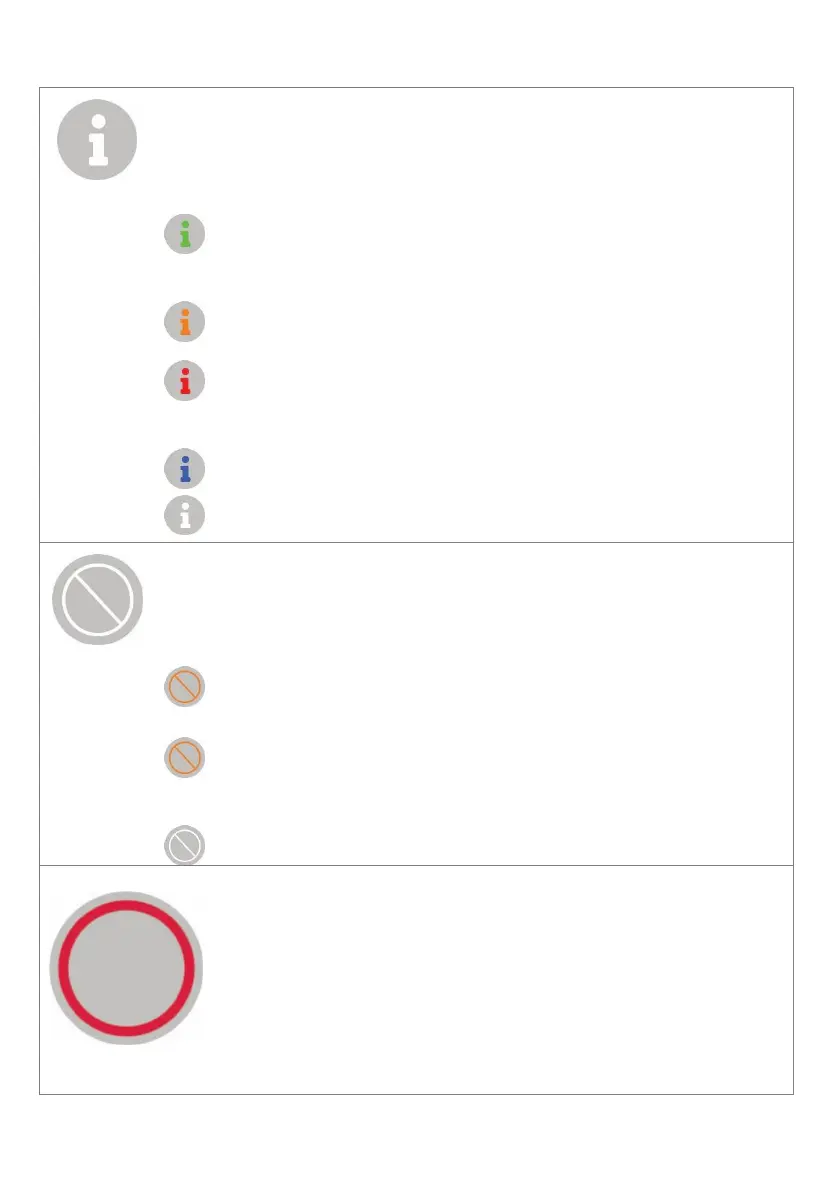
Press the Info button to hear a voice notification repeat.
Messages can include a request to test your personal help
button, a reminder, or an event notification.
- If this is solid green, there are no messages.
- If it flashes green this indicates a friendly message is
waiting to be played.
Flashes orange to request an action. Press to hear the
request.
Flashes red when there is a warning message for critical
notifications, e.g. evacuations notices or emergency
events.
Flashes blue when a ‘System Test’ is required.
No light – Base unit is off
Press to Cancel any function, including voice notifications, and
cancel an alert during the loud alarm.
This will illuminate solid orange when an alert can be
cancelled, during the loud alarm.
The cancel button is also used to enable and disable the
‘Away Function’.
Flashes left to right when the ‘Away Function’ is enabled
No light – normal operation.
Press the Help button to send an emergency alert to
monitoring. The lights under the help button will rotate
while the alert is in progress.
The Help button will be dimly backlit during normal
operation so it can be located in the dark.


 To Next Page