EasyManua.ls Logo

Chiptech SEVEN - User Manual

Chiptech SEVEN
8 pages
Print Icon
To Next Page IconTo Next Page
Loading...
1
S E V E N - USER GUIDE
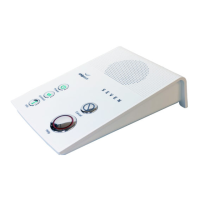
Welcome to SEVEN, your new 4G telecare system that operates on the
cellular network.
The base unit and personal help button have been designed for ease of
use. SEVEN has many safety features to ensure you can send a request for
help when needed, and communicates with you via voice messages and
light indicators under the buttons.
SEVEN has five buttons, four of which are multifunctional. The three
buttons on the left; Power, Connect, Info have associated notifications.
If there is a message to be heard, or an action require, these buttons will
change colour to orange, red, or blue.
Power
Connect
Info
Cancel
Help
Microphone
Speakerphone
Question and Answer IconNeed help?

Do you have a question about the Chiptech SEVEN and is the answer not in the manual?

Summary

Button Functions and Lights Overview

Power Button Operation

Details the Power button's backlight and status indicators for on, off, and power/battery issues.

Connect Button Operation

Details the Connect button's status indicators for connectivity and daily checks.

Additional Button Functions

Info Button Operation

Details the Info button's status indicators for messages and system tests.

Cancel Button Operation

Details the Cancel button's functions for alerts and the 'Away Function'.

Help Button Operation

Details the Help button's function for sending alerts and its backlight.

Requesting and Talking During an Alert

Personal Help Button Usage

Instructions for wearing and activating the personal help button for alerts.

Communicating with Operator

Guidance on speaking with the monitoring operator via the base unit.

System Testing and Voice Messages

Cancelling an Alarm

Procedure for cancelling an active alarm using the Cancel button.

System Test Procedure

How to perform a system test to ensure functionality.

Voice Message Notifications

Explanation of automated voice messages and button light indicators.

Optional Features and Setup

Reminders Feature

Details on setting up and responding to voice reminders.

Daily Check Feature

Explanation of the Daily Check report and monitoring contact.

Away Function

Instructions for enabling and disabling the 'Away Function'.

Installation and Maintenance

Installation Location Guidance

Recommendations for optimal placement of the base unit for connectivity.

Turning System On and Off

Procedure for powering the SEVEN system on and off.

Cleaning and Maintenance

Guidelines for cleaning the base unit and personal help button safely.

Chiptech SEVEN Specifications

General IconGeneral
BrandChiptech
ModelSEVEN
CategorySecurity System
LanguageEnglish

Related product manuals