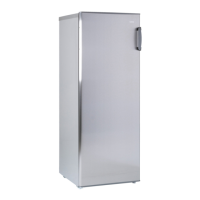
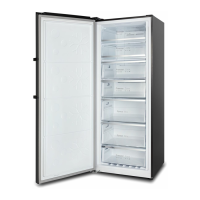
This document describes a CHiQ Hybrid Upright Freezer, models CSH380NWL, CSH380NWR, CSH379NBSL, and CSH379NBSR. It is an upright single-door inverter refrigerator with electronic control, featuring a switchover between fridge mode and freezer mode.
Function Description
The appliance can operate in two primary modes:
- Freezer Mode: Designed for the long-term preservation of items like fish and meat, requiring freezing.
- Fridge Mode: Suitable for fresh food storage, including fruits, vegetables, eggs, and milk.
Important Technical Specifications
- Refrigerant: Uses R600a flammable refrigerant in its sealed system. The appliance contains 82 grams of R600a.
- Temperature Control: Electronic temperature control with an LED display screen for managing and setting parameters.
- Inverter Technology: Integrates precise frequency conversion, noise reduction, energy saving, and precise temperature control. The inverter compressor's working efficiency automatically adjusts based on ambient and set temperatures to maintain optimal operation.
- Environmental Friendliness: Utilizes freon-free refrigerant and foaming insulation material, minimizing damage to the ozone layer and global warming impact.
- Installation Requirements:
- Designed for free-standing use only; not for recessed or built-in installation.
- Requires at least 5cm of space between the back and sides for proper air ventilation.
- Should be placed on a leveled/even floor surface strong enough to support its weight when fully loaded.
- A concrete, tile, or waterproof floor is recommended due to potential defrost water or condensation moisture.
- Front leveling feet are adjustable to ensure proper leveling.
- Must be situated away from direct sunlight and heat sources (stove, heater, radiator).
- Not designed for outdoor installation.
- Avoid moist or pest-infested areas.
- Requires connection to a dedicated, properly installed-grounded wall outlet.
- The room for installation must be at least 1 cubic meter per 8 grams of refrigerant.
Usage Features
The appliance offers several user-friendly designs and functions:
- Computer Control: LED display for temperature and parameter management.
- Wide Working Voltage Range: Ensures stable operation across varying power supplies.
- Automatic Temperature Control: Simplifies temperature management.
- Power-Cut Memory: Retains previous settings after a power failure.
- Power-On Delay: Protects the compressor from damage during short-term power outages by delaying restart for more than 5 minutes.
- Automatic Alarm:
- Door Open Alarm: A buzzer sounds continuously if any door is open for more than 3 minutes. It can be stopped by pressing any key but will resume if the door remains open.
- Over-Temperature Alarm (after power outage): If the freezer sensor temperature is higher than -10°C after power-on, freezer zone digits flicker on the display.
- Fault Alarm: Displays error codes (E0, E1, E2, EH, or EC) if a fault occurs, requiring contact with CHiQ service.
- Fast Freezing Function:
- Sets the unit to -32°C.
- Automatically turns off after 26 hours of running.
- Beneficial for rapid cooling to prevent nutrient loss and preserve freshness.
- Cannot be changed when active and is only available in freezer mode.
- Activated by pressing the Function key until "Fast freezer" flashes, then quickly pressing OK.
- Fast Cool Function:
- Sets the unit to 2°C.
- Beneficial for rapid cooling to prevent nutrient loss and preserve freshness.
- Cannot be changed when active and is only available in fridge mode.
- Activated by pressing the Function key until "Fast cool" flashes, then quickly pressing OK.
- Child Lock Function:
- Automatically enabled if no key operation occurs within 3 minutes, indicated by a lit lock symbol.
- Prevents accidental changes to temperature and functions.
- To enable/disable, press and hold the OK/Lock button for more than 3 seconds until a beeping sound.
- Temperature Setting:
- Adjustable using '+' or '-' keys, then pressing OK or waiting 5 seconds to validate.
- Fridge Mode Range: 2°C to 8°C (2°C↔3°C↔4°C↔5°C↔6°C↔7°C↔8°C).
- Freezer Mode Range: -16°C to -24°C (-16°C↔-17°C↔-18°C↔-19°C↔-20°C↔-21°C↔-22°C↔-23°C↔-24°C).
- The displayed number shows the setting temperature, which may vary from the exact internal temperature.
- Different sections of the refrigerator compartment may have varying temperatures (back wall and lowest shelf typically coolest, top front near the door warmest).
- Mode Switchover (Fridge/Freezer):
- Requires the child lock, fast freezer, and fast cool modes to be turned off.
- Press and hold the '-' Temp. key for 3 seconds to switch between modes.
Maintenance Features
- Cleaning the Refrigerator:
- Recommended to clean thoroughly after installation.
- Unplug the unit before cleaning.
- Remove all food content.
- Wash the inside with a damp cloth soaked in lukewarm water and dishwasher liquid. Avoid chemical detergents that may damage the coating.
- Keep the door gasket (seal) clean to maintain efficiency and prevent dislodging/tearing.
- Dry interior and exterior with a soft cloth.
- Vacation Time:
- Short Vacations (less than three weeks): Leave the refrigerator operating.
- Long Vacations (several months): Remove all food, unplug, clean and dry the interior thoroughly. Leave the door slightly open (blocked if necessary) to prevent odor and mold growth.
- Repositioning and Relocating:
- Unplug the power cord.
- Remove all food and drinks.
- Securely tape down all loose items inside.
- Tape the doors closed.
- Recommended to keep the refrigerator upright during transportation. If laid down, lift it upright immediately after moving and wait at least 24 hours before powering it on.
- Door Reversal Instruction:
- Requires specific spare parts from the accessory bag (top hinge, top hinge cover, bottom hinge, plastic door closer).
- Two people are recommended for safety.
- Tools required: ladder, flat screwdriver, Phillips screwdriver, adjustable spanner, socket wrench, 8mm socket.
- Detailed steps are provided for reversing the door from right to left (or vice versa), including disconnecting/reconnecting wires, moving magnets, and installing new hinges and door stoppers/closers.
- Troubleshooting tips are provided if the unit beeps after door reversal, focusing on magnet and sensor placement and hinge cover attachment.
Energy Saving Tips
- Allow hot foods to cool to room temperature before placing them in the refrigerator.
- Avoid overloading the refrigerator, as it forces the compressor to work harder.
- Wrap foods properly and wipe containers dry to reduce frost build-up.
- Organize and label food to minimize door openings and search time. Remove multiple items at once and close the door promptly.


 To Next Page
 General