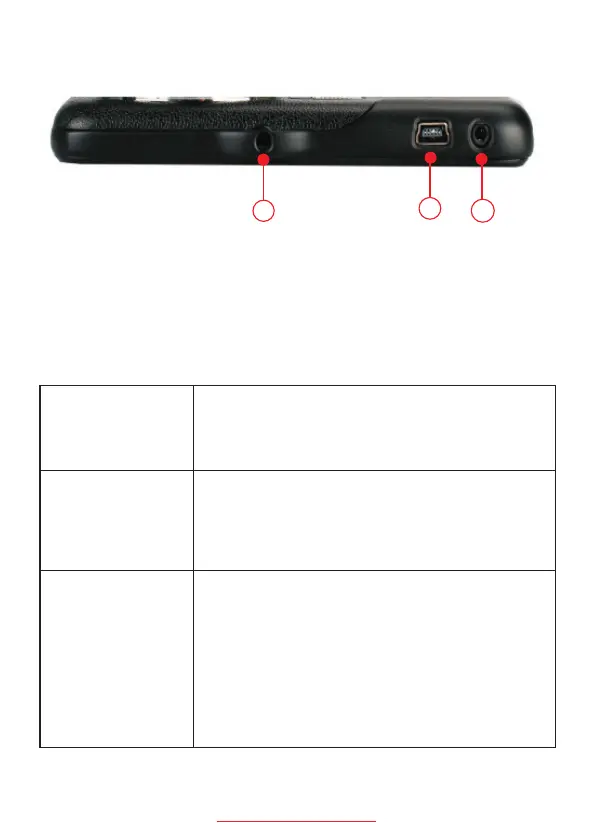
12. Mount Connector
14. Rear view camera connector
13. Mini USB Power Port
Basic Key Function:
Mode Button
Up Button
OK Button
A: In standby, short press to switch between
recording mode /photo/playback mode;
B: During recording, press once to lock curre
-nt video.
A: In video recording mode, short press to s
-witch preview mode of the front camera and
-rear camera.
B: In setting menu, short press to select the
setting options and adjust value.
A: Long press to power on and off the camera.
B: In video recording mode, short press to sta
-rt and stop recording.
C: In photo taking mode, short press to take
a photo.
D: In playback, short press to start/stop play
-ing the video.
E: In setting menu, short press to confirm
selection.
support@chortau.cc
14
12
13
3


 To Next Page